Manual Scaling
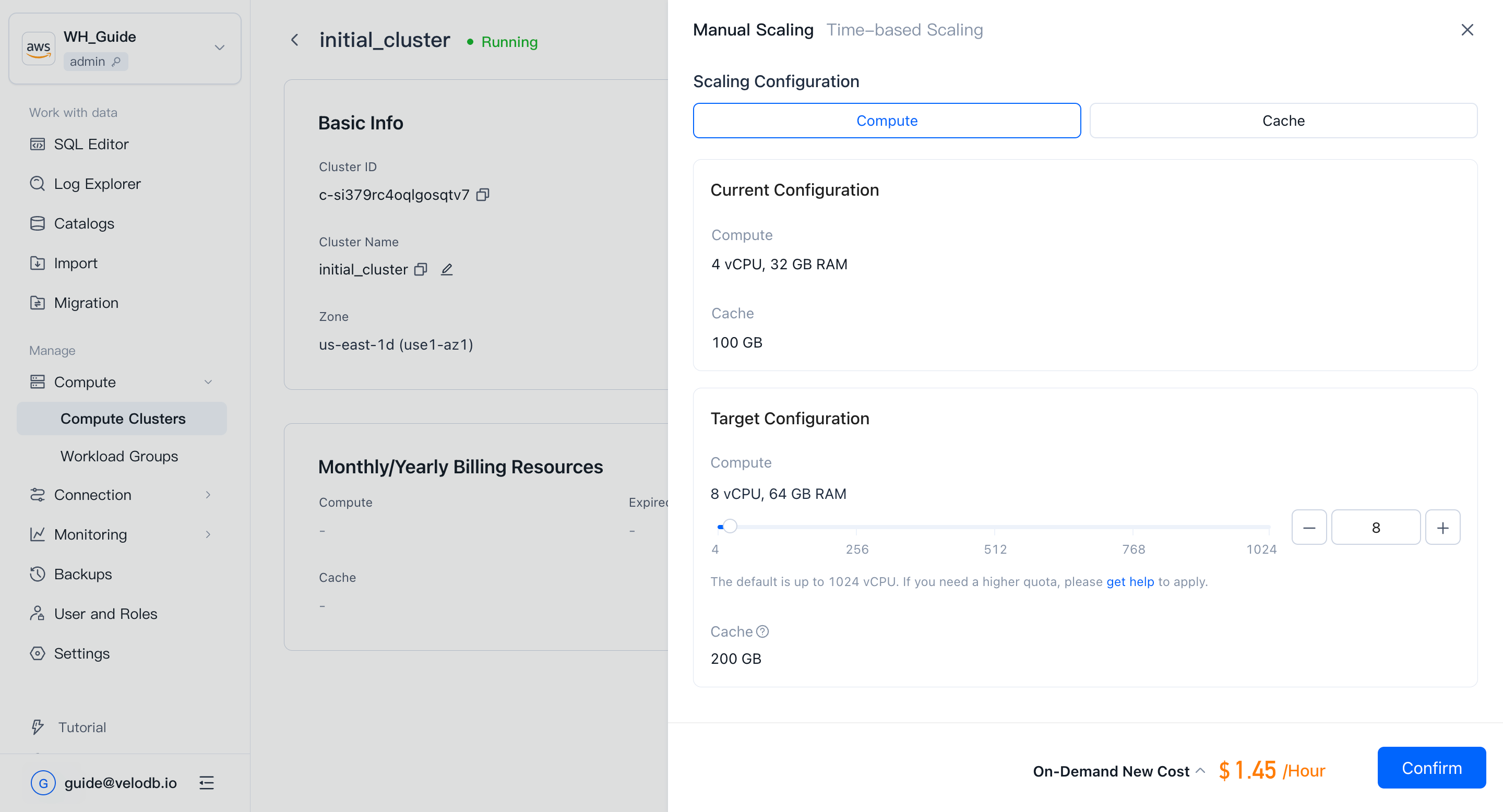
Manual scaling lets you resize a cluster immediately when workload or cache requirements change. Compute and Cache have different scaling rules:
- Scale Compute when you need more or fewer vCPU resources for query execution, loading, or concurrent workloads. When compute changes, cache space changes proportionally with it.
- Scale out Cache separately when you need more local cache space for hot data without changing compute capacity.
Cache supports separate scale-out only. It does not support separate scale-in.
Before you scale
Check the current workload before changing resources. VeloDB Cloud performs scaling as smoothly as possible to minimize business impact, but it is still a good practice to avoid frequent resource changes during critical traffic peaks unless the extra capacity is needed immediately.
Manual scaling is available from the cluster Details page when the cluster is in a status that allows operations.
Scale compute
Use compute scaling to increase or decrease the vCPU capacity of the cluster. When you scale compute, VeloDB Cloud adjusts cache space proportionally at the same time.
- Open Compute from the Manage group in the left navigation.
- On the Cluster Overview page, click the target cluster card to open the cluster Details page.
- In On-Demand Resources, find Compute.
- Click Scale Out/In -> Manual Scaling.
- Select the target compute size.
- Confirm the change.
After you confirm, the cluster enters Scaling status. When scaling completes, the cluster returns to Running.
When scaling out compute, both compute capacity and cache space increase. When scaling in compute, compute capacity decreases and cache space shrinks proportionally; cached data that exceeds the new capacity may be evicted.
Scale out cache
Use cache scaling when you only need more cache space and do not need more vCPU. Cache can be scaled out separately from compute, so you can increase cache capacity for hotter datasets without increasing compute capacity.
- Open the target cluster Details page.
- In On-Demand Resources, find Cache.
- Click Scale Out/In -> Manual Scaling.
- Select the target cache size.
- Confirm the change.
When scaling out cache, VeloDB Cloud allocates more cache space to the cluster. Compute capacity does not change.
Separate cache scale-in is not supported. To reduce cache space, scale in compute; cache space shrinks proportionally with the compute size.
Choose what to scale
Choose the target operation according to the workload bottleneck:
| Requirement | Recommended action |
|---|---|
| More query concurrency or faster execution | Scale out Compute. Cache space increases proportionally. |
| Lower compute cost after traffic drops | Scale in Compute. Cache space shrinks proportionally. |
| More room for hot data or larger working sets, without more vCPU | Scale out Cache separately. |
| Lower cache cost when the working set is smaller | Scale in Compute. Separate cache scale-in is not supported. |
Status and impact
Note
- Scaling takes about 3 minutes; status transitions from Running to Scaling and back.
- SaaS free-trial clusters do not support scaling.
- Scaling is designed to be as smooth as possible, minimizing the impact on running workloads.
- When scaling in compute, cache space shrinks proportionally, and data outside the new cache capacity is evicted. Query latency may increase while the cache warms up again.
- Cache supports separate scale-out only. Separate cache scale-in is not supported.