VeloDB Cloud 26.x·Apache Doris 4.x (≤ 4.0 supported)·"Since X.Y" tags refer to Doris versionsversion mapping →
Virtual Cluster
Premium plan feature
Virtual Cluster requires the Premium plan. To upgrade, see Plans.
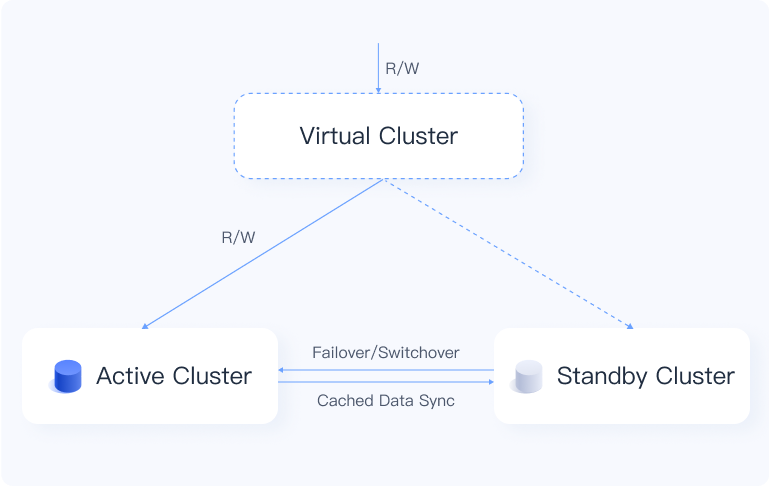
A virtual cluster pairs two physical clusters as active and standby across availability zones. On a failure in the active AZ, VeloDB Cloud automatically fails over to the standby cluster. Real-time data synchronization ensures continuity and prevents data loss.
Prerequisites
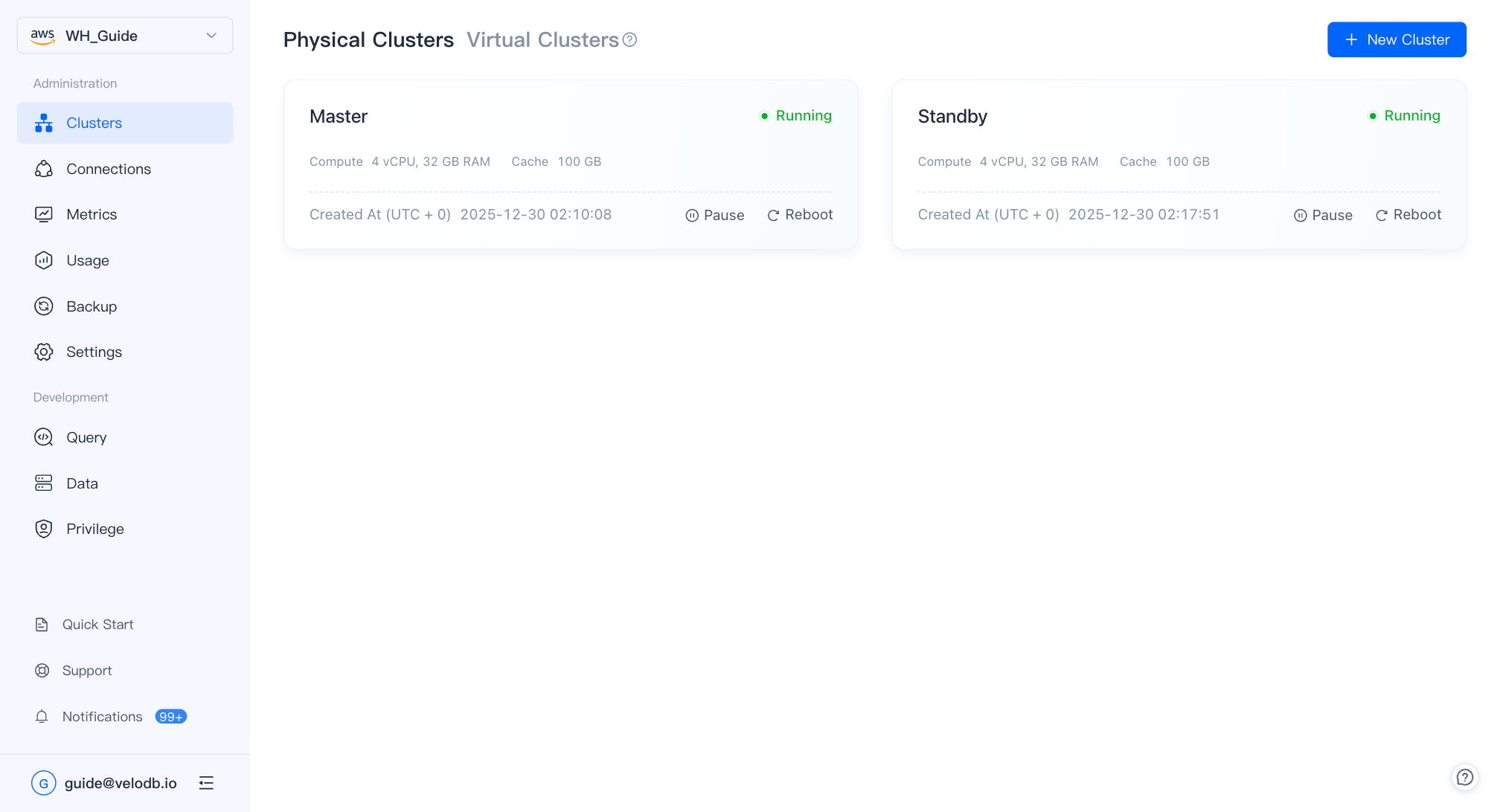
Before creating a virtual cluster, ensure you have:
- Two physical clusters in Running state
- The two clusters located in different availability zones
Create a virtual cluster
-
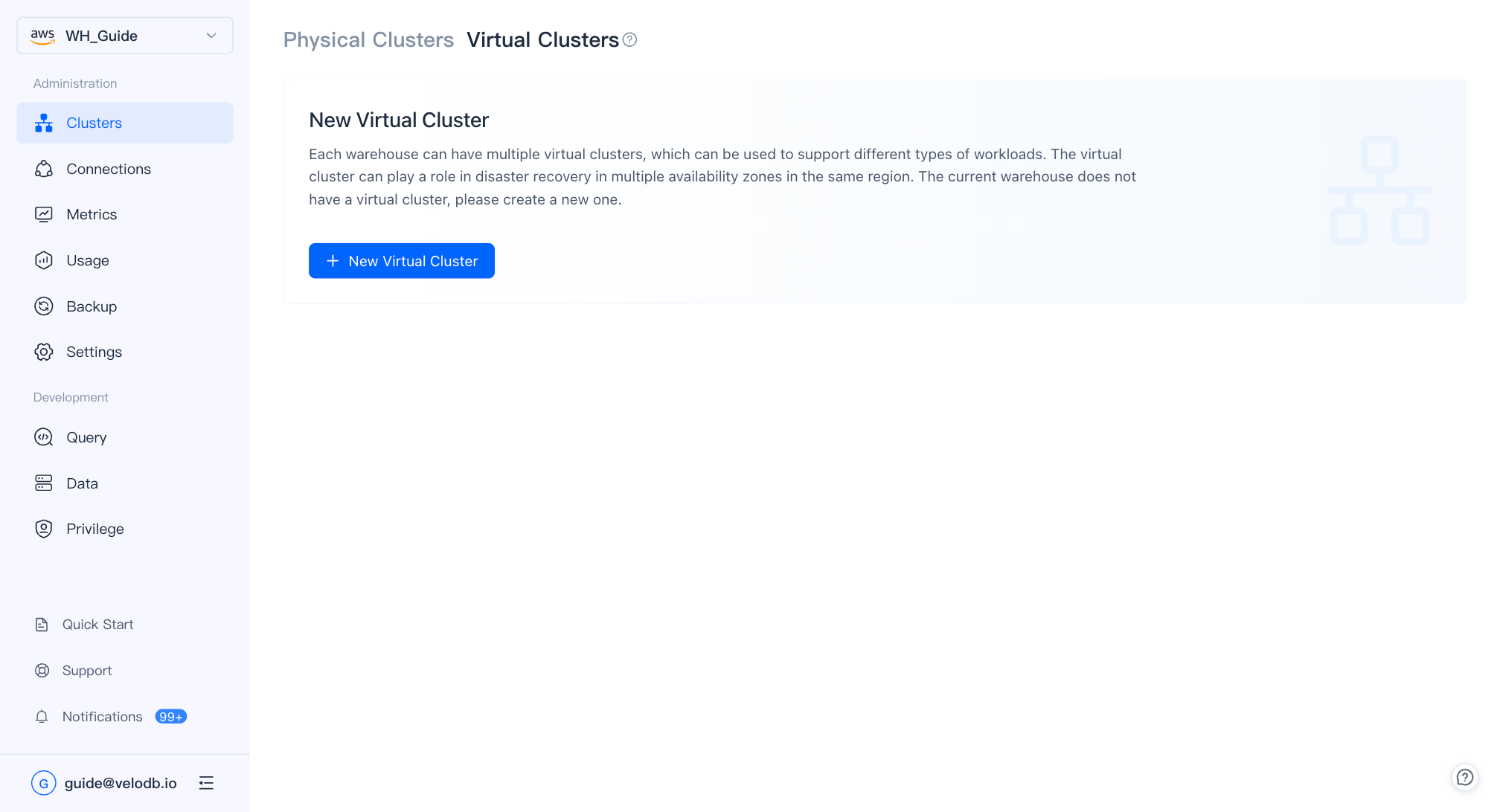
Open the Virtual Cluster page and click New Virtual Cluster.
-
Fill in the configuration:
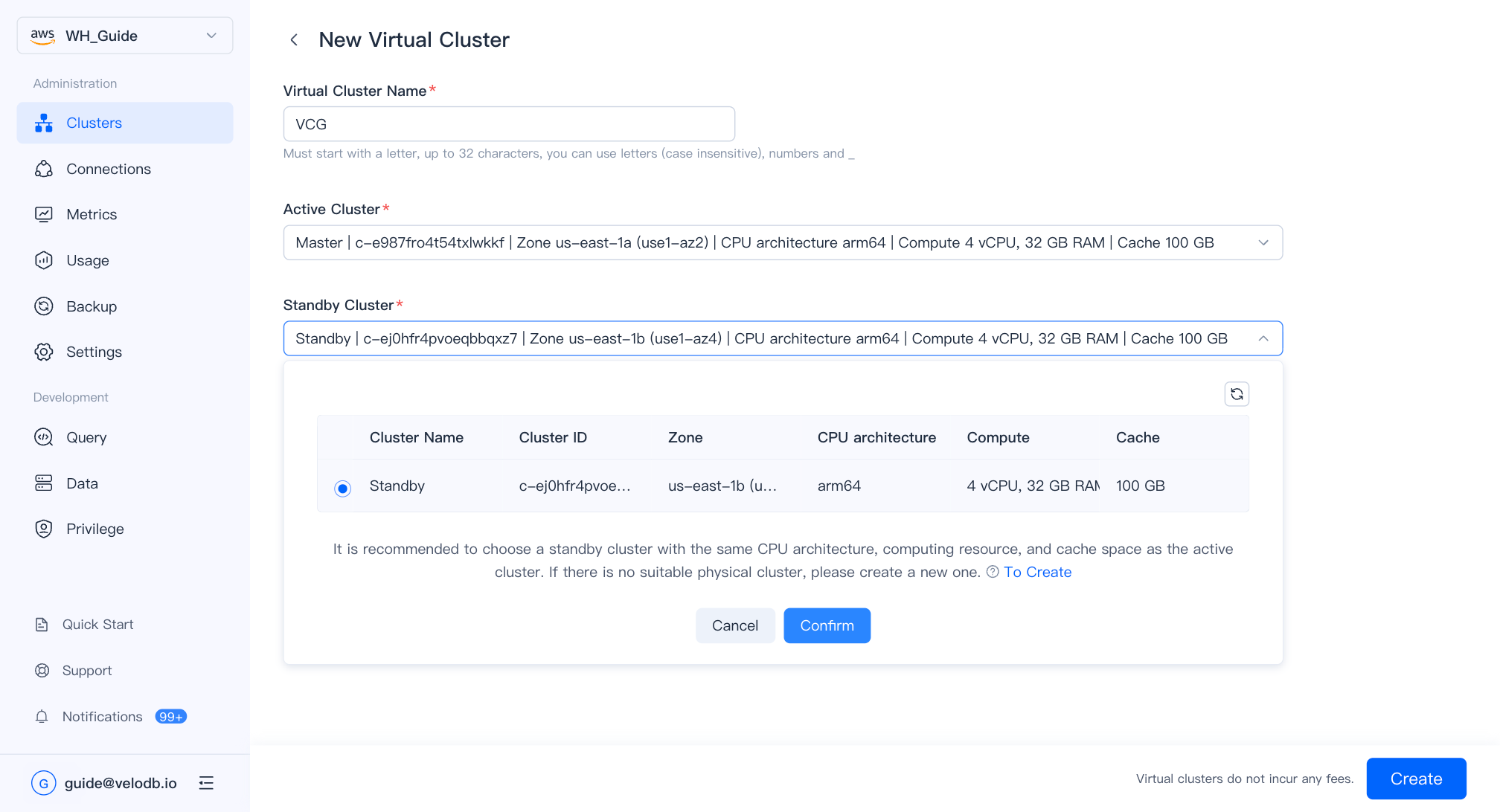
Parameter Description Virtual Cluster Name Must start with a letter; up to 32 characters; letters, digits, and underscores. Active Cluster The cluster actively serving traffic. Standby Cluster The cluster that takes over on failover. Identical specifications to the active cluster are recommended. -
Click Confirm to create the virtual cluster. Once created, it appears as a card on the Virtual Cluster overview page.
Manage a virtual cluster
Click a virtual cluster card to open its detail page.
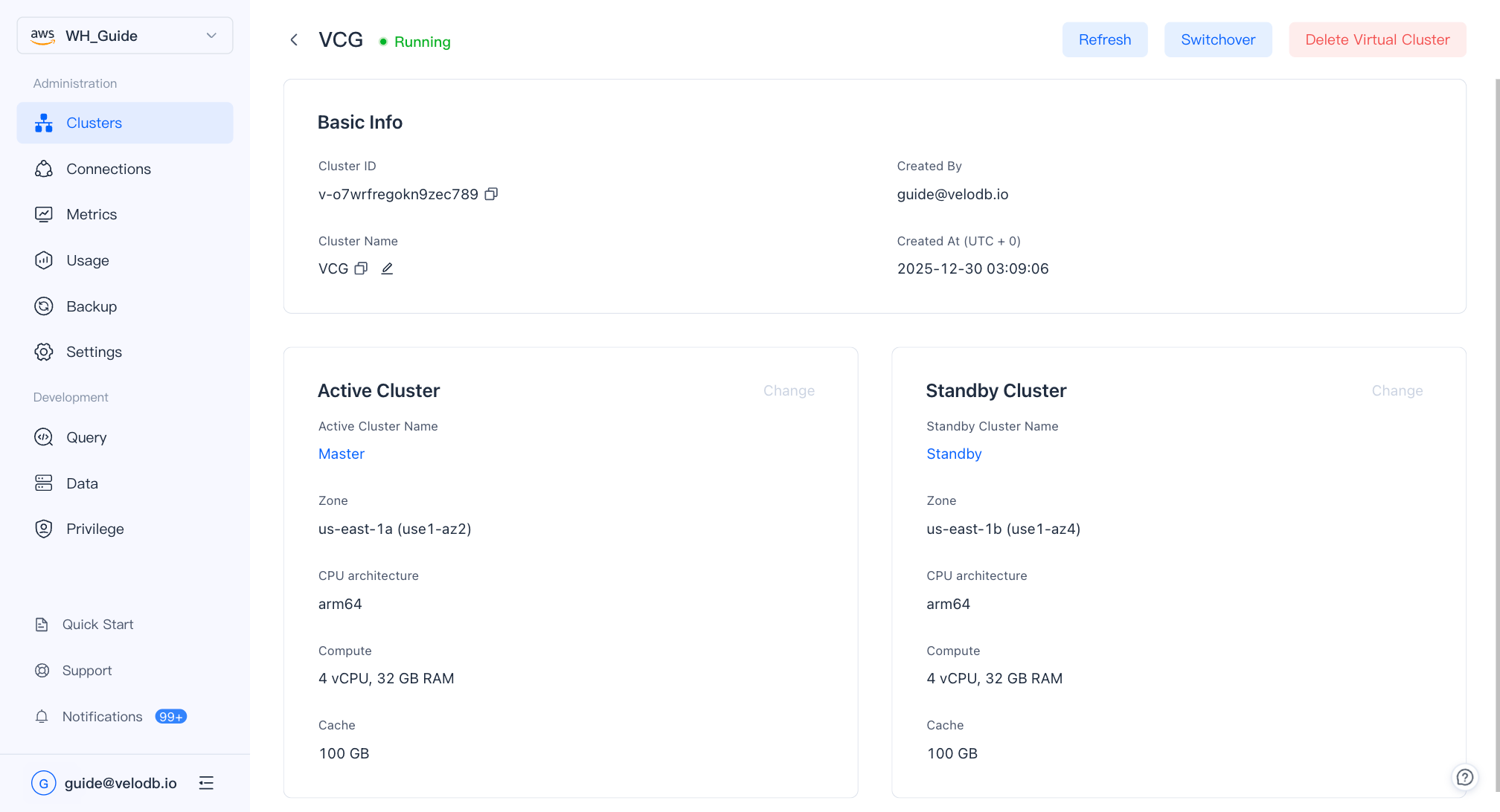
From the detail page you can:
- Switch active/standby — Promote the standby cluster to active. Use this for planned maintenance or to restore the original assignment after a failover.
- Delete — Remove the virtual cluster. This does not delete the underlying physical clusters.