Warehouse Settings
Open Settings from the Manage group in the left navigation.
Check warehouse details
In the warehouse selector, you can see all warehouses you have access to.
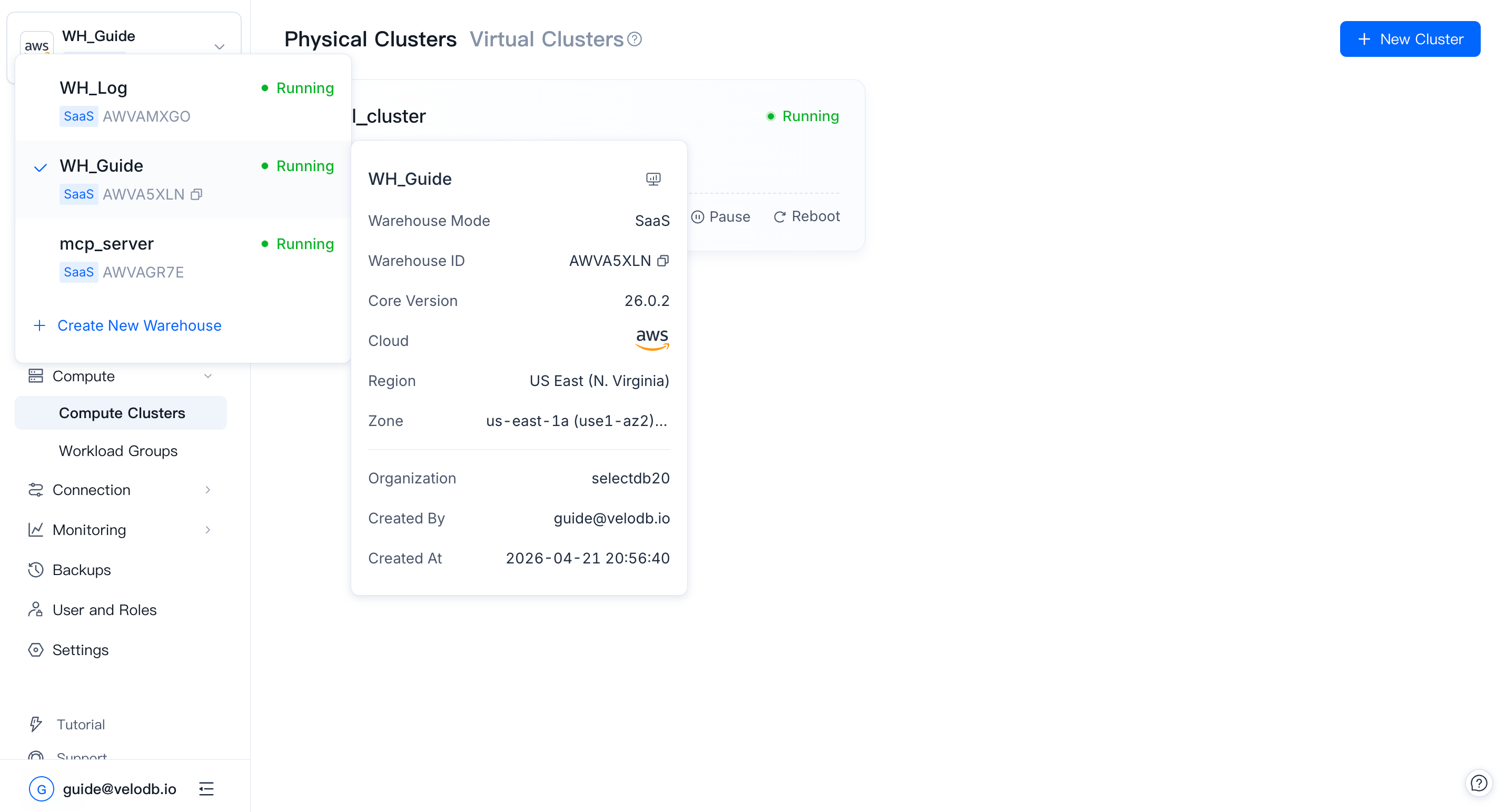
The selector shows each warehouse's name, cloud platform, region, and status. Hover over a warehouse to see a detail card with its ID, core version, cloud platform, region, zone, and organization.
Note Warehouse IDs are 8 characters: the first 4 encode the cloud platform and region (for example,
AWVAfor AWS US East N. Virginia), and the last 4 are a random alphanumeric suffix.
Switch warehouse
In the warehouse selector, scroll to find the target warehouse and click to switch.
Rename
Enter a new name in the Settings page and press Enter to confirm.
Warning The name must be unique within the organization, max 32 characters, and may contain letters, numbers,
_, and-.
Reset connection password
The warehouse password is used by applications and SQL clients to connect. Reset it on the Settings page.
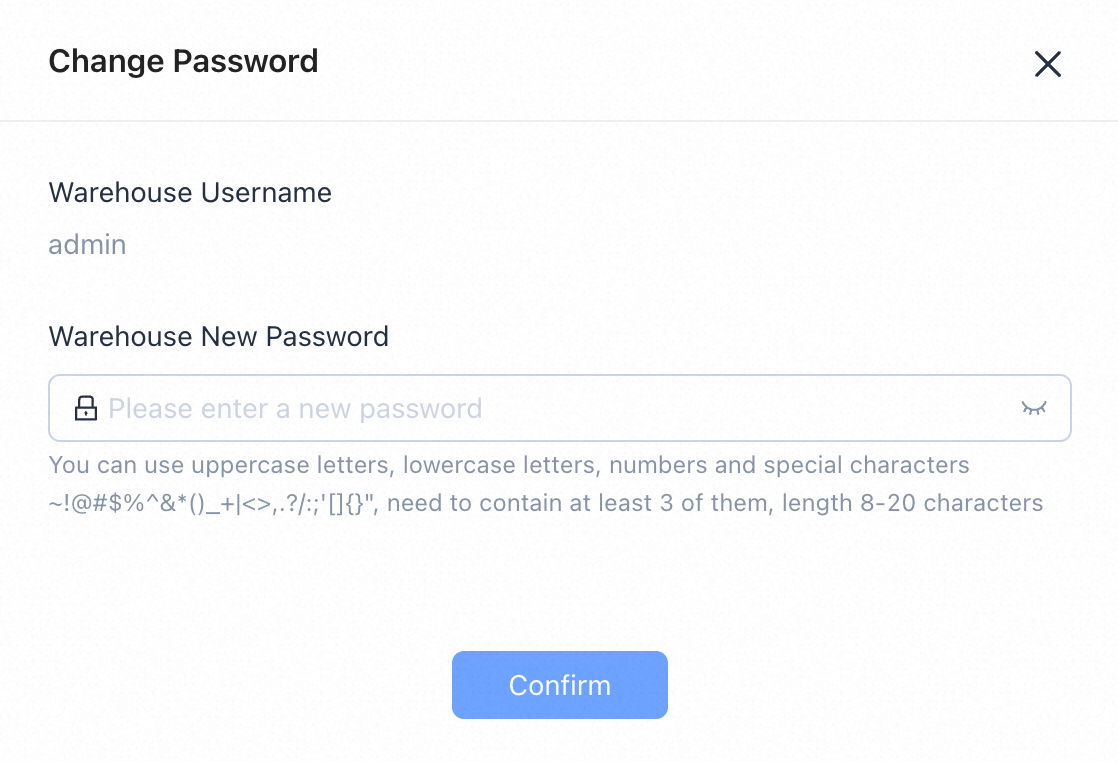
Warning The password must be 8–20 characters and contain at least 3 of: uppercase letters, lowercase letters, numbers, and special characters (
~!@#$%^&*()_+|<>,.?/:;'[]{}).
Maintenance time window
The maintenance time window is the period during which the system can perform scheduled maintenance — for example, automatic patch-version upgrades.
The default window is 02:00–03:00 UTC. Change it on the Settings page to match your off-peak hours.

Each warehouse has its own maintenance window. Start and end times are hour-accurate; end time must be later than start time.
For encryption settings, see Encryption. For core version upgrades, see Upgrade Core Version. To delete the warehouse, see Delete a Warehouse.