Encryption at Rest
VeloDB Cloud protects data at rest in two layers:
- Storage layer: always-on encryption of cloud object storage and disks, managed by the cloud platform with cloud-managed keys.
- Warehouse layer: an optional additional layer, Transparent Data Encryption (TDE), that you enable per warehouse and can back with your own customer-managed KMS key.
Storage Layer Encryption
Cloud object storage and the disks used for cache are encrypted by the cloud platform using cloud-managed keys. This protection is on by default and requires no configuration:
- Object storage encryption helps prevent data from being read directly from object storage or physical disks.
- Disk encryption helps prevent cache data from being read directly from disks.
The cloud platform owns these keys and their lifecycle, including rotation. To control the encryption key yourself, use warehouse-layer encryption (TDE) below.
Warehouse Layer Encryption (TDE)
Transparent Data Encryption (TDE) adds a second layer of encryption on top of the storage layer, applied to warehouse service data. You can enable TDE when you create a warehouse. Enhanced encryption is currently available in AWS warehouses.
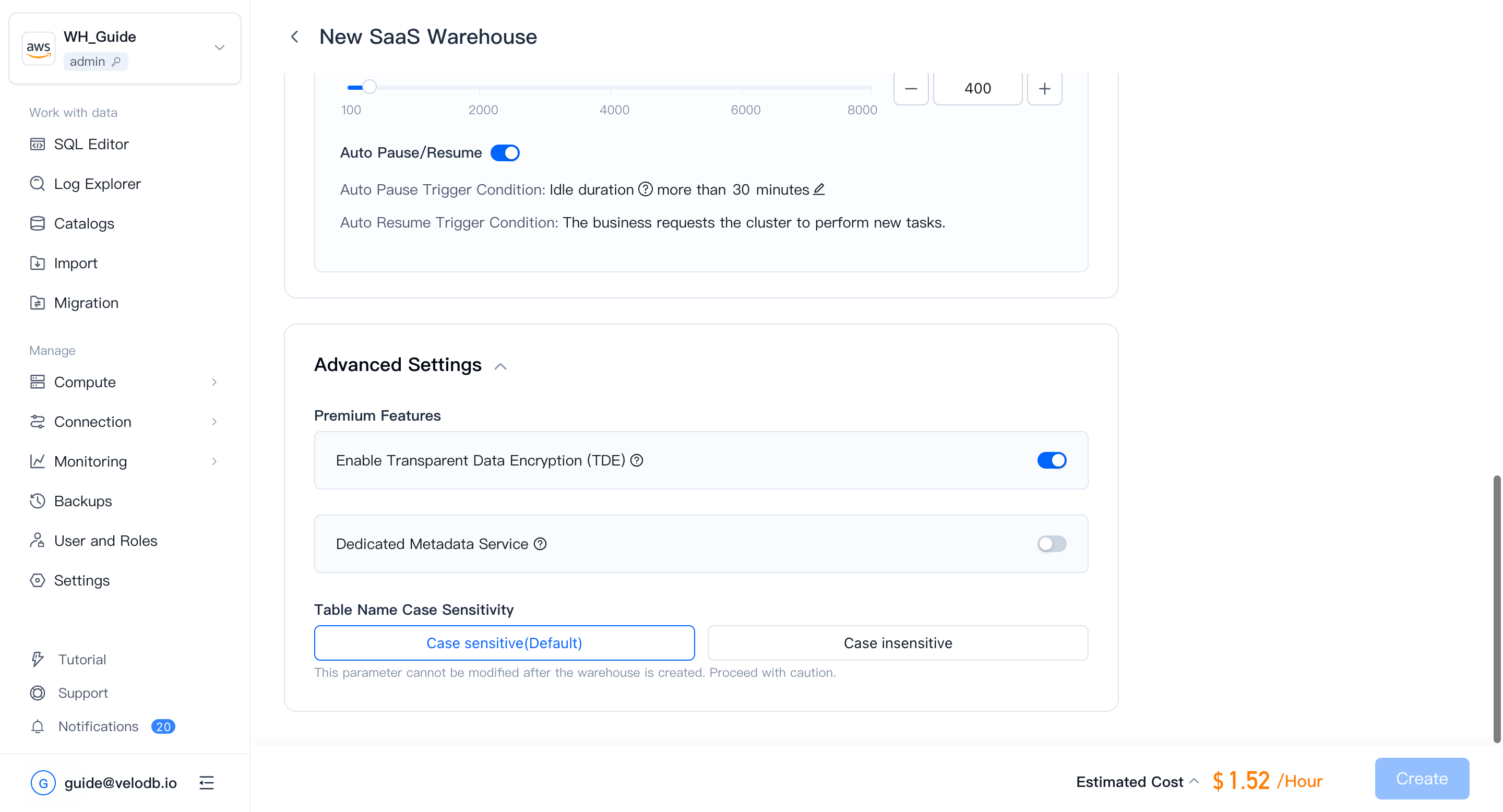
By default, TDE uses a key provided by the warehouse. You can upgrade to your own customer-managed KMS key, which gives you control over the key and its rotation.
Use a Customer-Managed KMS Key
Replacing the default warehouse key with a customer-managed KMS key:
-
In the AWS KMS console, create a new symmetric encryption key.
-
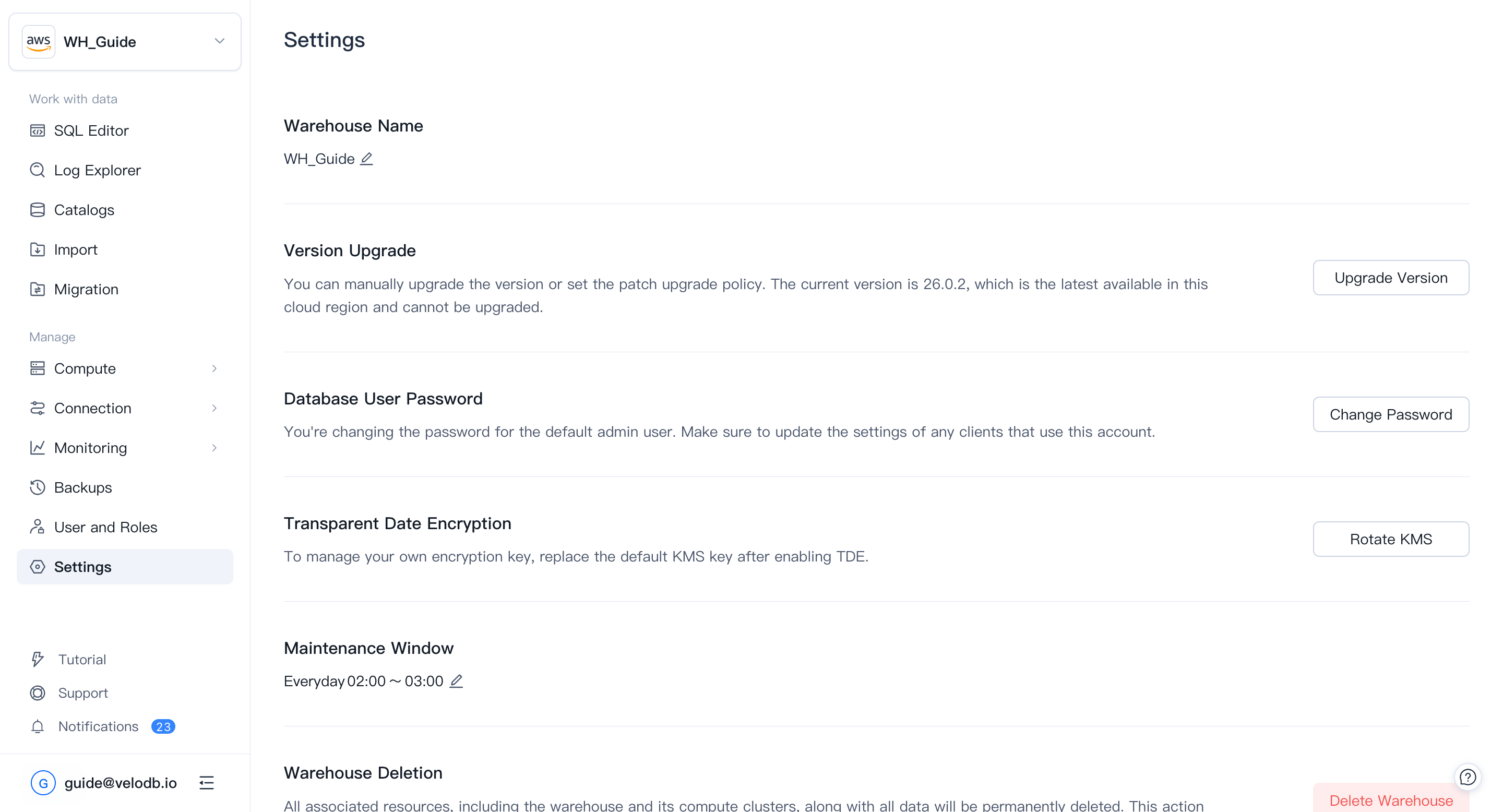
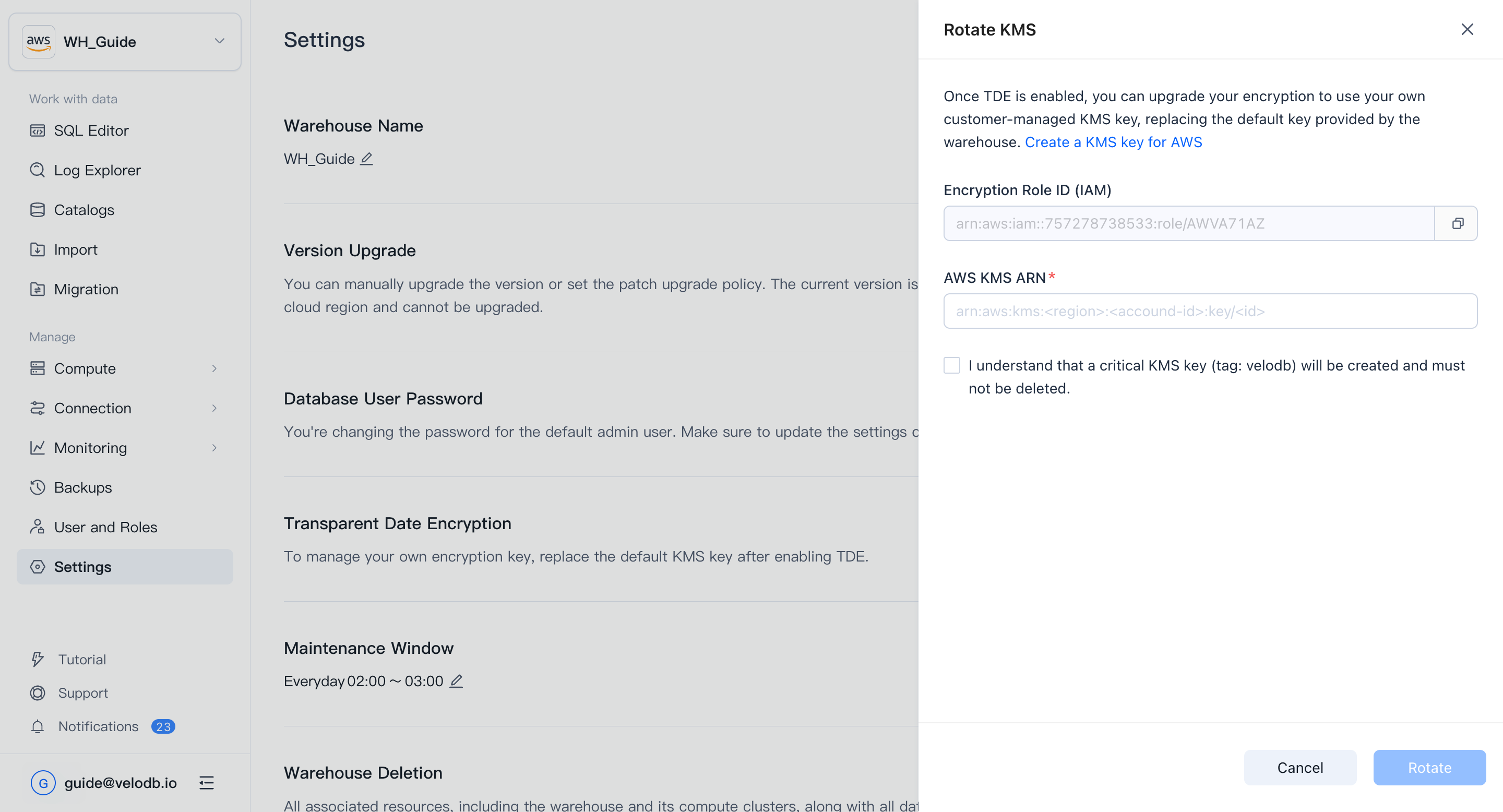
In VeloDB Cloud, open the warehouse Settings page, click Rotate KMS, and copy the Encryption Role ID.
-
Add the following policy statement to the key policy of the KMS key you created. Replace
YOUR_ENCRYPTION_ROLE_IDwith the Encryption Role ID copied from VeloDB Cloud.{
"Sid": "Allow VeloDB Access",
"Effect": "Allow",
"Principal": {
"AWS": [ "YOUR_ENCRYPTION_ROLE_ID" ]
},
"Action": [
"kms:Encrypt",
"kms:Decrypt",
"kms:ReEncrypt*",
"kms:DescribeKey"
],
"Resource": "*"
} -
Return to VeloDB Cloud, paste the Key ARN in the Transparent Data Encryption section of the warehouse settings, and click Rotate.
Protect your customer-managed KMS key from deletion. Warehouse operation depends on the availability of the key.