Marketplace on AWS
VeloDB Cloud on AWS Marketplace supports two subscription types:
| Subscription | When to use |
|---|---|
| PAYG (Pay-As-You-Go) | Public listing with on-demand billing. Anyone can self-serve subscribe at the standard rates. |
| Private Offer | Custom commercial terms (committed spend, discounted rate, multi-year, etc.) negotiated with the VeloDB sales team. You receive a private offer link by email and accept it on AWS Marketplace. |
Note Both subscription types use the same authorization flow on the VeloDB Cloud side — the only difference is how you reach the AWS Marketplace subscribe page. After subscribing, charges go to the same AWS account regardless of subscription type.
PAYG subscription
-
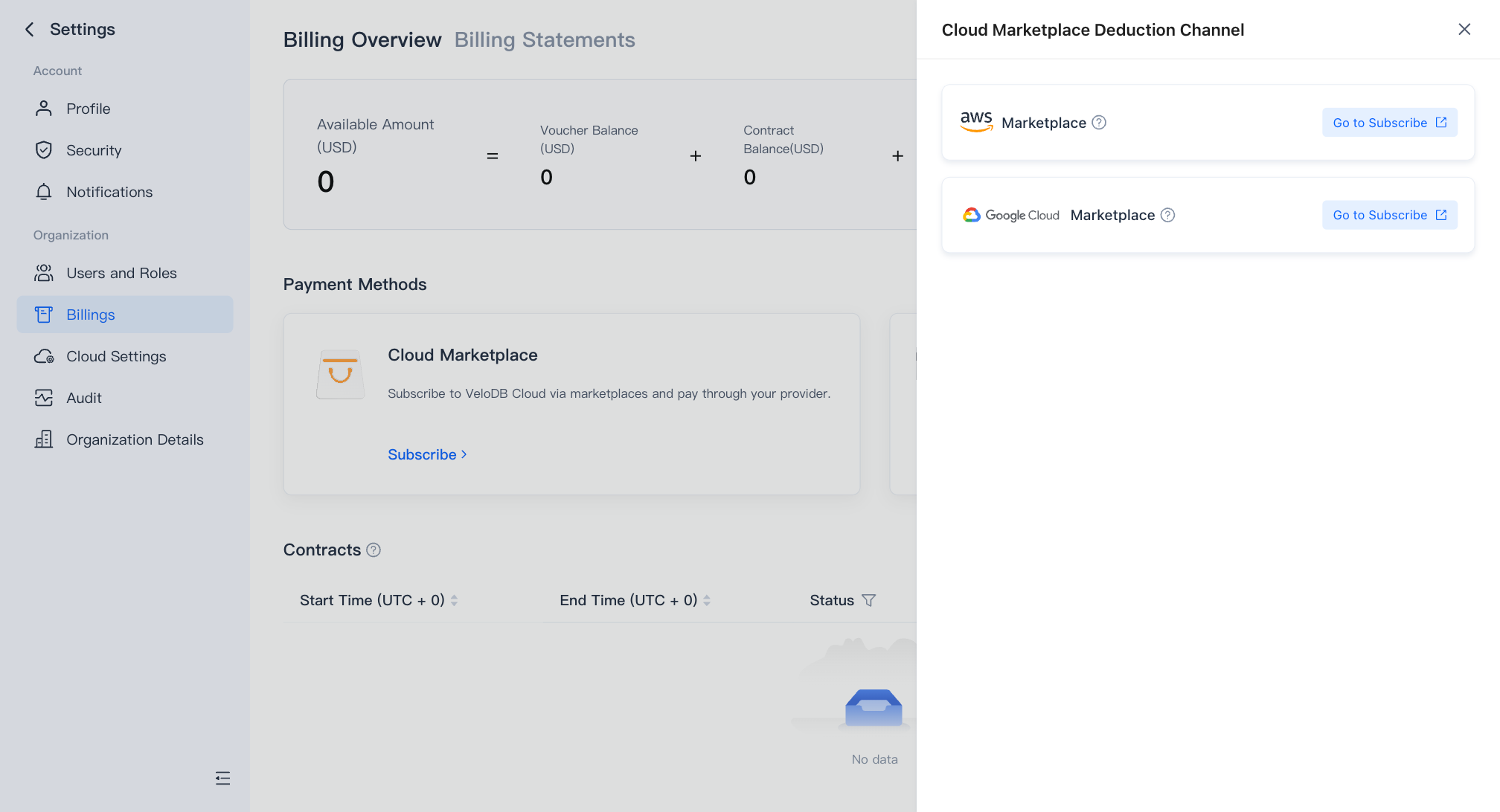
On the Billing Overview page, click Subscribe on the Cloud Marketplace card, find AWS Marketplace in the drawer, and click Go to Subscribe to open the VeloDB Cloud product page on AWS Marketplace.
-
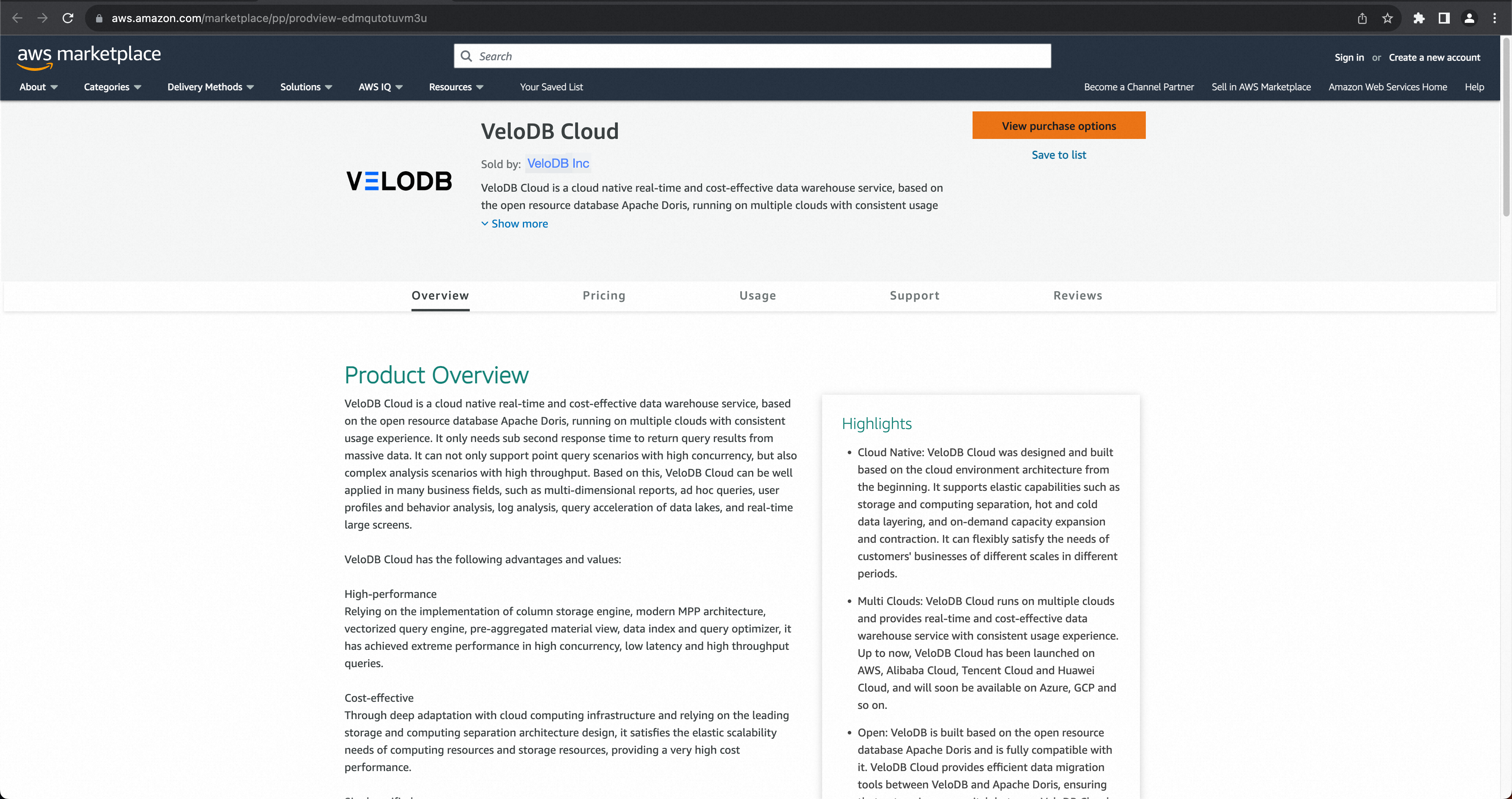
On the AWS Marketplace product page, click View purchase options.
-
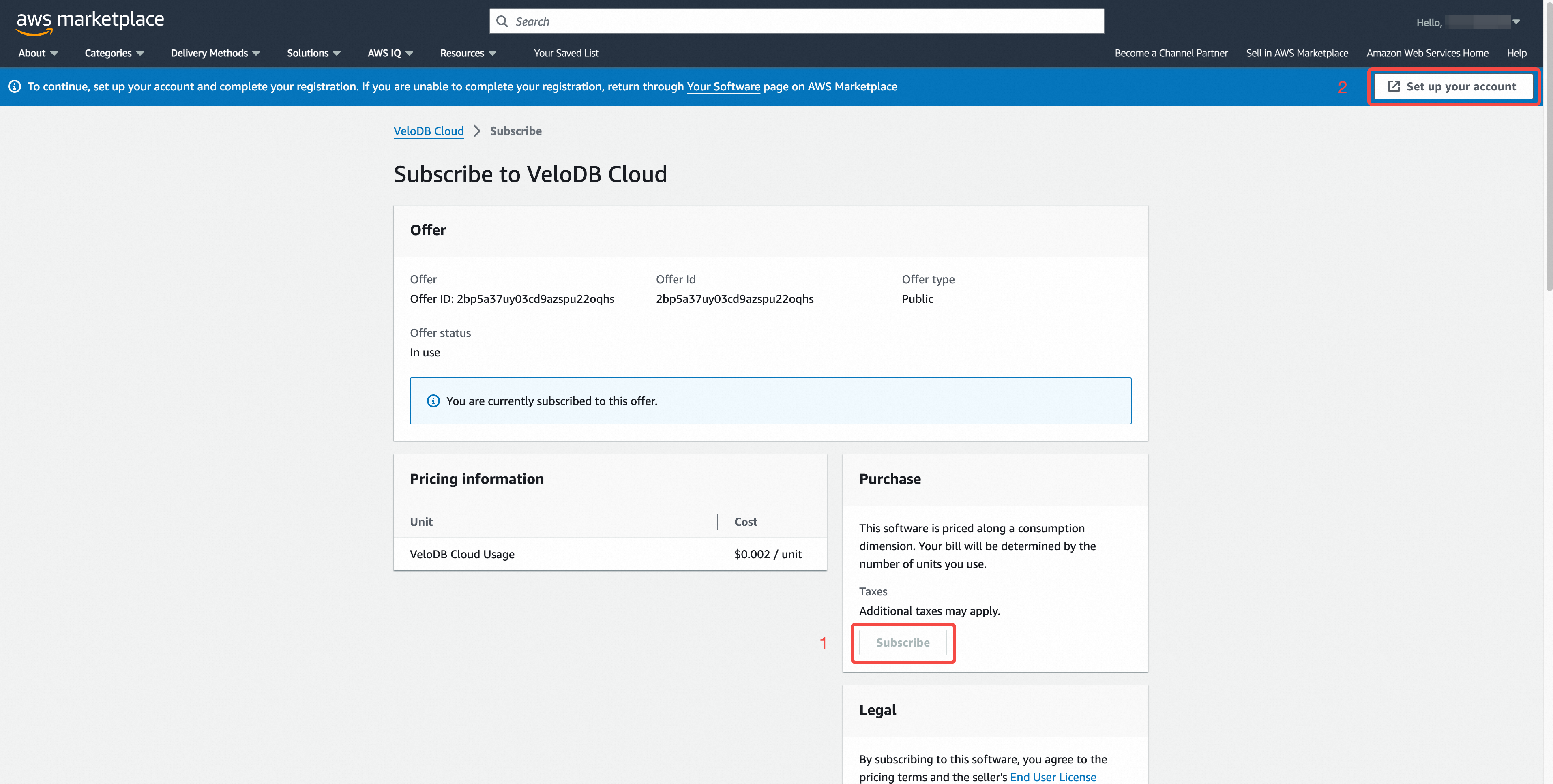
Click Subscribe. When the page shows "You are currently subscribed to this offer", click Set up your account to open the VeloDB Cloud authorization page.
-
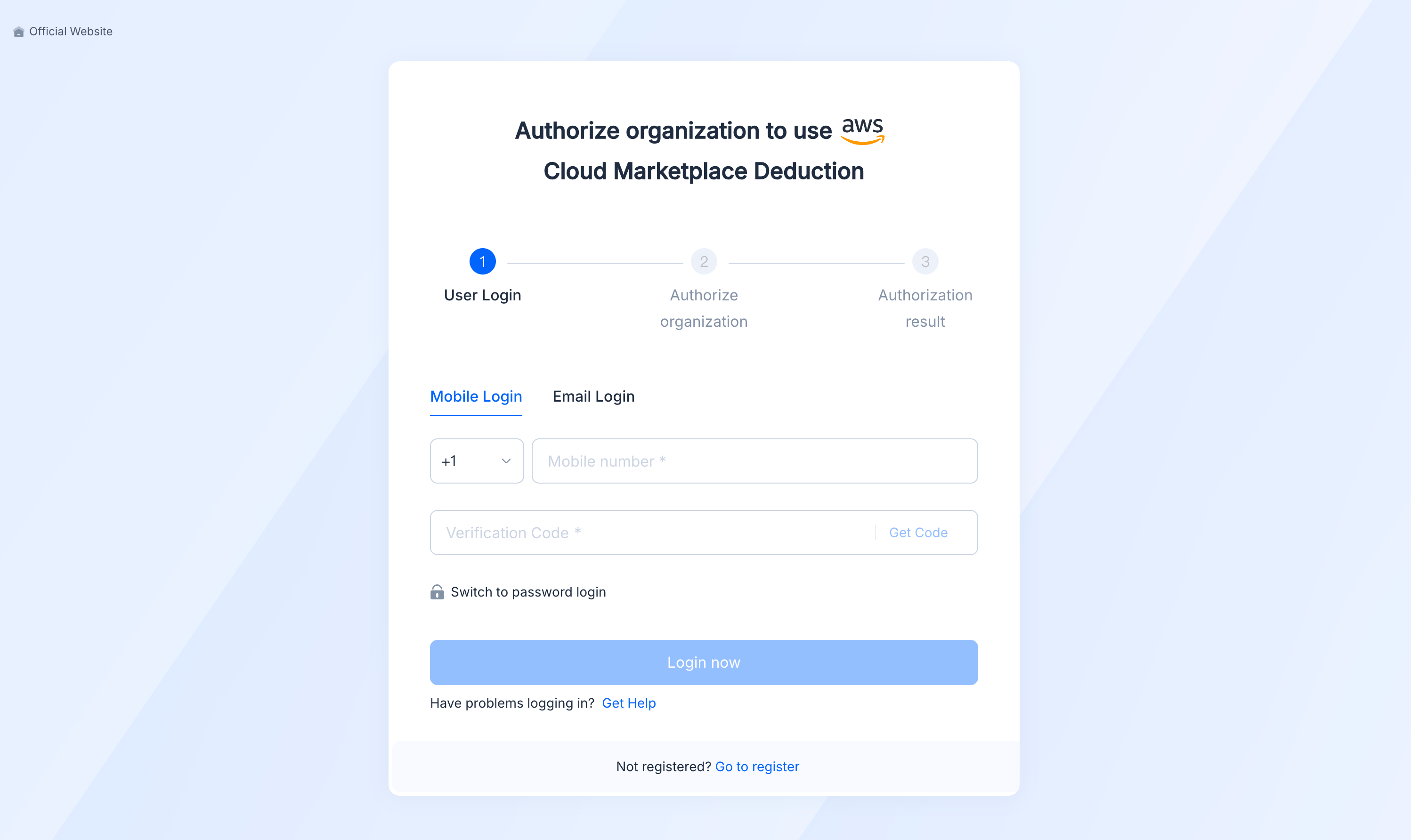
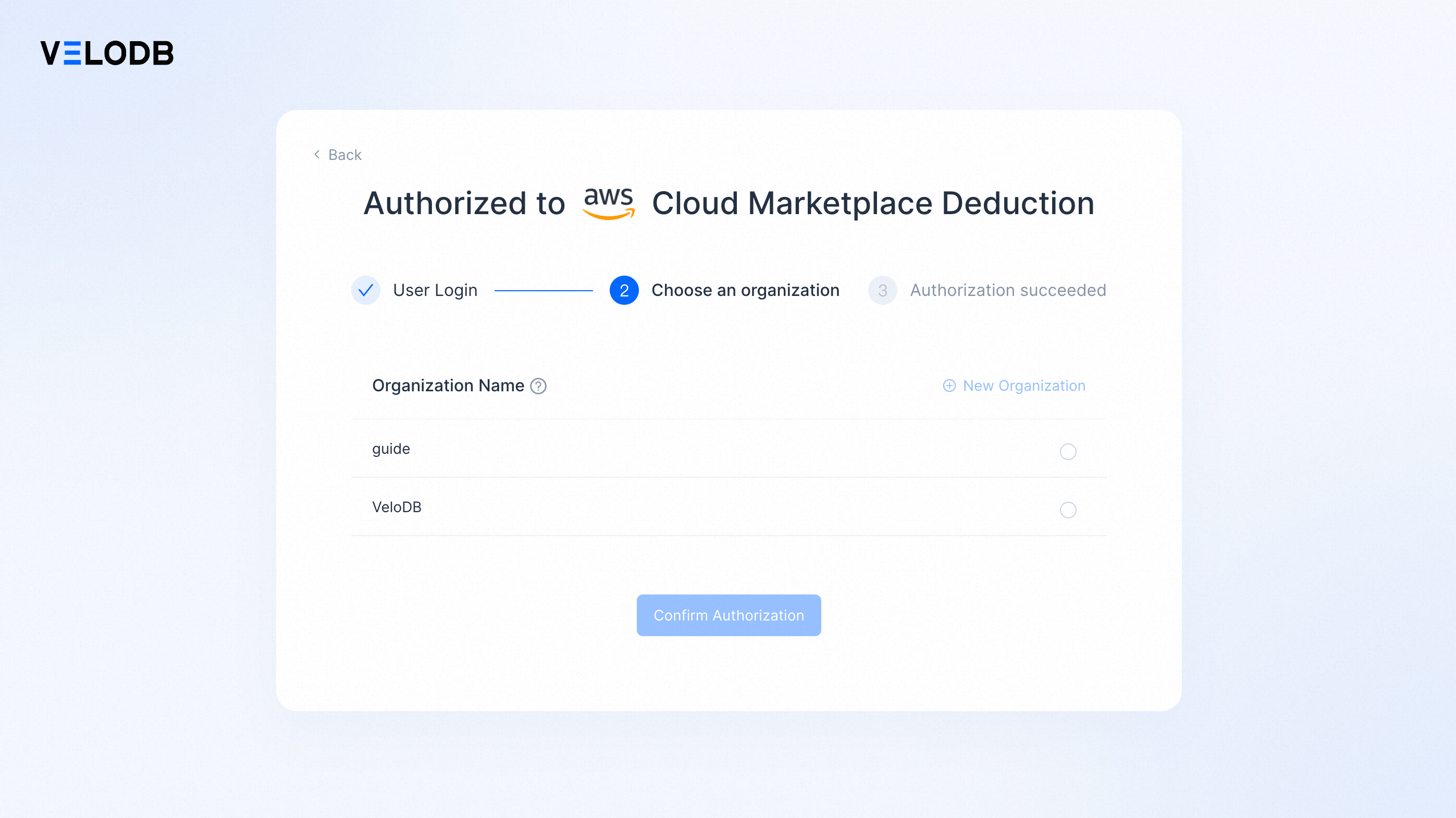
Sign in to VeloDB Cloud on the authorization page.
-
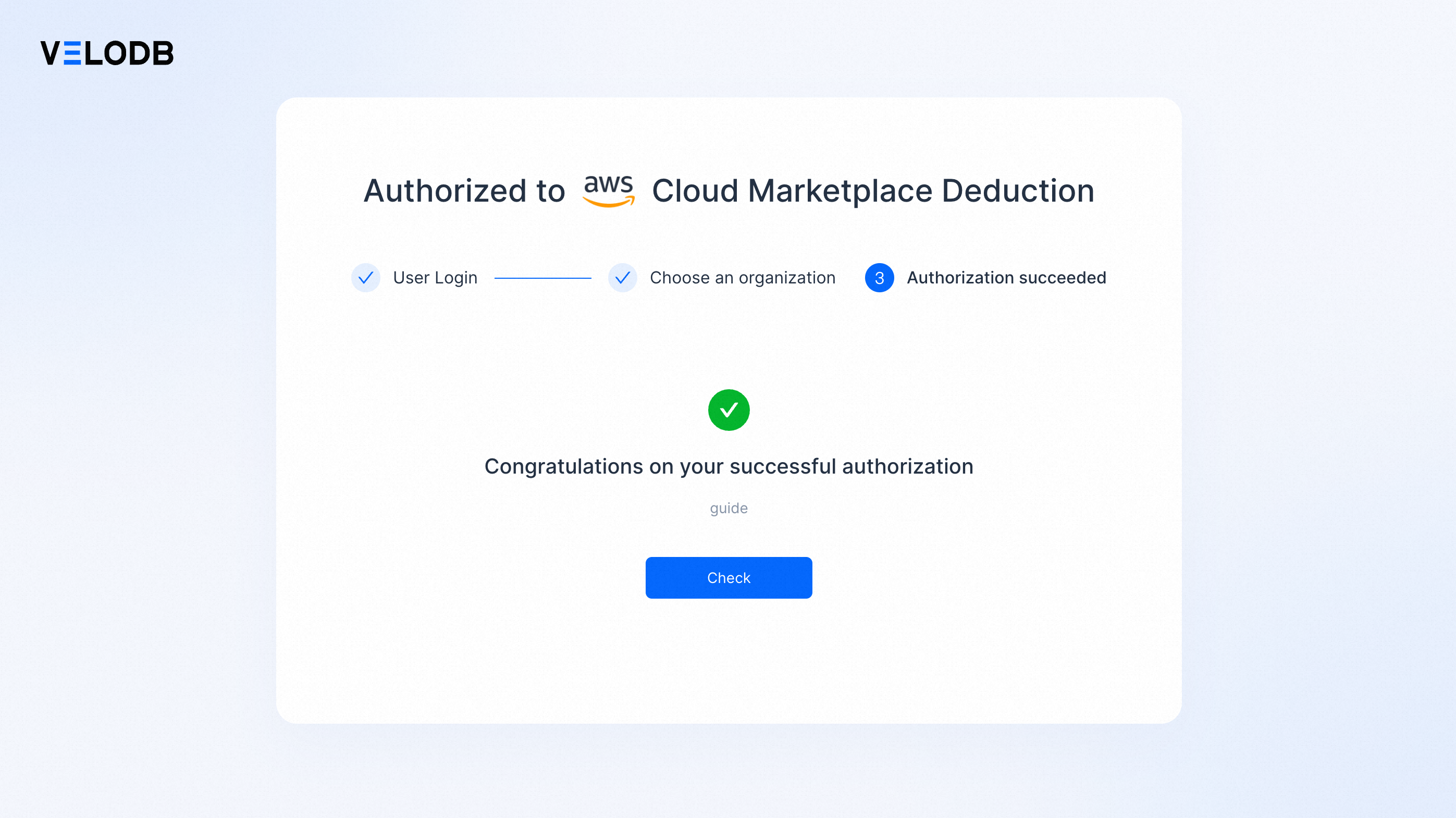
Pick the target organization from the list and click Confirm Authorization. Once authorization succeeds, your AWS account starts being charged for VeloDB Cloud usage.
-
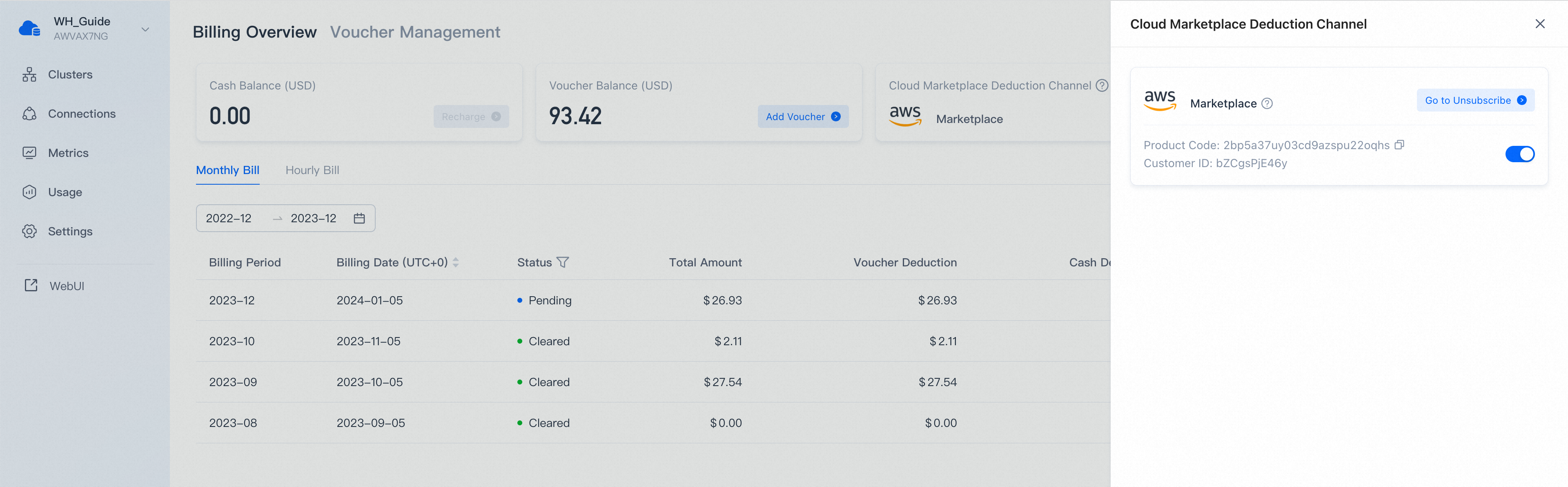
Click Check to return to Billing Overview. When AWS Marketplace appears under the cloud-marketplace deduction channels, the setup is complete.
Private Offer subscription
A Private Offer is created and sent to you by the VeloDB Cloud sales team. It carries custom commercial terms (committed spend, discounted rate, multi-year contract, etc.) that are not available on the public PAYG listing.
Before you start
- Reach out to VeloDB sales at support@velodb.io to negotiate the offer terms.
- Provide the AWS account ID that will subscribe to and pay for VeloDB Cloud usage. The Private Offer is bound to this account; only this account can accept the offer.
- Once terms are agreed, the sales team publishes the Private Offer to your AWS account and emails you a Private Offer link (an AWS Marketplace URL).
Accept the Private Offer
-
Sign in to the AWS account that received the offer. Then open the Private Offer link from the email.
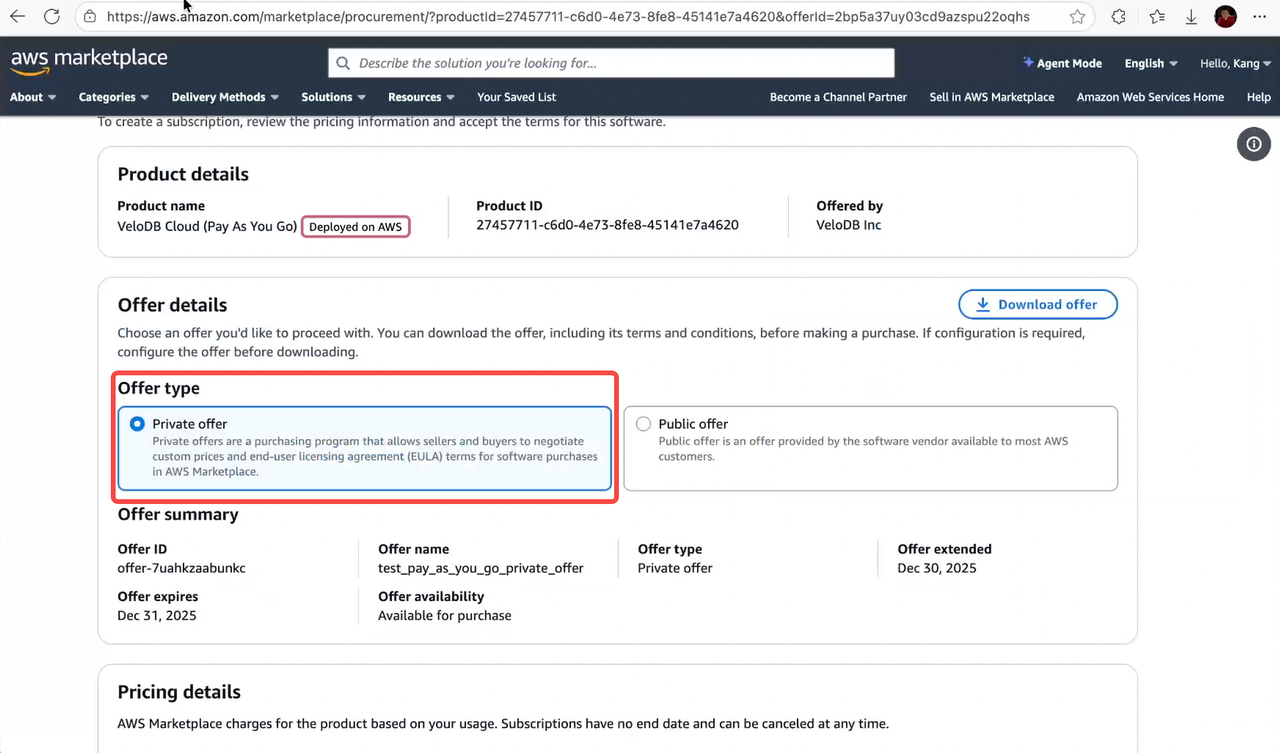
The link takes you to the VeloDB Cloud product page on AWS Marketplace, with the Private Offer preselected.
-
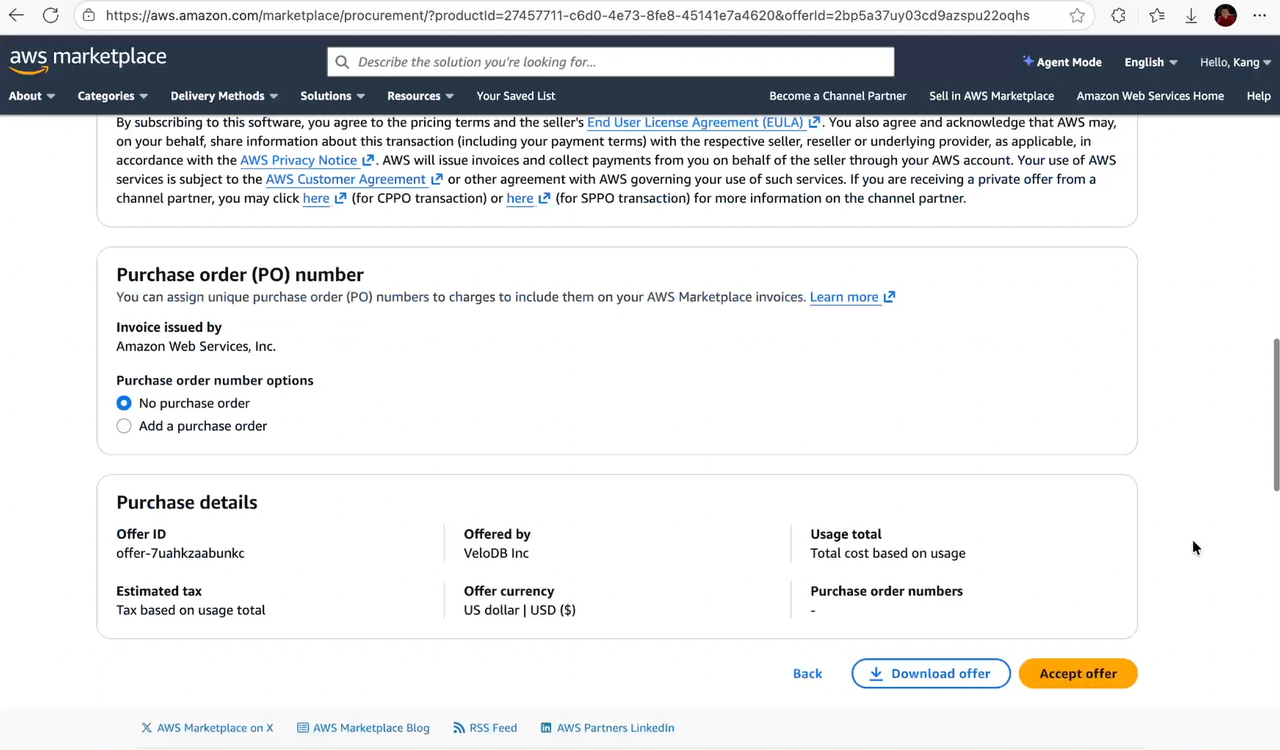
Review the offer details — pricing, contract length, payment schedule, and any custom dimensions. Make sure they match what you negotiated with VeloDB sales.
-
Click Accept Offer. Acknowledge the EULA and complete payment setup if requested.
-
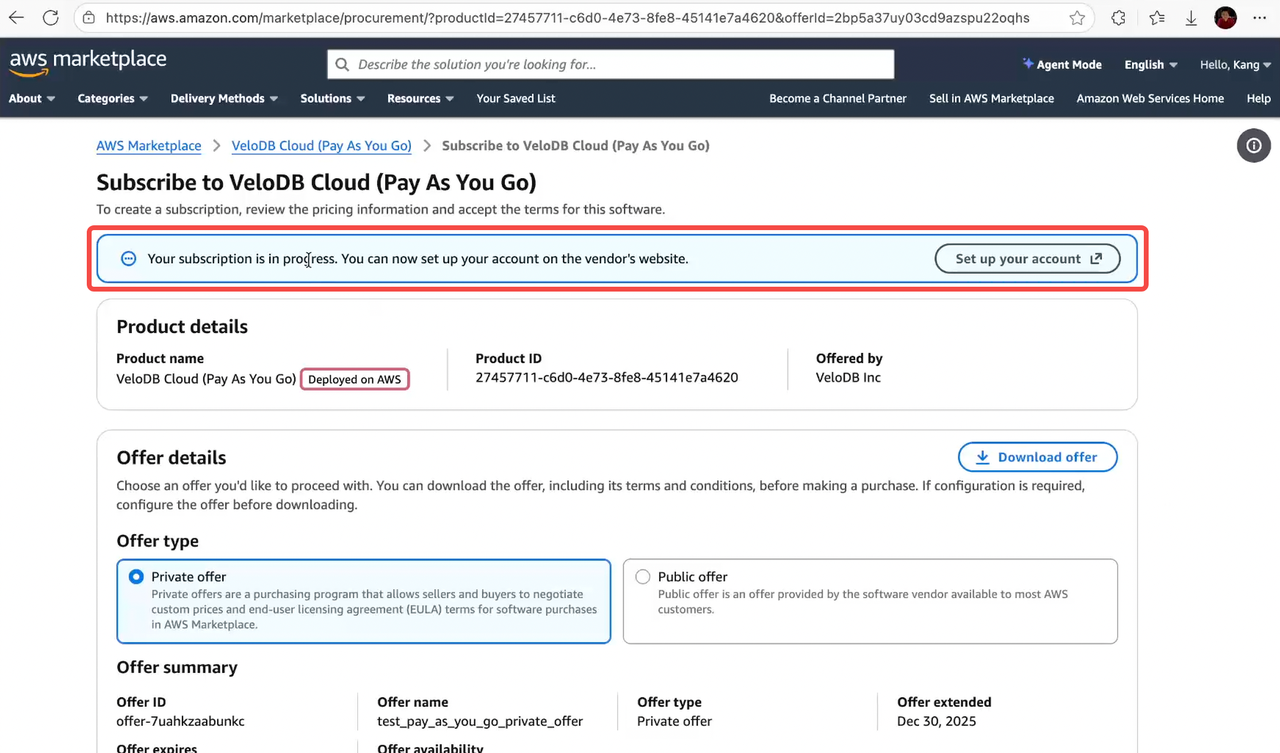
After AWS confirms the subscription, click Set up your account to open the VeloDB Cloud authorization page.
-
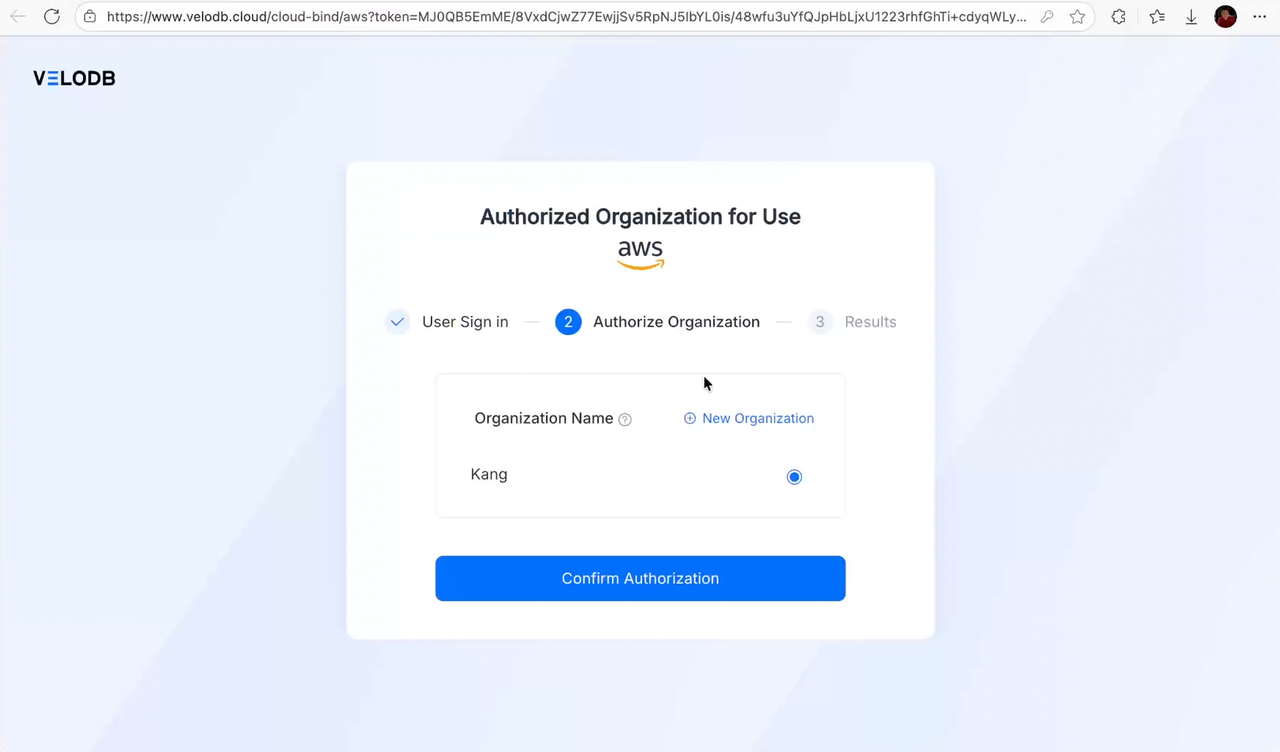
Sign in to VeloDB Cloud, pick the target organization, and click Confirm Authorization — same as the PAYG flow.
-
Return to Billing Overview and verify that AWS Marketplace appears under the cloud-marketplace deduction channels. Subsequent VeloDB Cloud usage is billed against the AWS account that accepted the Private Offer.