Frontend Groups
The Frontend Groups page lets you view and scale the FE (Frontend) resource group of your warehouse. FE nodes handle query parsing, planning, and metadata management. VeloDB Cloud provides a free FE baseline for every warehouse; you can expand to a larger specification when your workload demands it.
Frontend Groups is currently available in Private Preview. To enable it for your organization, contact the VeloDB support team.
FE resource specifications
Each warehouse is provisioned with a default Small FE group at no charge. You can scale up to larger specifications when needed. Scaling up is charged per vCPU at the Cluster Compute rate.
| Specification | Compute | Pricing |
|---|---|---|
| Small | 4 vCPU, 16 GB RAM | Free |
| Medium | 8 vCPU, 32 GB RAM | Billed by vCPU-Hour |
| Large | 16 vCPU, 64 GB RAM | Billed by vCPU-Hour |
| XLarge | 32 vCPU, 128 GB RAM | Billed by vCPU-Hour |
The free Small specification covers the vast majority of use cases. Expansion is typically needed only when the warehouse has an extremely high number of data shards or extremely high concurrent query volume.
Prerequisites
The Frontend Groups feature is available to warehouses that have been enabled for FE group expansion. Contact VeloDB support to enable this feature for your warehouse.
Once enabled, Frontend Groups appears in the warehouse navigation menu.
View the default Frontend Group
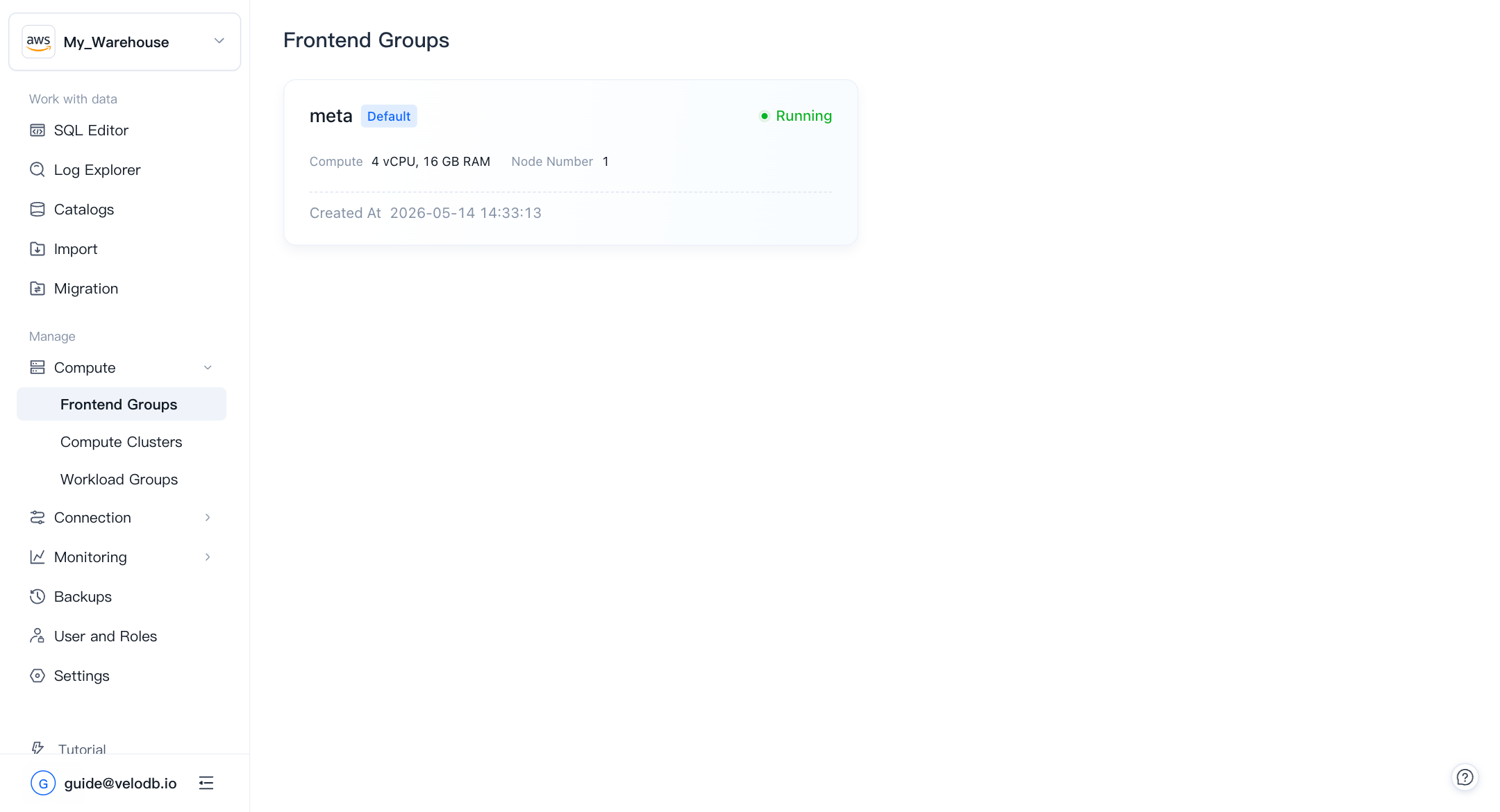
Click Frontend Groups in the left navigation to open the list page. Each warehouse has one default FE group named meta. The card displays the current compute specification, node count, and creation time.
Click the meta card to open the Frontend Group detail page.
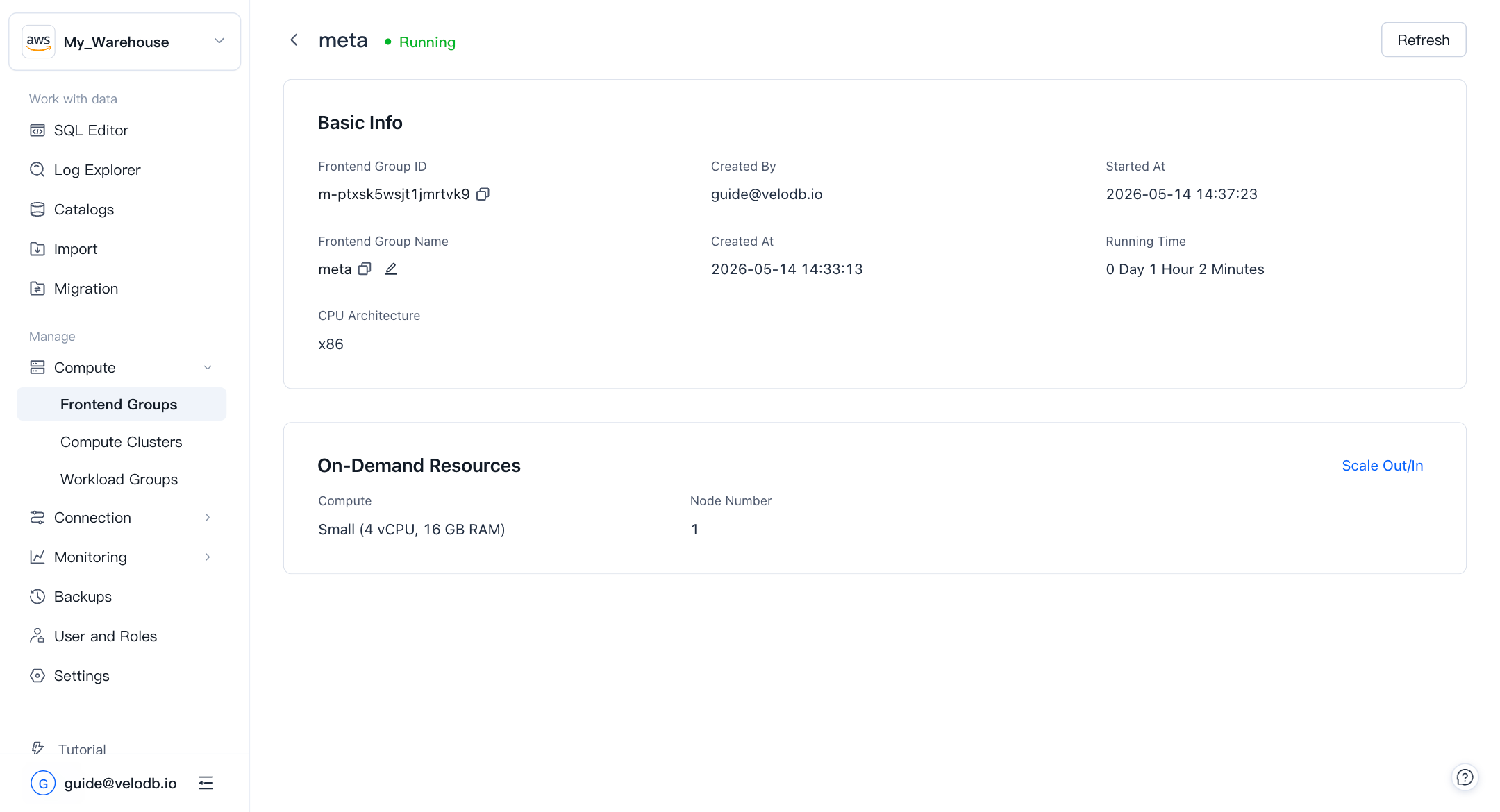
The detail page shows:
- Frontend Group ID — unique identifier of the FE group.
- Frontend Group Name — editable display name.
- CPU Architecture — the architecture of the underlying nodes.
- Created At / Started At / Running Time — lifecycle timestamps.
- On-Demand Resources — current compute specification and node count.
Scale the Frontend Group
If your warehouse experiences FE bottlenecks (slow query planning, high concurrency latency, or metadata slowdowns), you can scale the FE group to a larger specification.
-
On the Frontend Group detail page, click Scale Out/In.
-
In the Scaling Configuration panel, review the Current Configuration and select a Target Configuration under Compute.
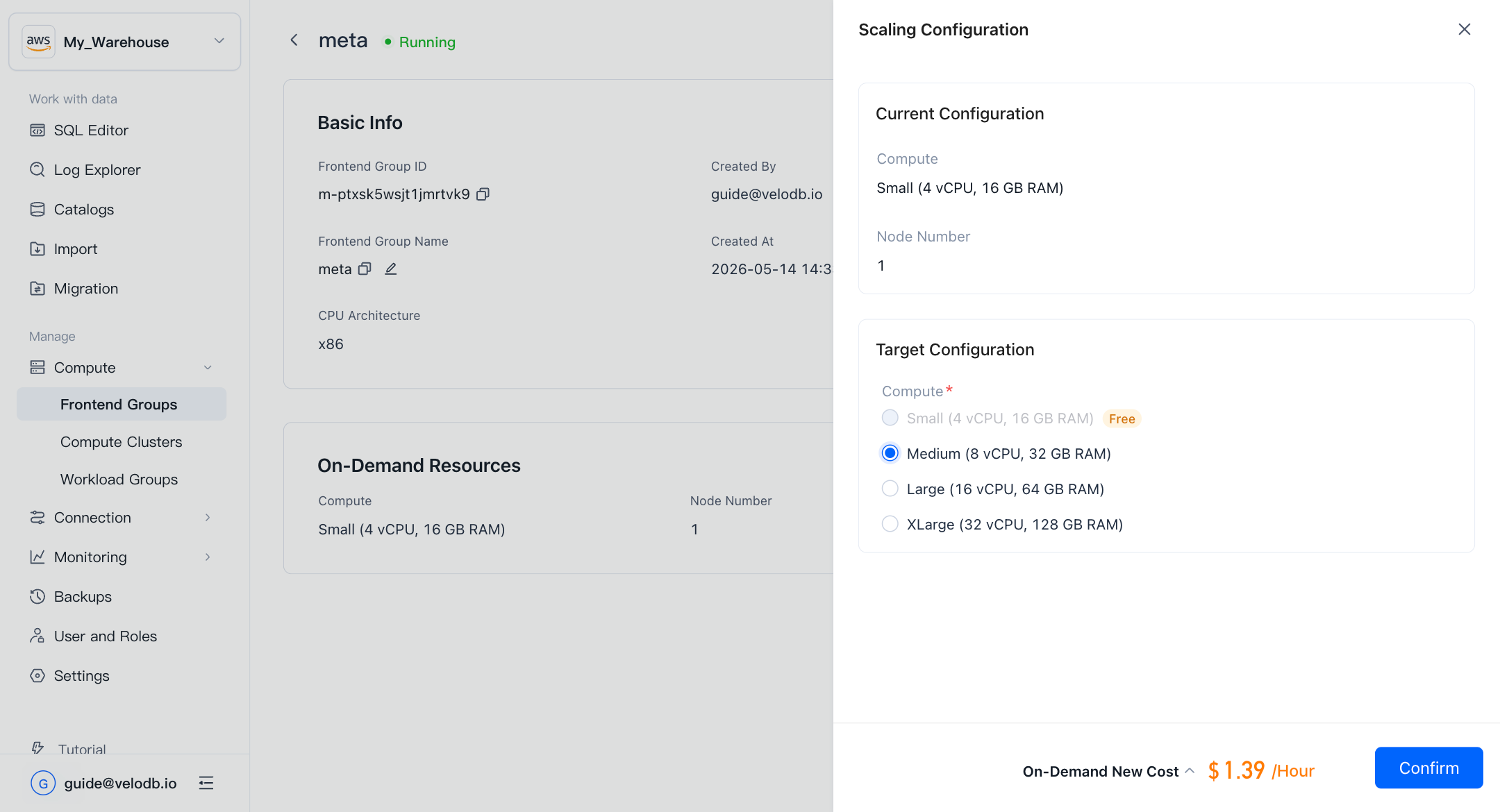
Available target specifications are Medium, Large, and XLarge. The Small specification is free; all others are billed at the vCPU-Hour rate shown in the estimated cost preview.
-
Confirm the On-Demand New Cost shown at the bottom of the panel, then click Confirm.
Billing switches to the new specification immediately after scaling completes.
Billing
After scaling above the free Small specification, a new Fe Compute billing item appears in Billing → Billing Statements. You can view hourly usage (vCPU-Hour) and the associated cost for this item alongside your other billing components.
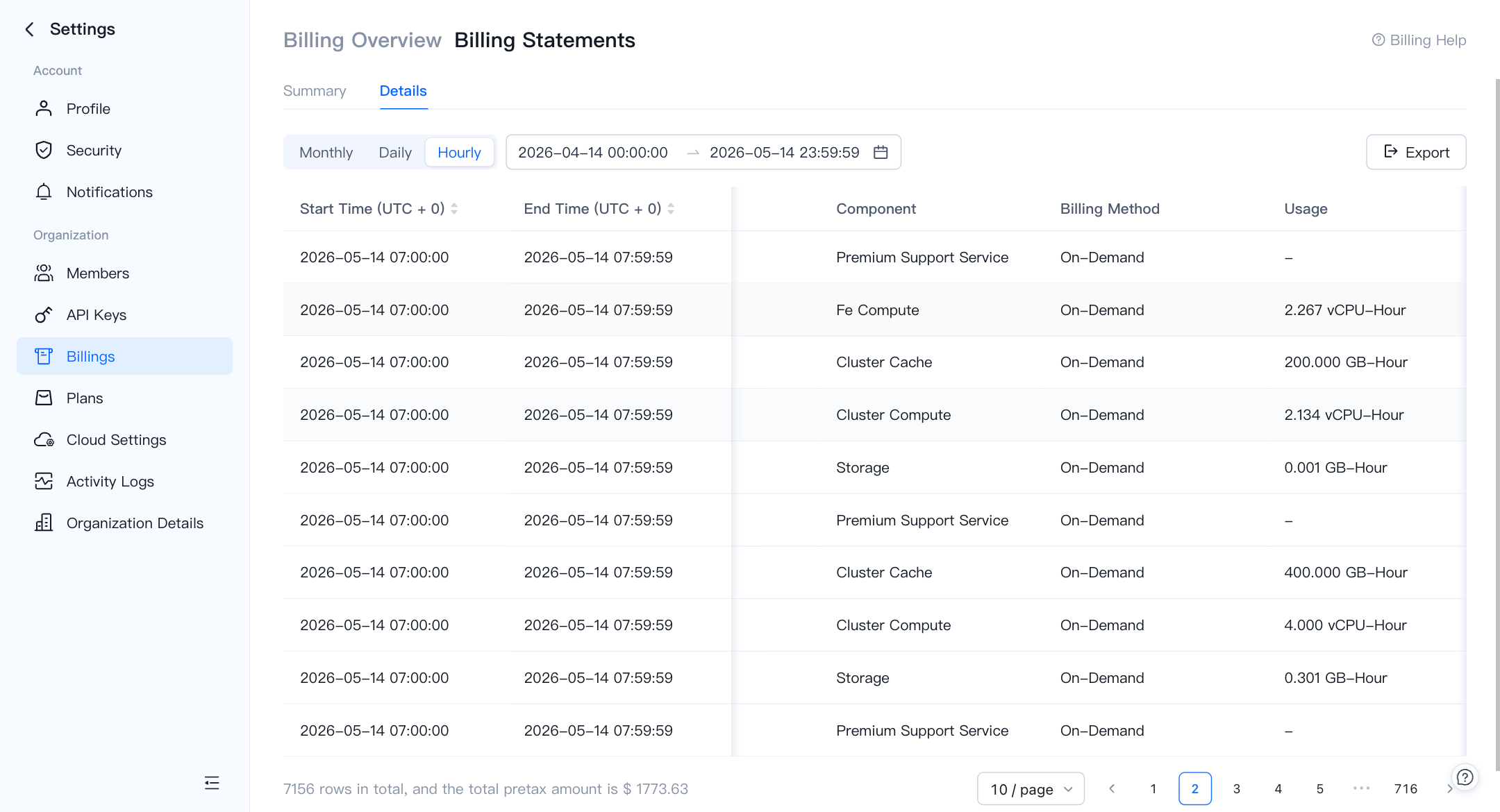
If you scale back down to Small, the Fe Compute billing item is removed and the FE group returns to the free tier.