VeloDB Cloud MCP Service Overview
The VeloDB Cloud MCP Service connects AI agents to VeloDB Cloud through the Model Context Protocol (MCP). After you add the MCP Server URL to a supported client, you can explore warehouse metadata and run read-only SQL in natural language.
You can use the service from MCP-compatible clients such as Claude Code, Cursor, Visual Studio Code, and Codex, or route it through an MCP gateway such as LiteLLM.
Query workflow
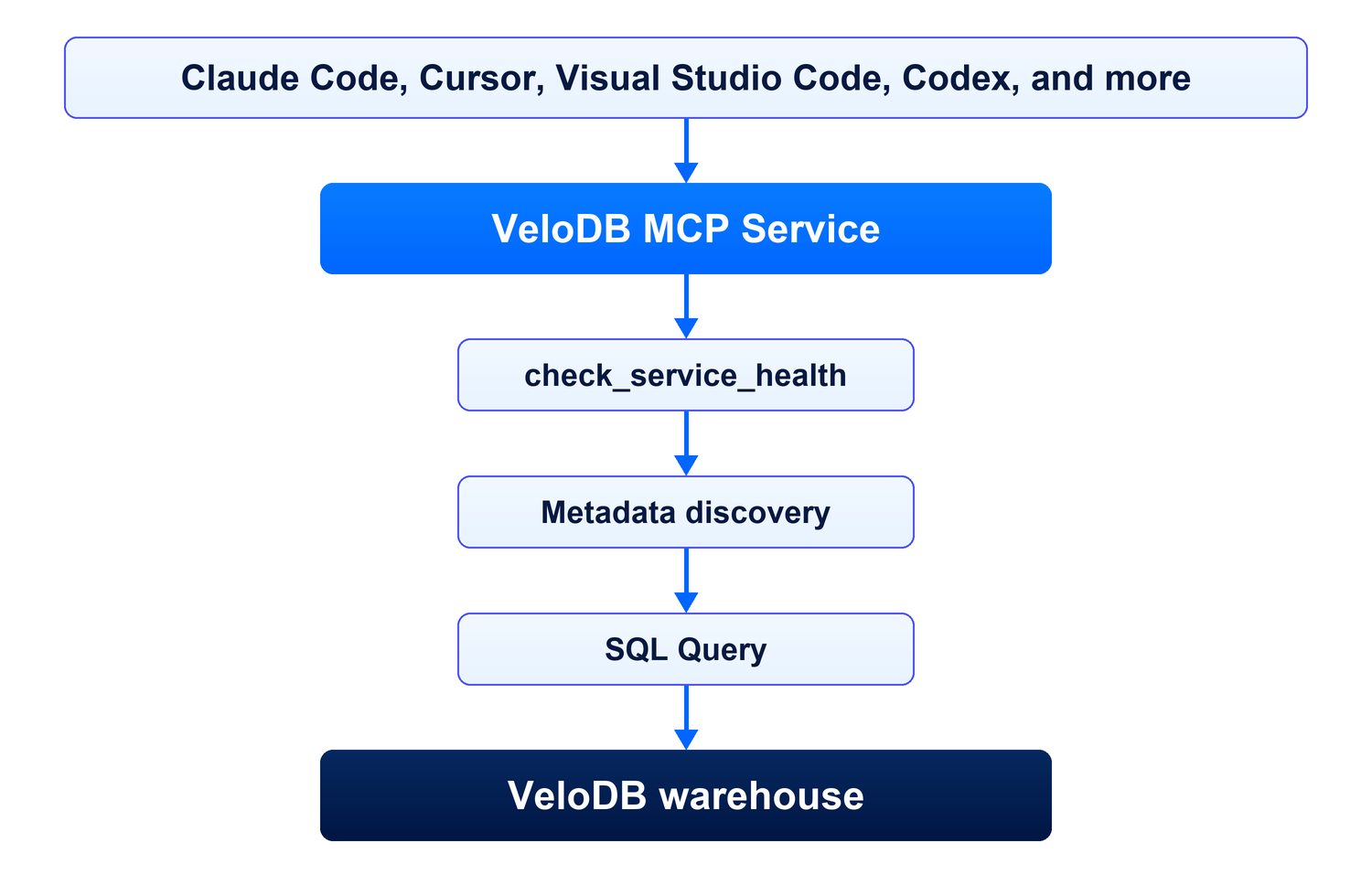
The agent checks the warehouse connection, discovers databases, tables, and columns, and generates a read-only SQL query to answer your request.
Query capabilities
Once connected, you ask questions in plain language, and the AI agent calls the matching MCP tool automatically.
Metadata discovery
| What you want | Just say | Tool called |
|---|---|---|
| See the databases | "List all databases" | list_databases |
| See the tables in a database | "List the tables in the sales database" | list_tables |
| See a table's structure | "Show the columns of the orders table" | describe_table |
Read-only SQL queries
The agent discovers the available tables and columns, generates a read-only SQL statement, and calls execute_query. The result depends on how accurately the agent interprets the request and generates the SQL.
| What you want | Just say | Tool called |
|---|---|---|
| Query data | "Show the top 10 orders" | execute_query |
| Aggregate data | "Count orders by status" | execute_query |
execute_query accepts read-only SQL only, including SELECT, SHOW, DESCRIBE, and EXPLAIN. DML, DDL, stacked statements, and SELECT INTO OUTFILE/DUMPFILE are blocked.
AI agent query workflow
The agent follows this workflow for each conversation:
- Call
get_query_guideto load the query workflow. - Call
check_service_healthto verify the VeloDB Cloud connection. - Call
list_databases,list_tables, anddescribe_tableto discover the data available to the warehouse SQL user. - For data queries, generate a read-only SQL statement and call
execute_query.
Security and permissions
- Each request uses the warehouse SQL user credentials supplied by the MCP client. Queries run with that warehouse SQL user's privileges.
execute_queryaccepts read-only SQL statements only.
See also
- Get Started to connect an AI client and complete your first query.