API Keys
The API Keys page lets you create and manage credentials for programmatic access to the VeloDB Cloud management API. API key permissions follow the organization role assigned at creation time. They apply only to Management API operations and do not include direct warehouse access.
Create an API key
- Log in to the VeloDB Cloud console.
- In the upper-left corner, click the organization name to open the Organization Overview page.
- In the left navigation pane, click Organization Settings.
- In the API Keys section, click Manage Keys to open the API Keys page.
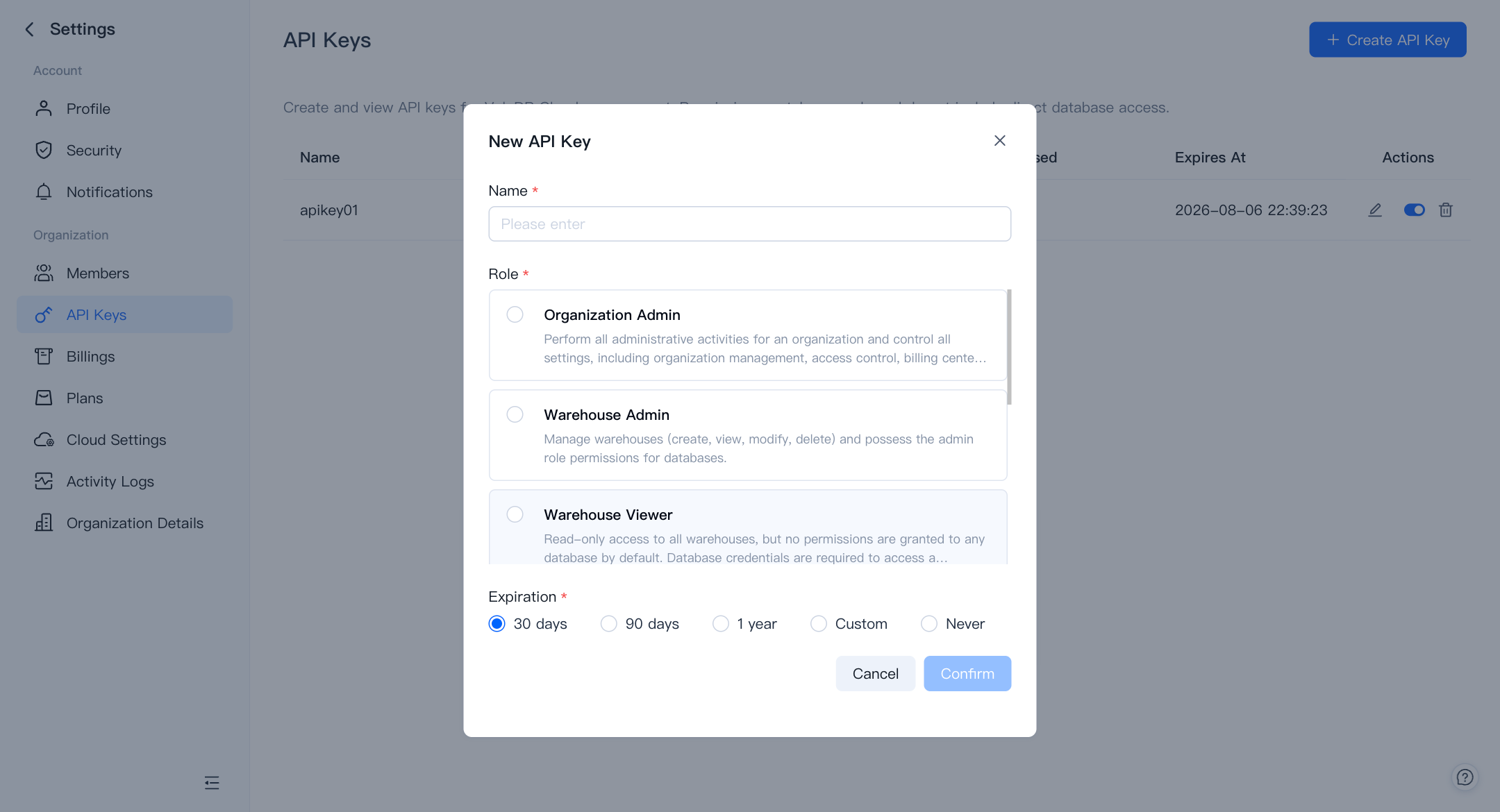
- Click + Create API Key in the top-right corner. A dialog appears with the following fields:
- Name (required): A label to help you identify the key later.
- Role (required): The organization role assigned to the key at creation time. It determines which Management API operations the key can perform.
- Expiration (required): How long the key remains valid. Choose 30 days, 90 days, 1 year, Custom (select any date), or Never.
- Click Confirm to generate the key. Copy and securely store the API key immediately. It is shown only once, when created.
Manage existing keys
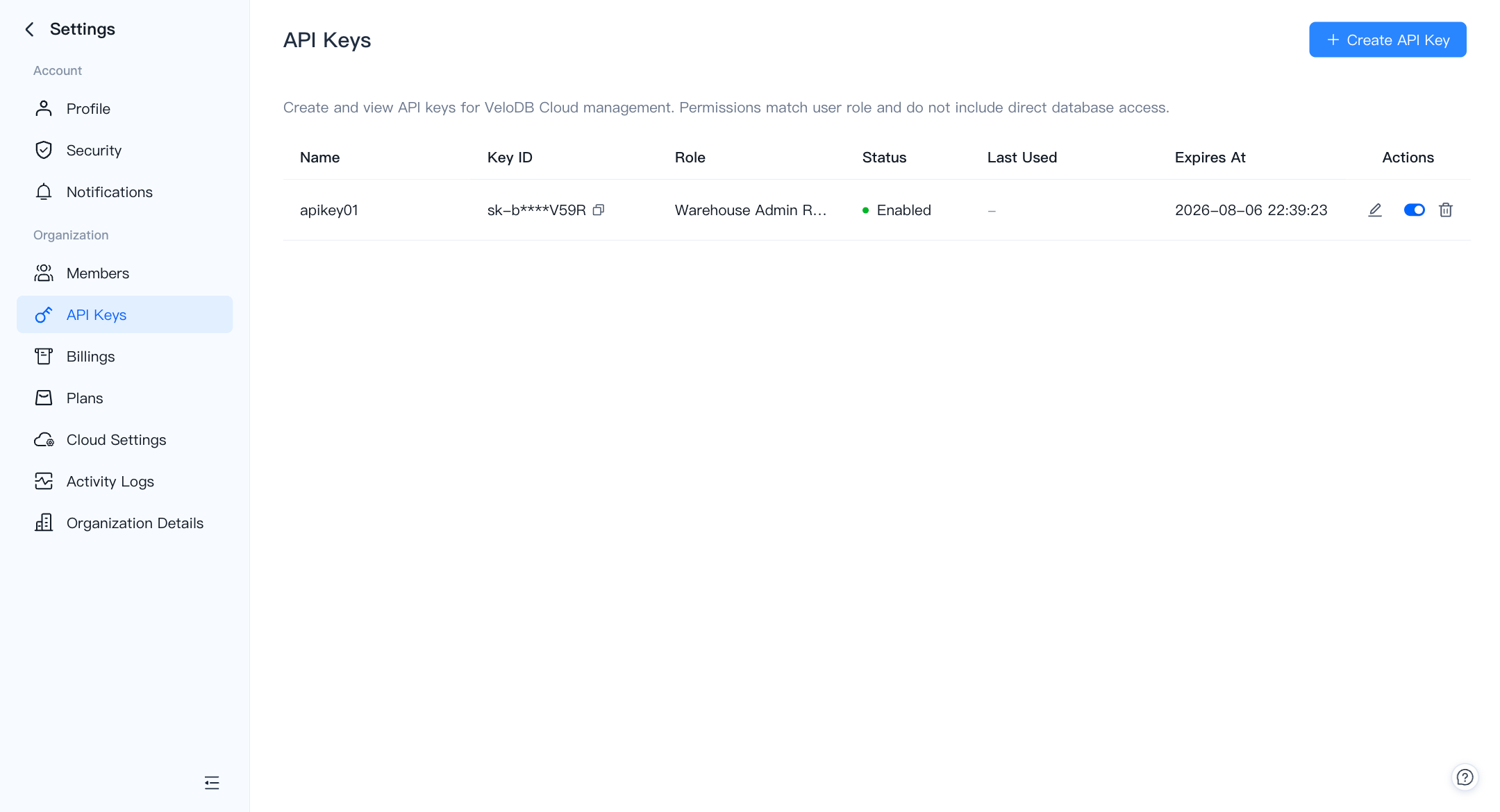
The API Keys list shows every key in the organization with the following columns:
| Column | Description |
|---|---|
| Name | The label you gave the key. |
| Key ID | A masked identifier (for example, key_*****) that you can copy. |
| Role | The organization role assigned at creation time. |
| Status | Enabled or Disabled. |
| Last Used | Timestamp of the most recent successful API call, or – if never used. |
| Expires At | The date and time the key expires. |
The Actions column provides three controls per key:
- Edit (pencil icon): Rename the key or update its expiration.
- Enable / Disable (toggle): Temporarily block or restore access without deleting the key.
- Delete (trash icon): Permanently remove the key. This action cannot be undone.
Security checklist
- Assign the least-privileged role that permits the API key to perform its intended administrative task.
- Set an expiration date unless your organization has approved a non-expiring key.
- Immediately store the API key in an approved secrets manager. The key is displayed only once at creation and cannot be retrieved later.
- Review Last Used and Expires At regularly. Disable a key to revoke access temporarily. Delete it only when it is no longer needed.
Use the Management API
For the full list of available endpoints, request/response schemas, and interactive examples, refer to the VeloDB Cloud Management API Reference.