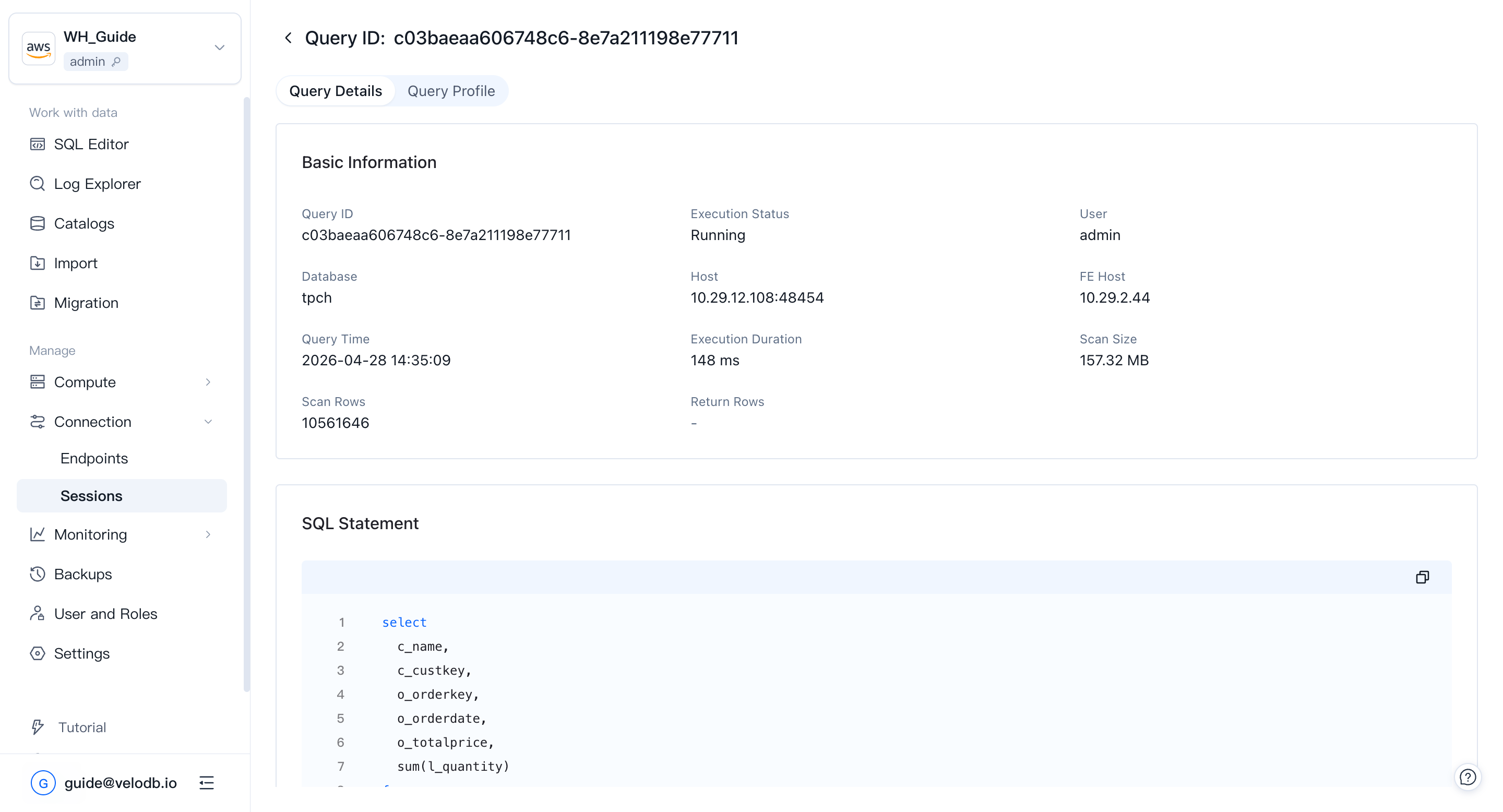
Session Management
Open Connection → Sessions in the left navigation to view and manage active sessions on the warehouse. Session Management lets administrators track resource usage, prioritize critical queries, and improve overall system performance. Each entry shows execution time, the user who issued the query, and the resources it is using.
You can view every running SQL query and terminate any that are causing problems or running longer than expected.
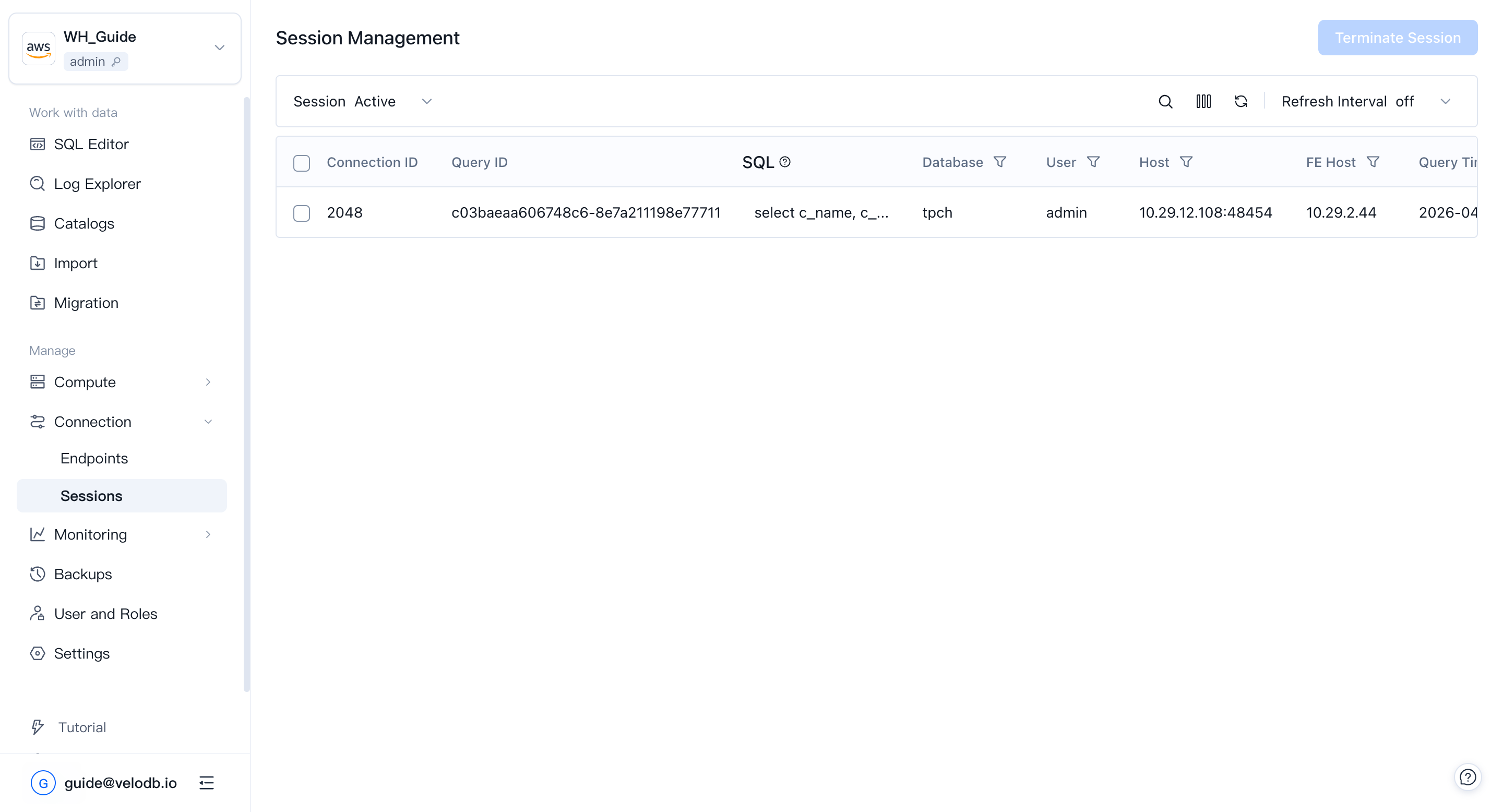
Expand the column chooser to show more fields, such as bytes scanned, rows scanned, and rows returned.
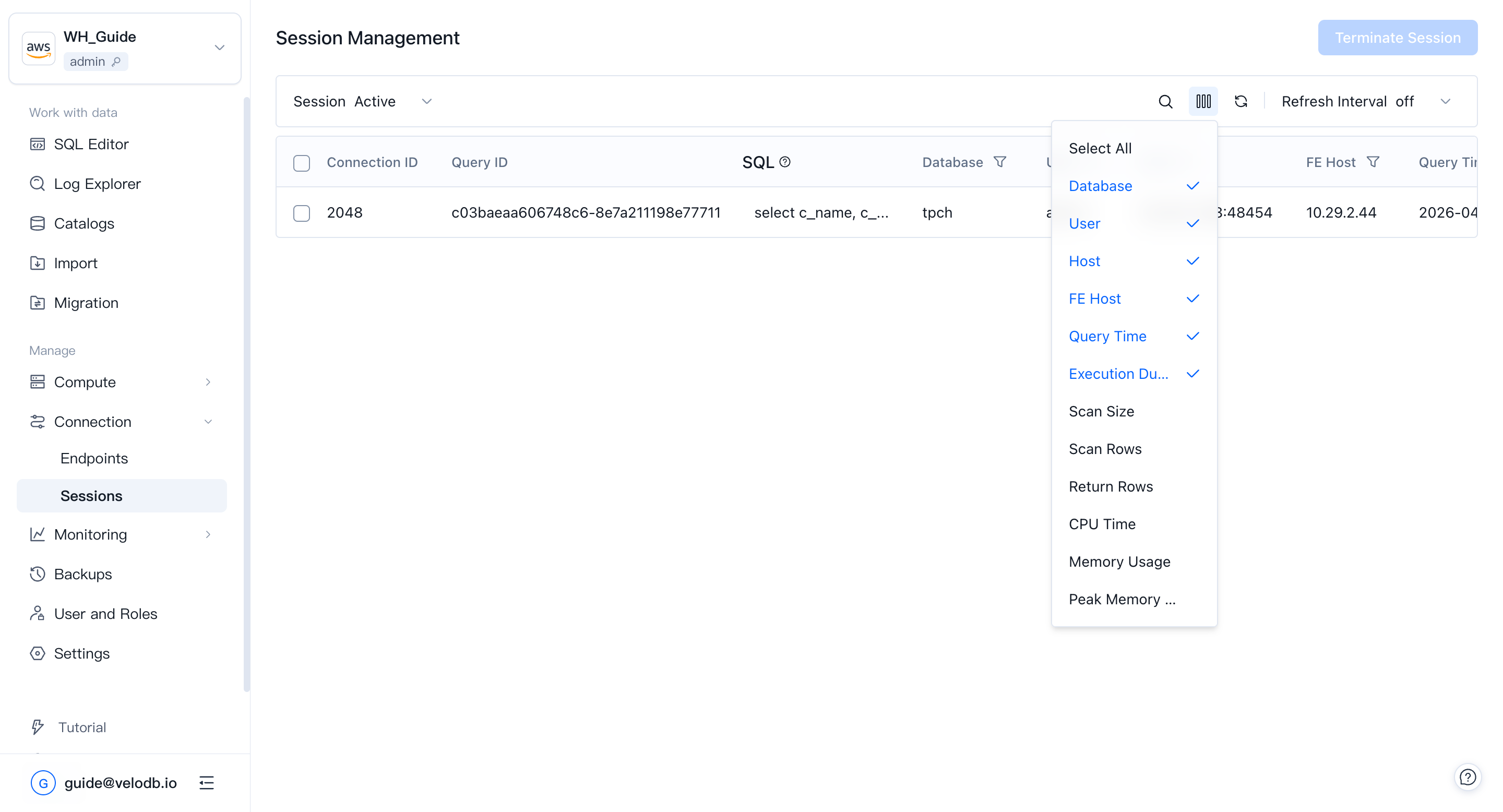
Click the Query ID of a session to see the full detail: the executing user, the FE node that accepted the query, and the execution profile.