Delete a Warehouse
Deleting a warehouse permanently removes its clusters, resources, and data. For a BYOC warehouse, you might also need to tear down the cloud infrastructure after deleting the warehouse.
Warning:
Deletion cannot be undone. Before you start, stop dependent applications and make sure you no longer need the warehouse data.
Delete a warehouse
- Log in to the VeloDB Cloud console.
- In the upper-left corner, select the warehouse that you want to delete.
- In the left navigation pane, under MORE, click Warehouse Settings.
- In DANGER ZONE, click Delete Warehouse.
- In the confirmation dialog, select the required checkboxes to acknowledge the effect on clusters, applications, and recoverability.
- Enter the warehouse name exactly as displayed, then click Confirm.
Delete BYOC infrastructure
If the deleted warehouse is the last warehouse in its VPC, complete the following provider-specific infrastructure teardown steps.
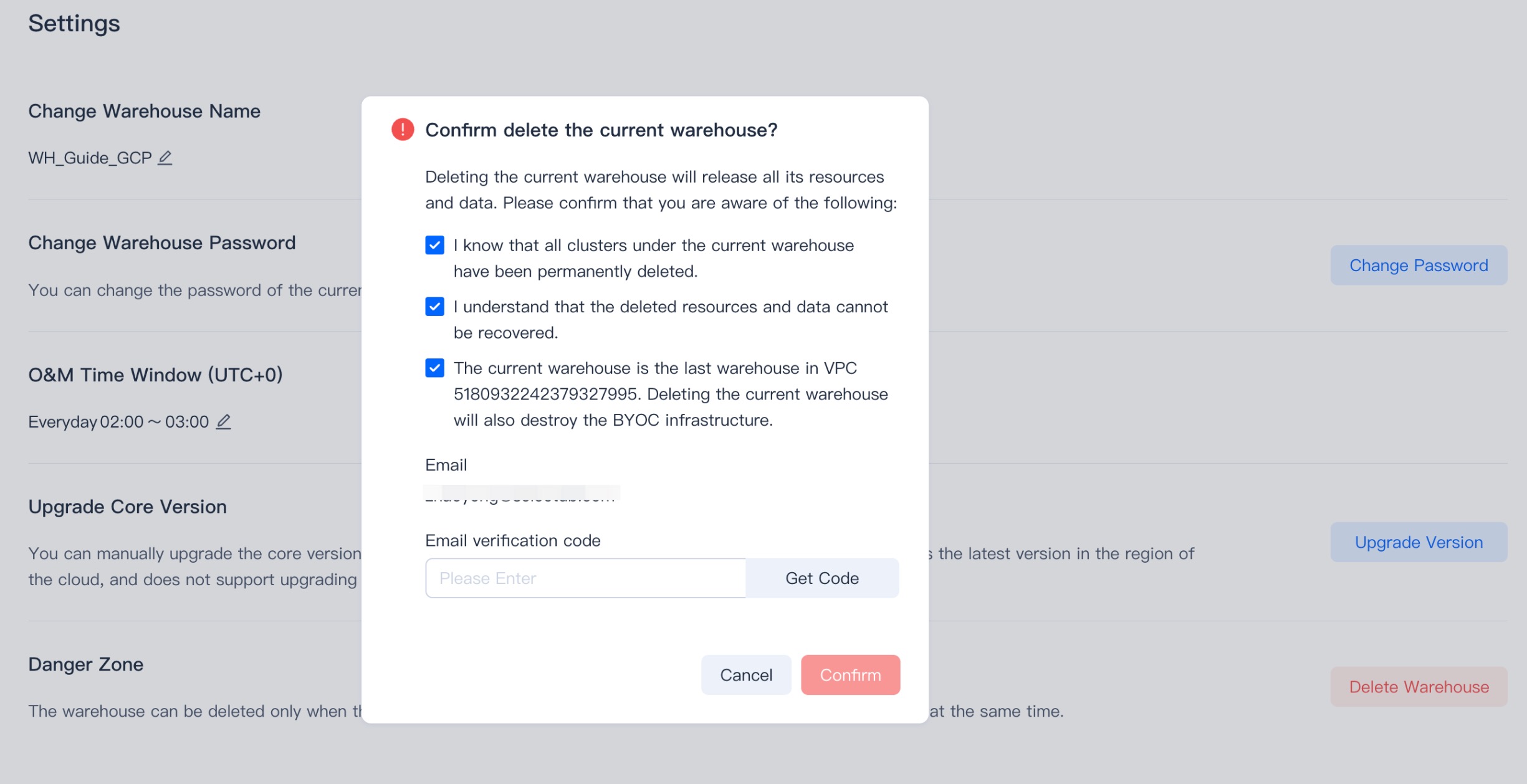
Wait until the VeloDB Cloud console confirms that the warehouse has been deleted before you begin teardown.
Warning:
- A cloned warehouse shares data files and its object storage bucket with the upstream warehouse and the snapshot it was cloned from. Because snapshot storage uses copy-on-write, a data file is removed only after no warehouse references it and every snapshot that references it is removed, so deleting a warehouse does not immediately reclaim shared files.
- Do not empty or delete the shared bucket while any warehouse or snapshot still references files in it. Tear down the infrastructure only after you delete the last warehouse in the VPC and remove the snapshots that reference its files.
AWS
After the warehouse is deleted, open the AWS CloudFormation console to begin the infrastructure teardown.
Clear the S3 bucket
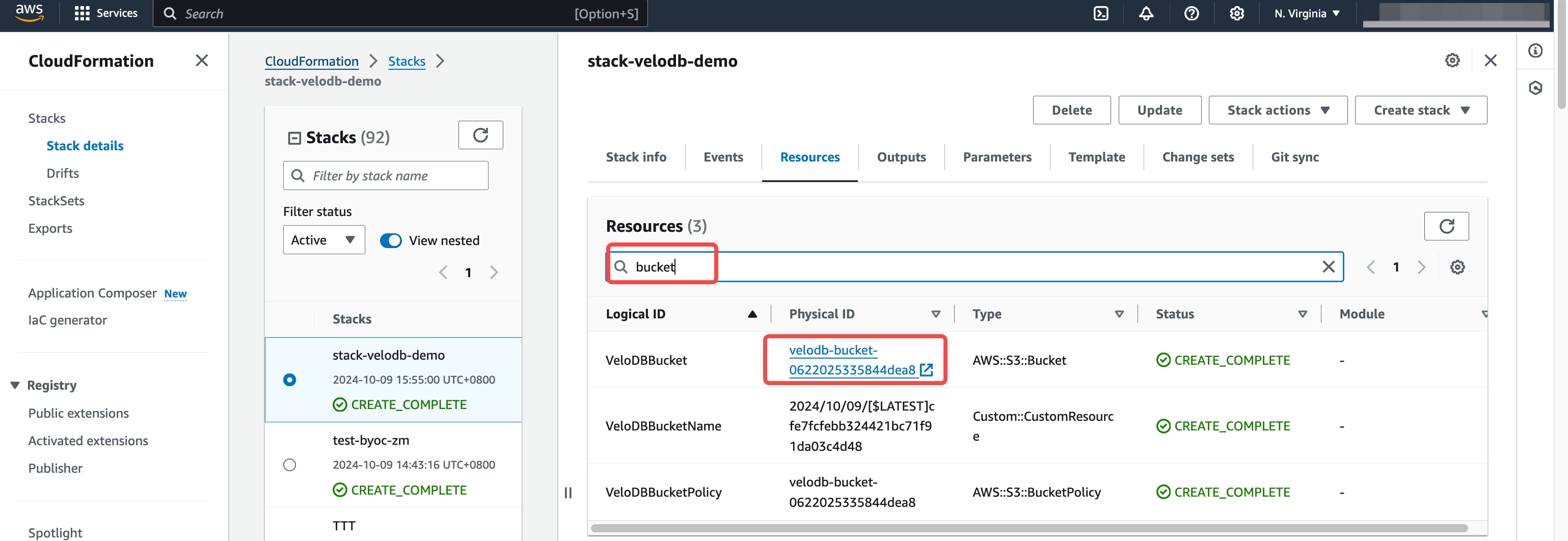
- In the resource stack, open the Resources tab, search for Bucket, and note the bucket name.
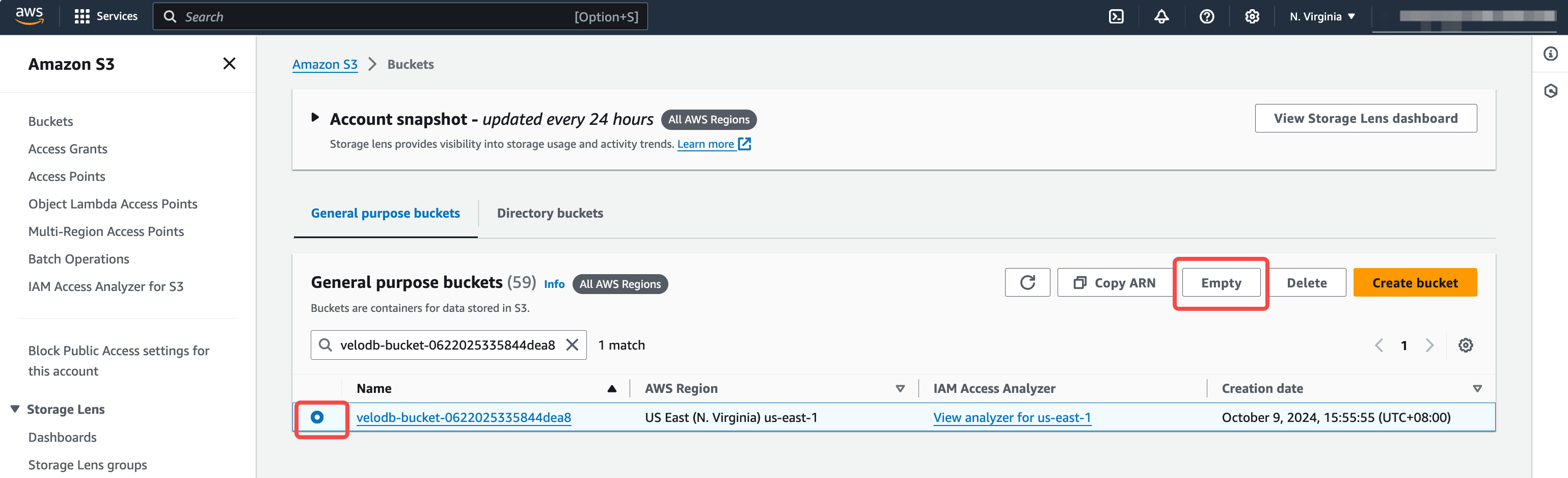
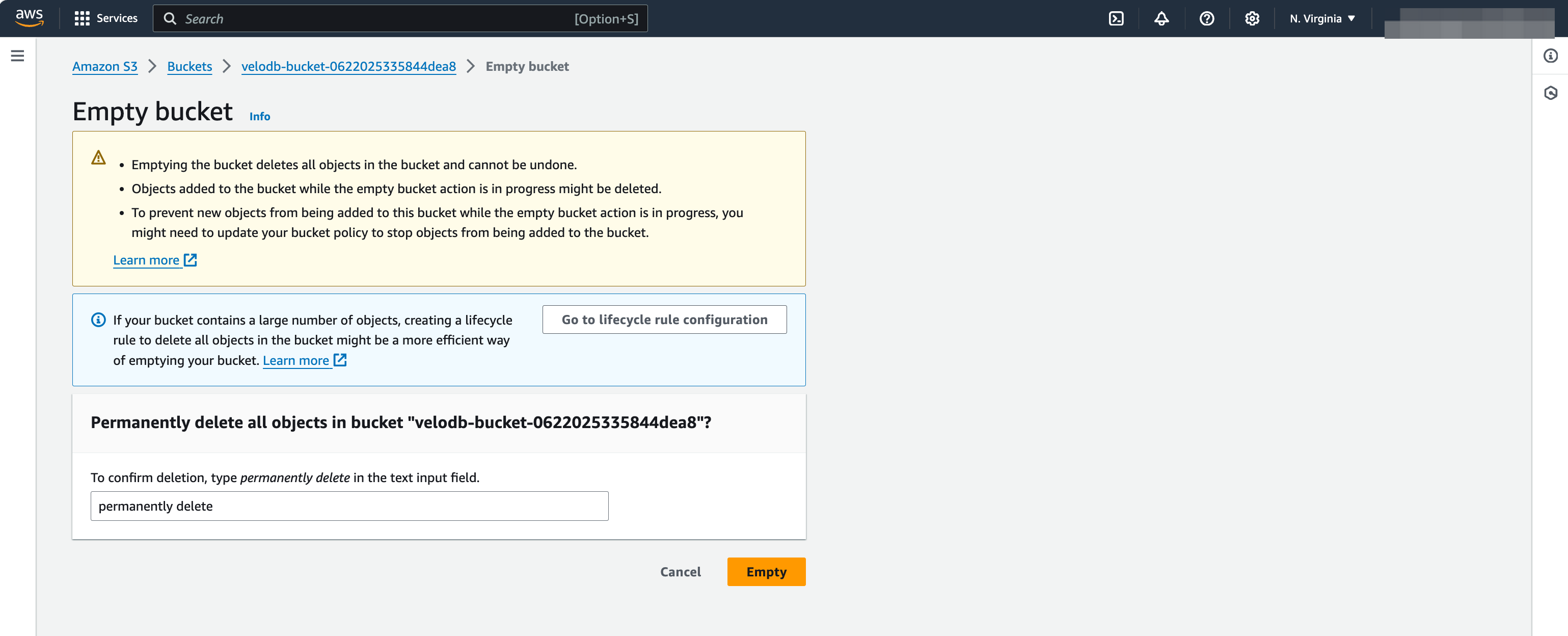
- In the Amazon S3 console, select the bucket, click Empty, enter
permanently delete, then confirm.
Warning:
Emptying the bucket cannot be undone. Verify there are no files to retain before proceeding.
Delete the resource stack
Return to the resource stack, click Delete, and wait for completion.
Google Cloud
After the warehouse is deleted, copy the teardown command from the VeloDB Cloud console, open Google Cloud Shell, and run it.
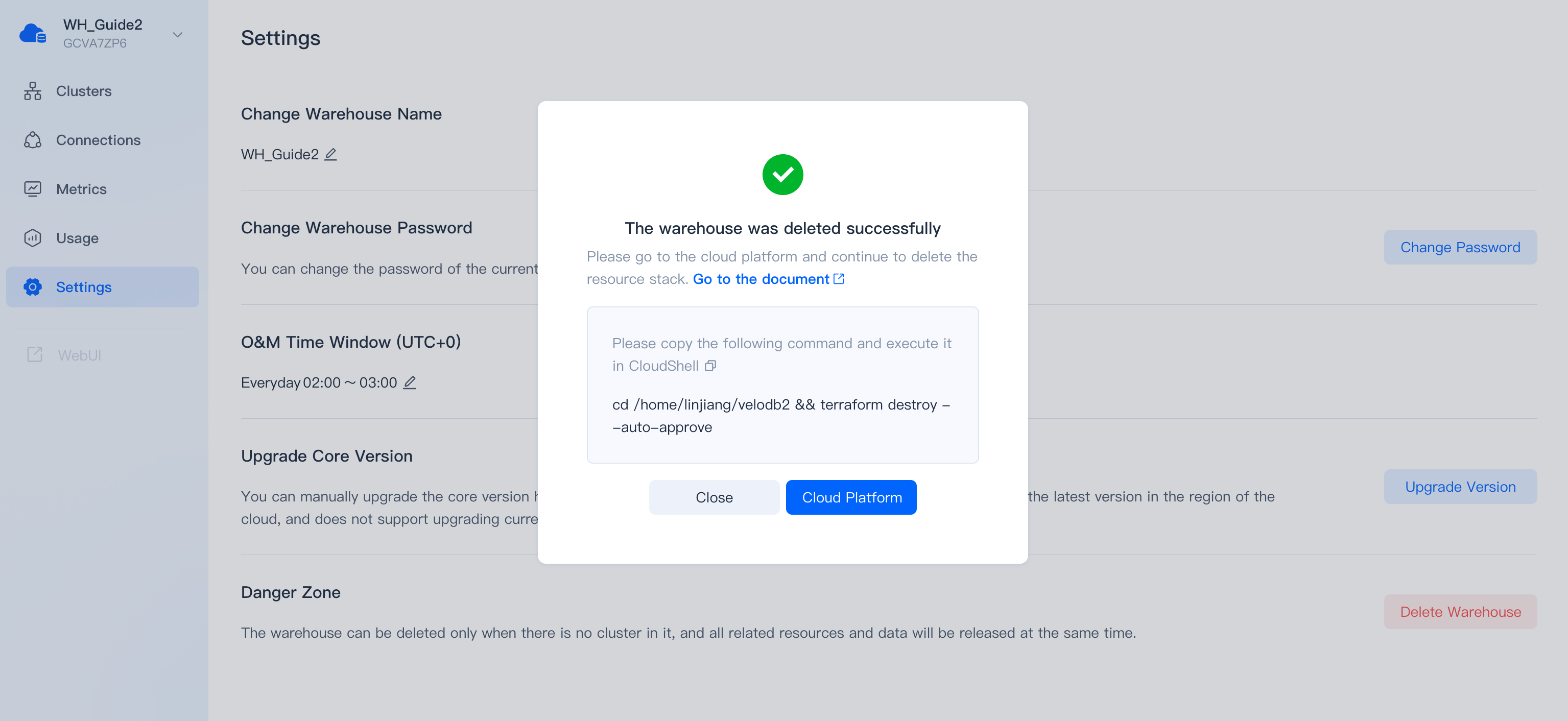
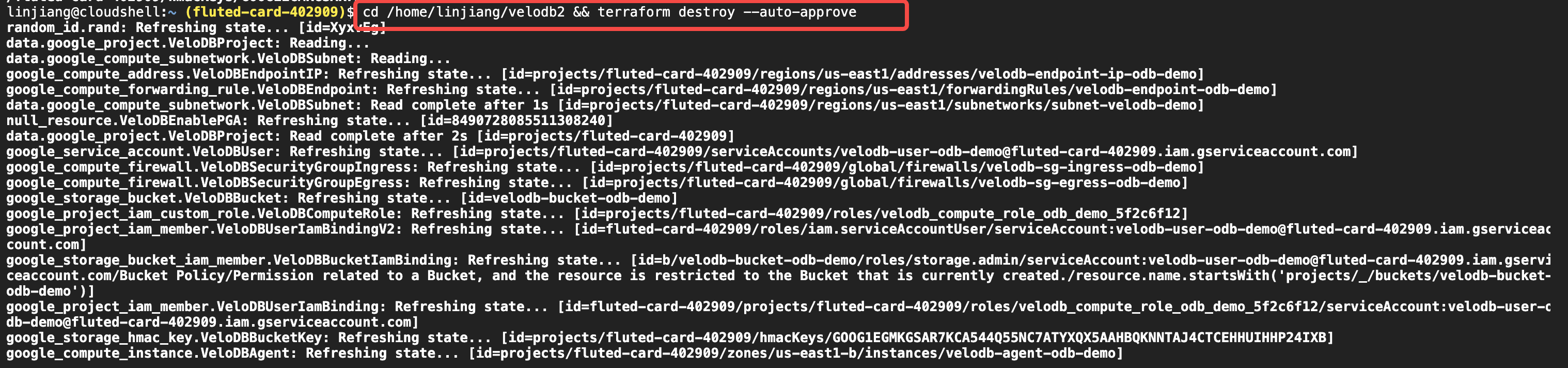
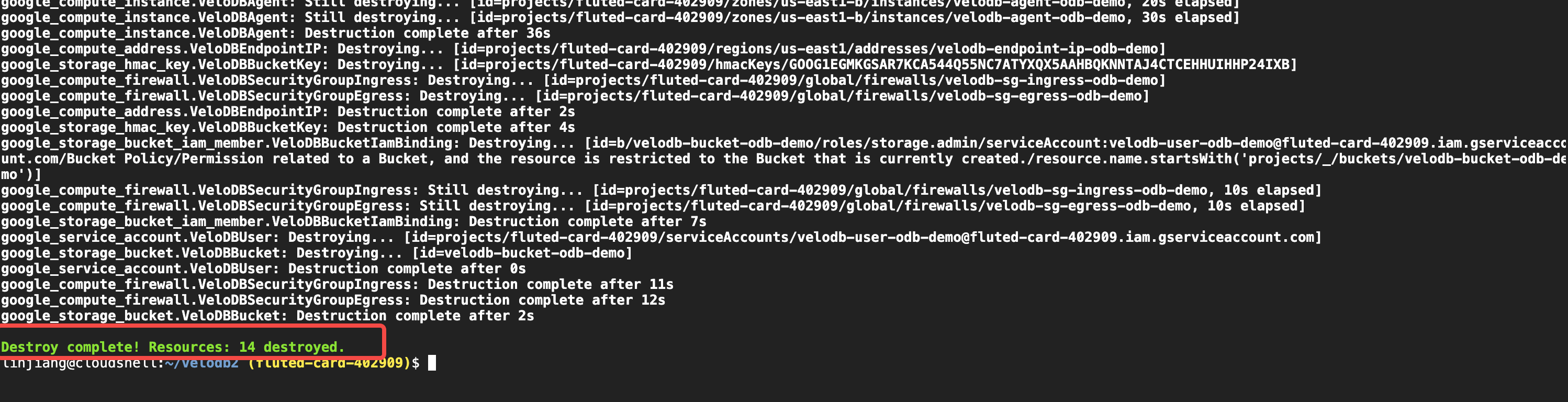
Confirm that the command completes successfully. If it reports an error, contact VeloDB Support.
Azure
-
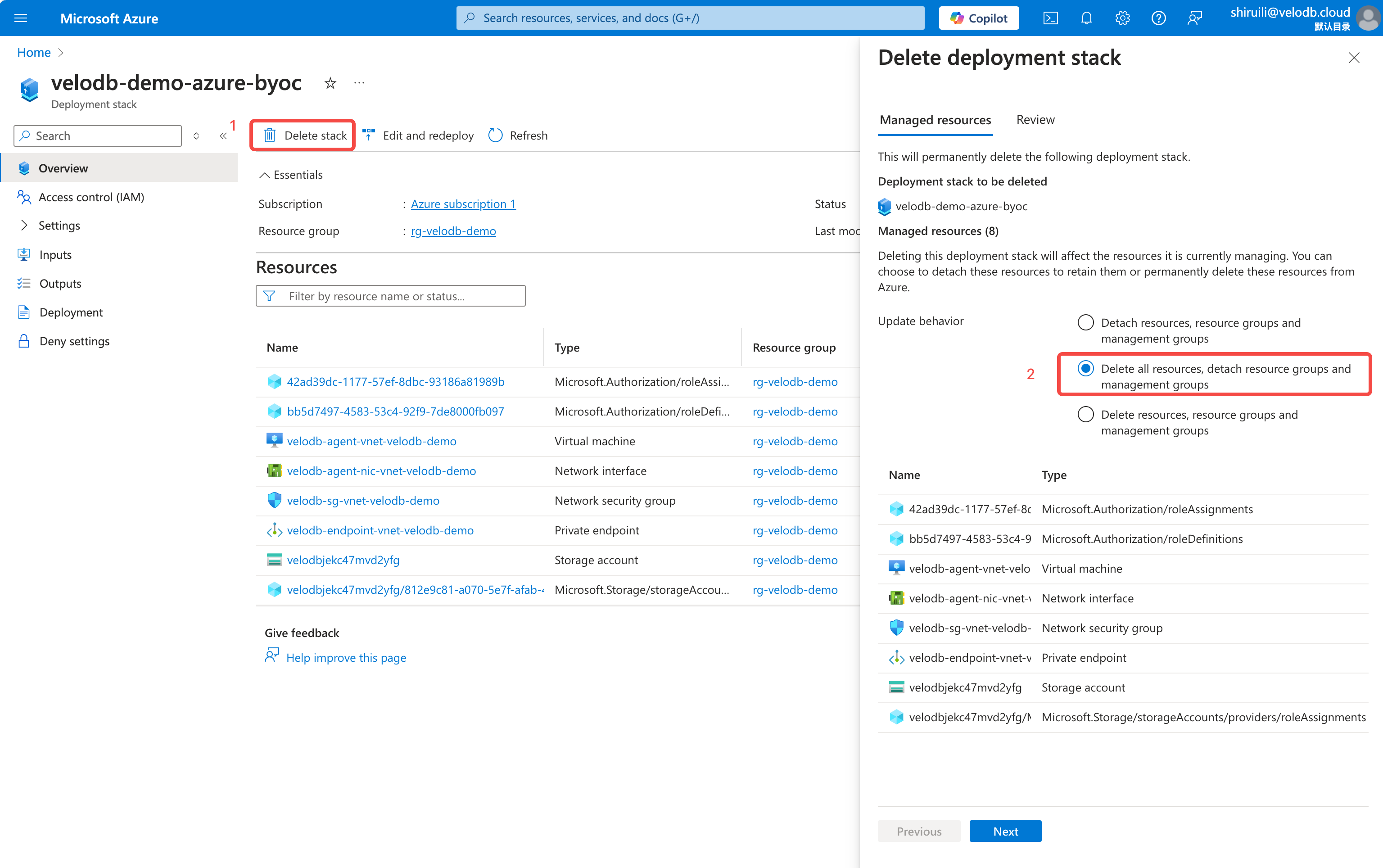
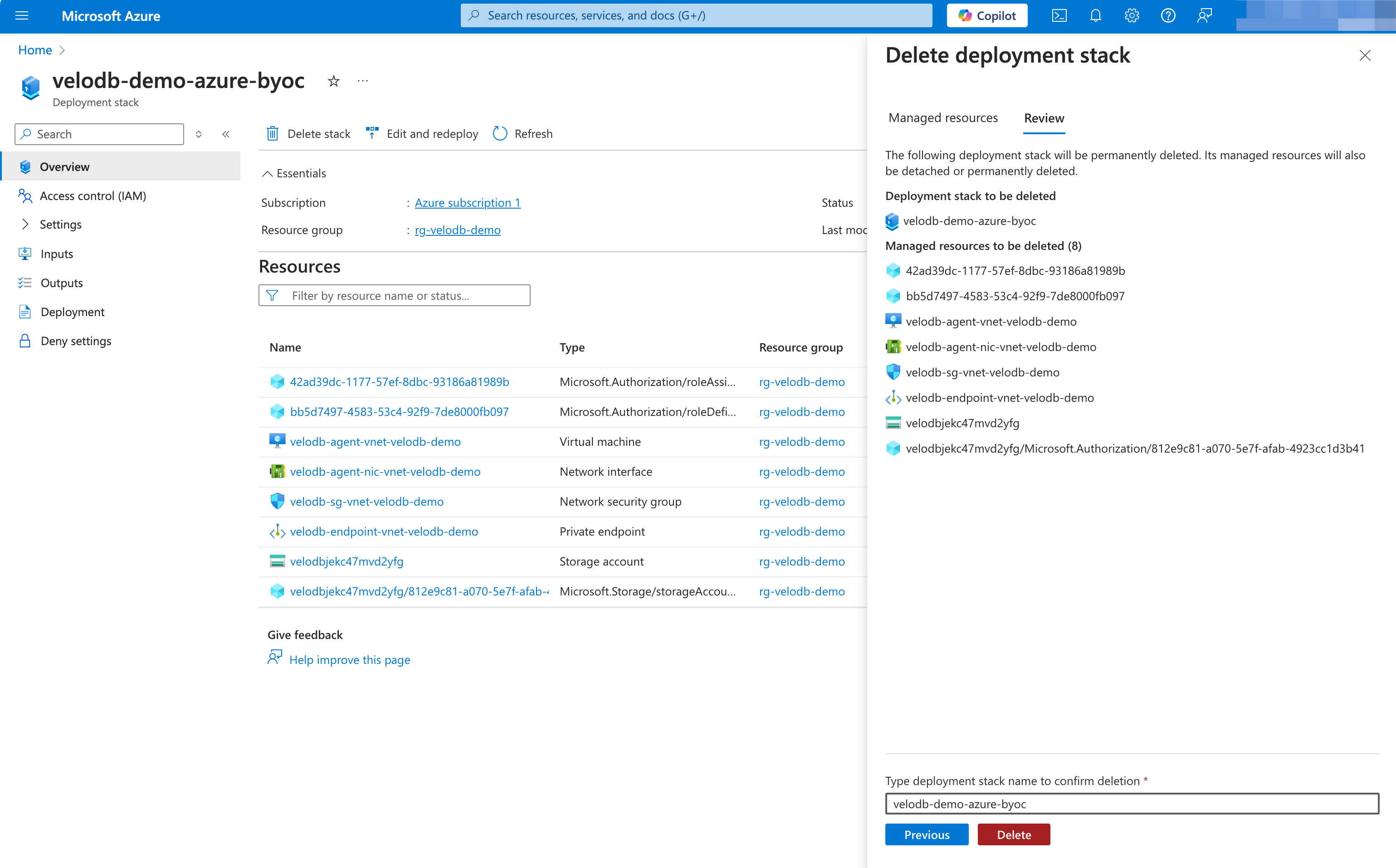
After the warehouse is deleted, open Azure Deployment Stacks.
-
Click Delete stack, set Update behaviour to Delete all resources, detach resource groups and management groups, then click Next.
-
Enter the stack name, then click Delete.
See also
- Warehouse Settings: manage warehouse settings before deletion.
- BYOC Security Overview: understand BYOC resource ownership and cleanup responsibilities.