license-operation-manual
1. Obtain License
Obtained by ordinary users
Currently, when users obtain the kernel version with a supported license from the VeloDB official website, the trial license file will be sent to the email as an attachment.
Commercial User Acquisition
Commercial users need to contact the corresponding salesperson.
2. Import License
Imported via Manager
Imported during cluster creation

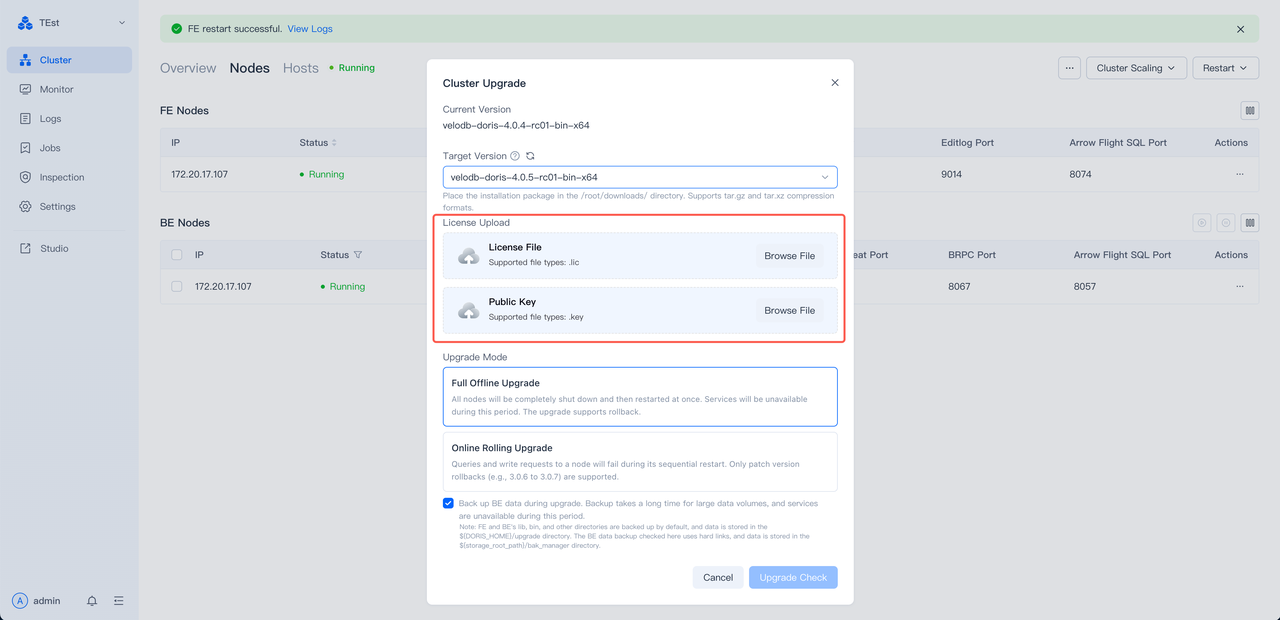
Imported during cluster upgrade
Currently, when upgrading from a kernel version that does not require a license to a kernel version that requires a license, it is necessary to import the license file in advance
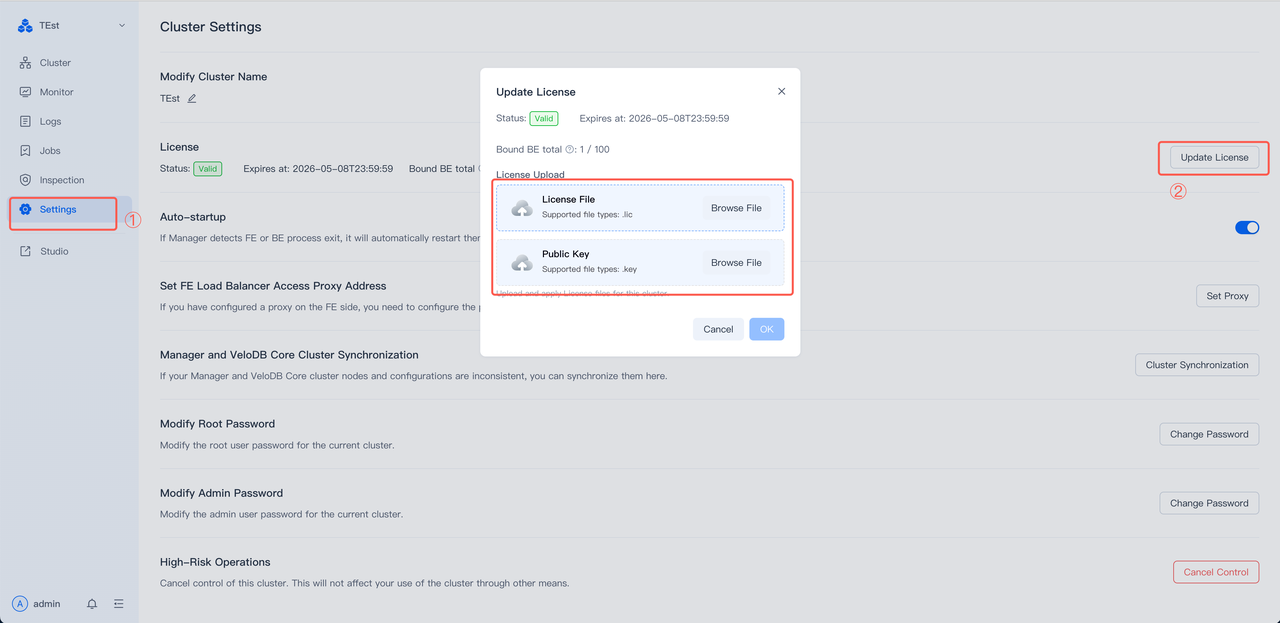
Settings Page Import
For kernel versions that support License and have been successfully managed, the License file can be dynamically replaced via the "Settings" page.
Manual Import
For users who manually deploy SelectDB / VeloDB clusters, after obtaining the License file (usually a.zip Compressed Packet)
After decompression, place the.lic and.key files together in the conf directory of the FE service, and then restart the FE service or reload the FE.
- Default Guard File Path (FE)
${FE_HOME}/conf/cluster_guard.lic
${FE_HOME}/conf/cluster_guard.key
- Optional fe.conf configuration (Caps Lock)
LICENSE_FILE_PATH=/path/to/cluster_guard.lic
LICENSE_PUBLIC_KEY_PATH=/path/to/cluster_guard.key
Status Query Interface
GET /rest/v2/api/cluster_guard/status
Overloaded Interface
POST /rest/v2/api/cluster_guard/reload?is_all_node=true