API Keys
API Keys では、VeloDB Cloud 管理 API のプログラマティックアクセス認証情報を作成・管理できます。API キーの権限は作成時に割り当てられたロールに従います。データベースへの直接アクセスは含まれません。
API キーを作成する
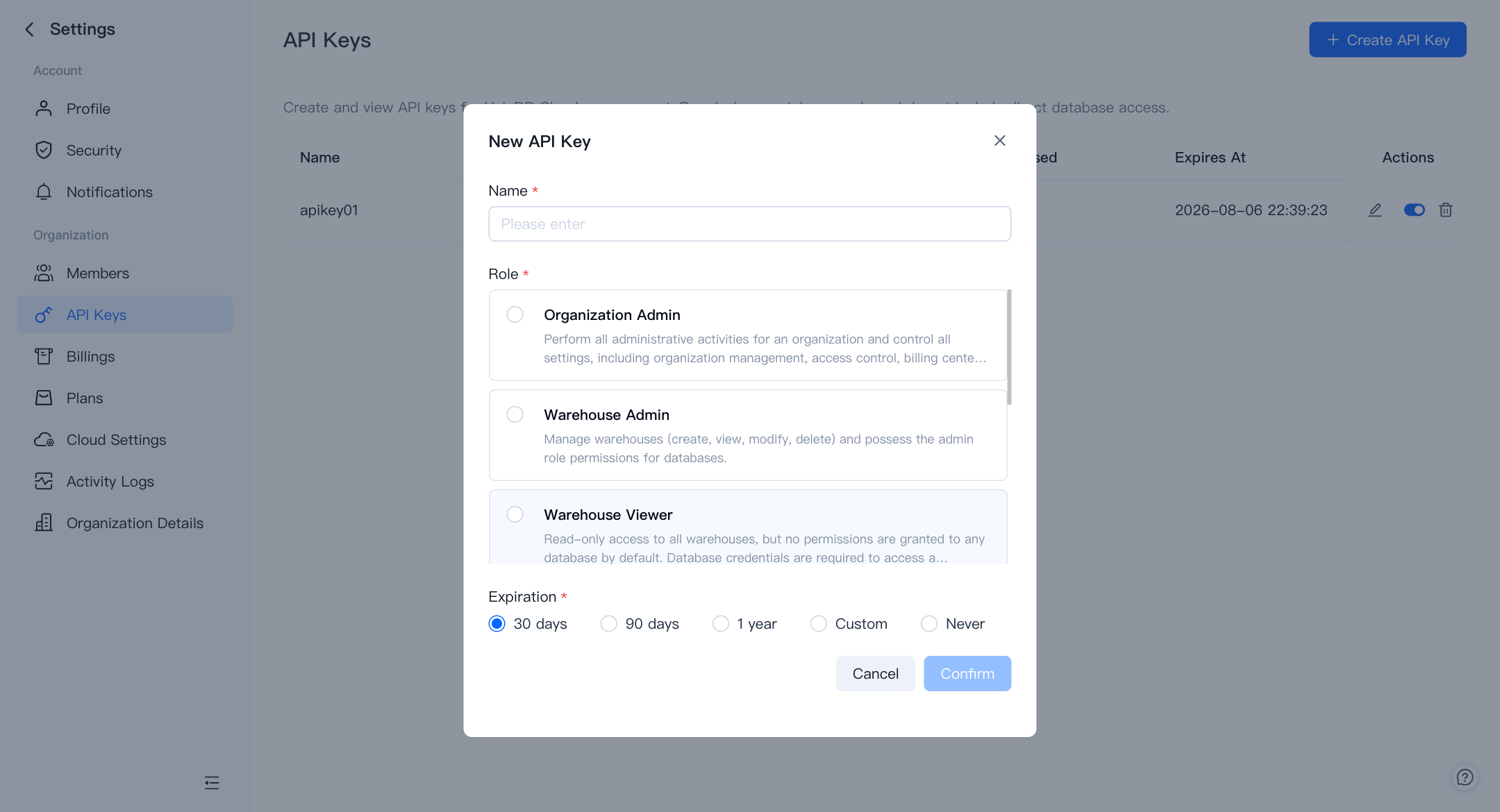
右上の + Create API Key をクリックします。以下のフィールドを含むダイアログが表示されます:
- Name (必須) — 後でキーを識別するのに役立つラベル。
- Role (必須) — キーが持つ権限レベル。
- Expiration (必須) — キーが有効である期間。30 days、90 days、1 year、Custom(任意の日付を選択)、または Never から選択します。
Confirm をクリックしてキーを生成します。キーの値をすぐにコピーして保存してください。一度だけ表示されます。
既存のキーを管理する
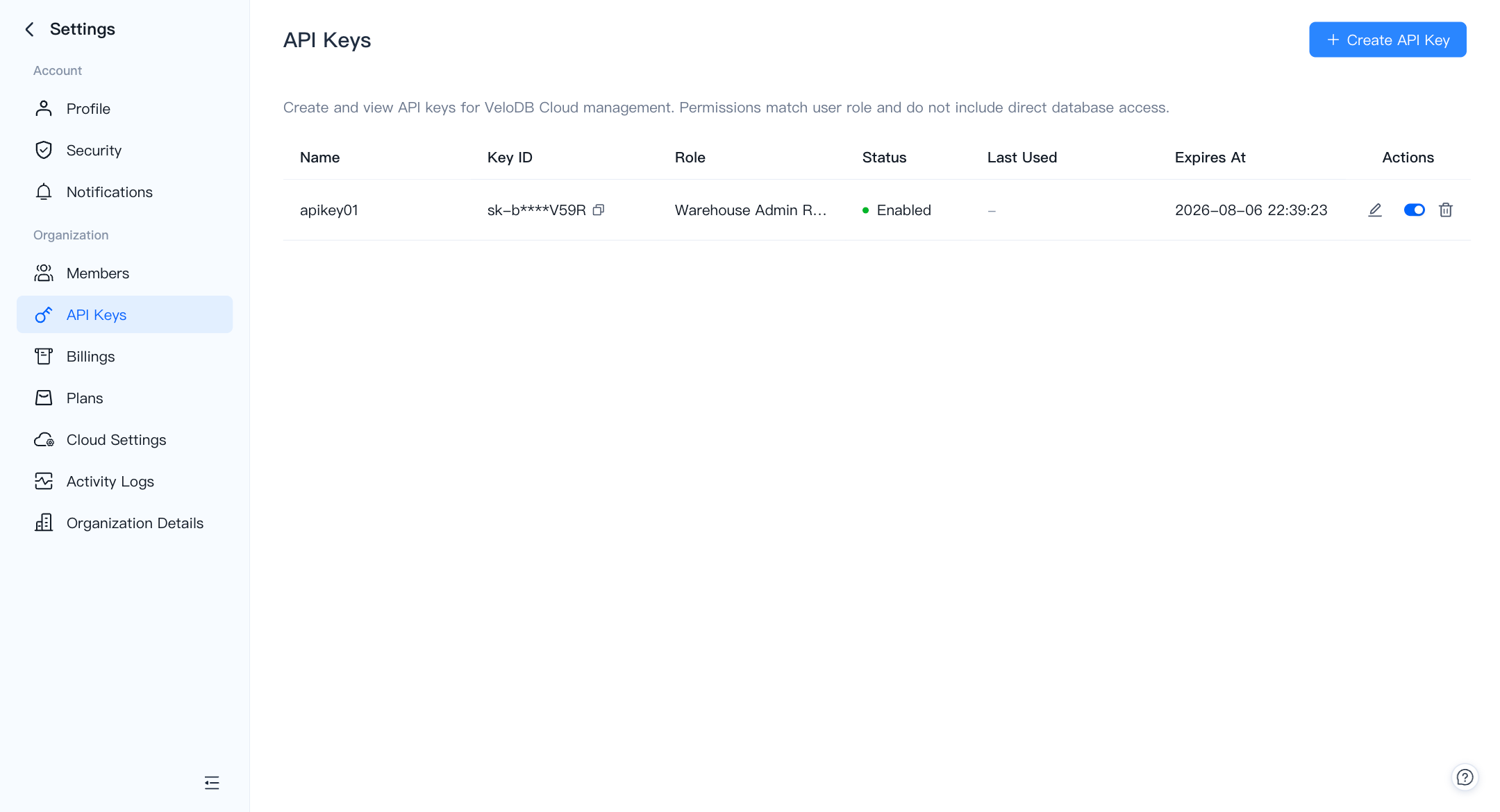
API Keys リストには、組織内のすべてのキーが以下の列で表示されます:
| 列 | 説明 |
|---|---|
| Name | キーに付けたラベル。 |
| Key ID | コピーできるマスクされた識別子(例:sk-b****V59R)。 |
| Role | 作成時に割り当てられたロール。 |
| Status | Enabled または Disabled。 |
| Last Used | 最新の成功した API 呼び出しのタイムスタンプ、または使用されていない場合は –。 |
| Expires At | キーが期限切れになる日時。 |
Actions 列では、キーごとに3つのコントロールが提供されます:
- Edit(鉛筆アイコン)— キーの名前変更または有効期限の更新。
- Enable / Disable(トグル)— キーを削除せずに一時的にアクセスをブロックまたは復元。
- Delete(ゴミ箱アイコン)— キーを完全に削除。この操作は元に戻せません。
Management API を使用する
利用可能なエンドポイント、リクエスト/レスポンススキーマ、インタラクティブな例の完全なリストについては、VeloDB Cloud Management API Reference を参照してください。