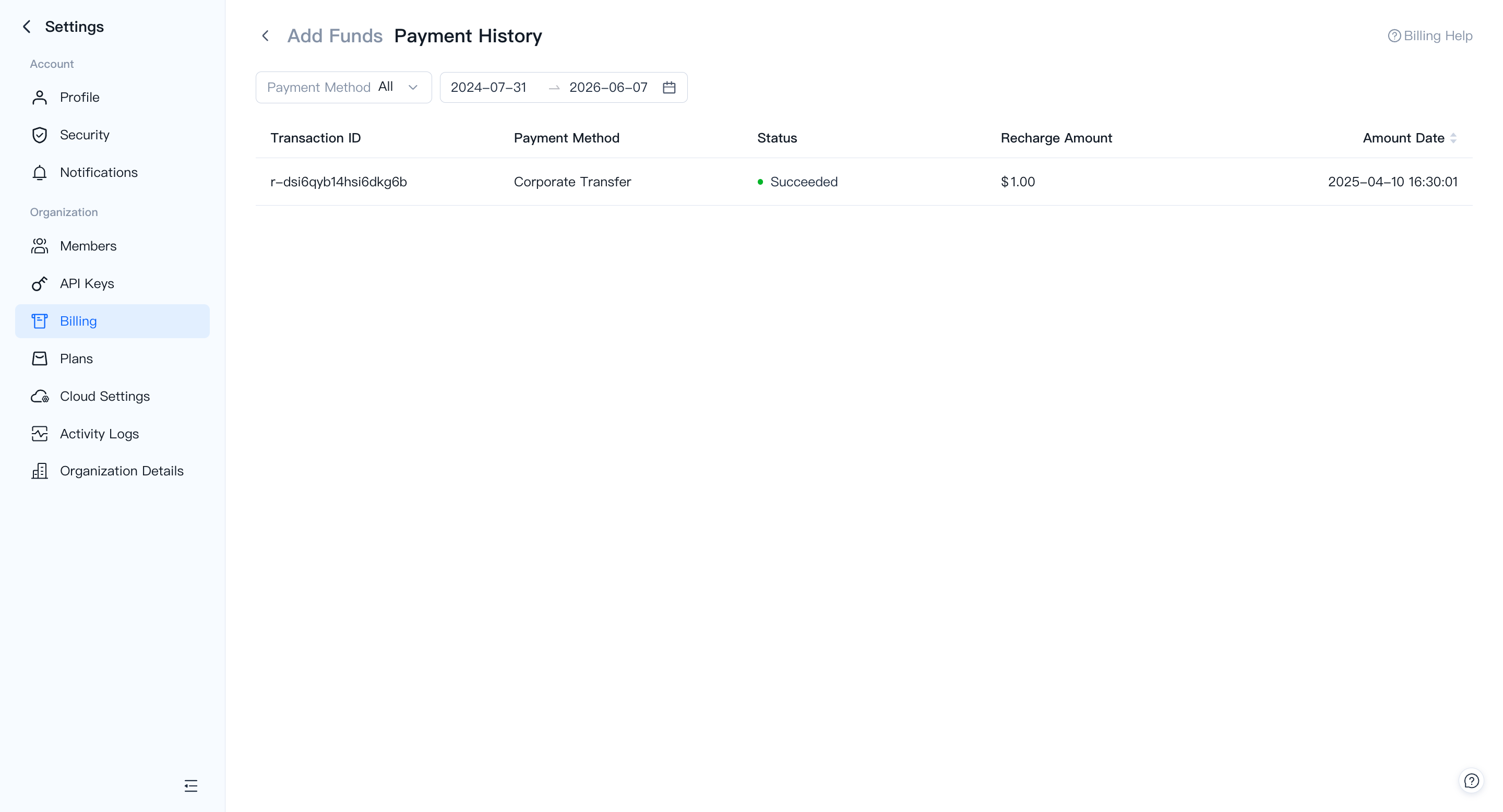
Add Funds
Cash lets you top up your VeloDB Cloud balance via corporate bank transfer. Once the transfer is received, the balance is credited automatically and used for billing deductions.
Add funds
In Settings → Billing, click Add Funds to open the recharge page.
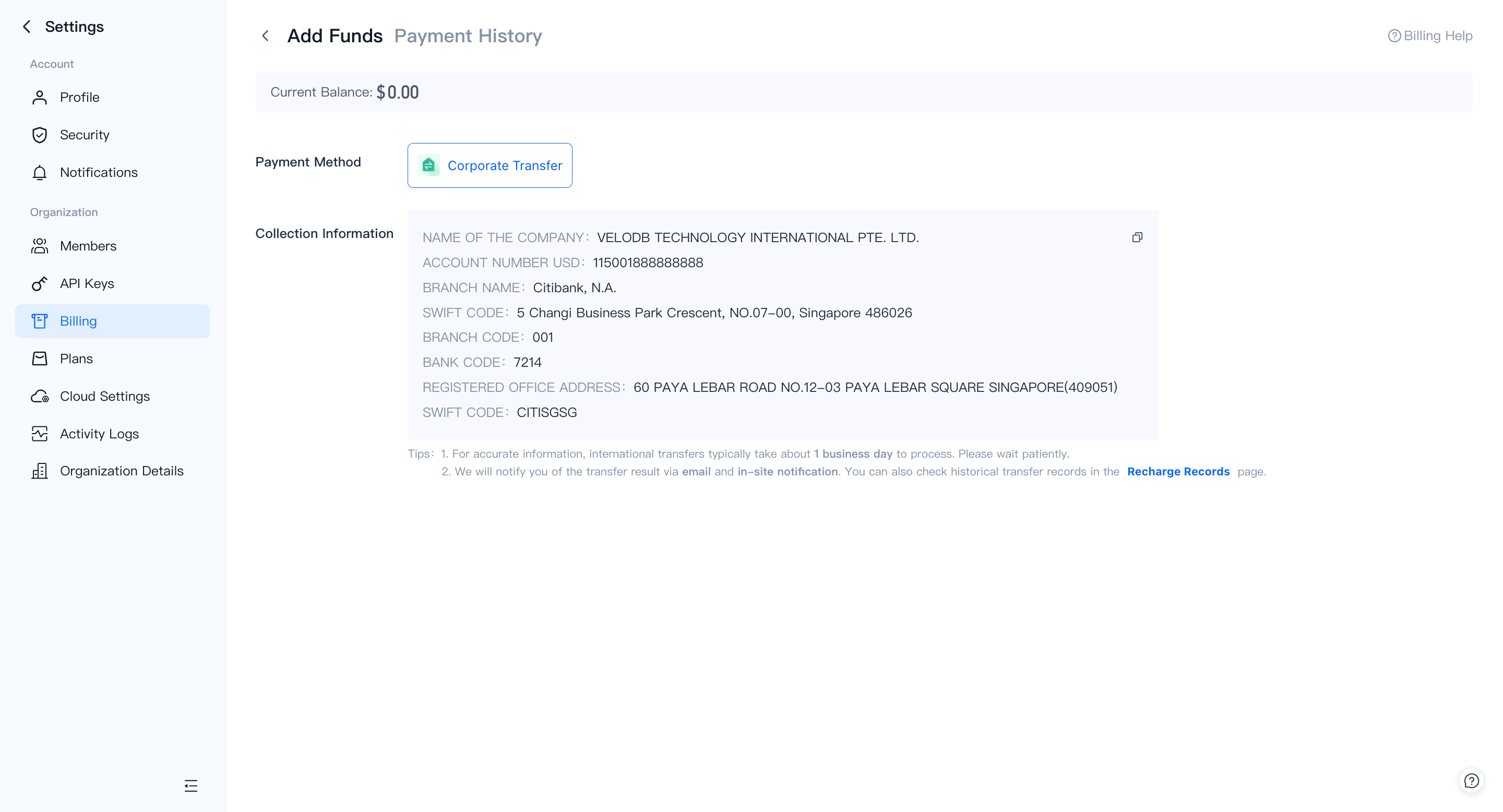
The page shows the collection information for the corporate transfer:
| Field | Details |
|---|---|
| Payment method | Corporate Transfer |
| Bank | Citibank, N.A. |
| Account number | Shown on the Add Funds page |
| SWIFT code | CITISGS (Singapore) |
Initiate the transfer from your bank using the details shown. International transfers typically take about 1 business day to process. VeloDB Cloud notifies you by email and in-site notification when the balance is credited.
Payment history
Switch to the Payment History tab on the Add Funds page to review past recharge records. You can filter by payment method and date range.