Create a Cluster
On the Compute page, click New Cluster. If no cluster exists yet, a setup wizard appears; if one already exists, click New Cluster on the Cluster Overview page.
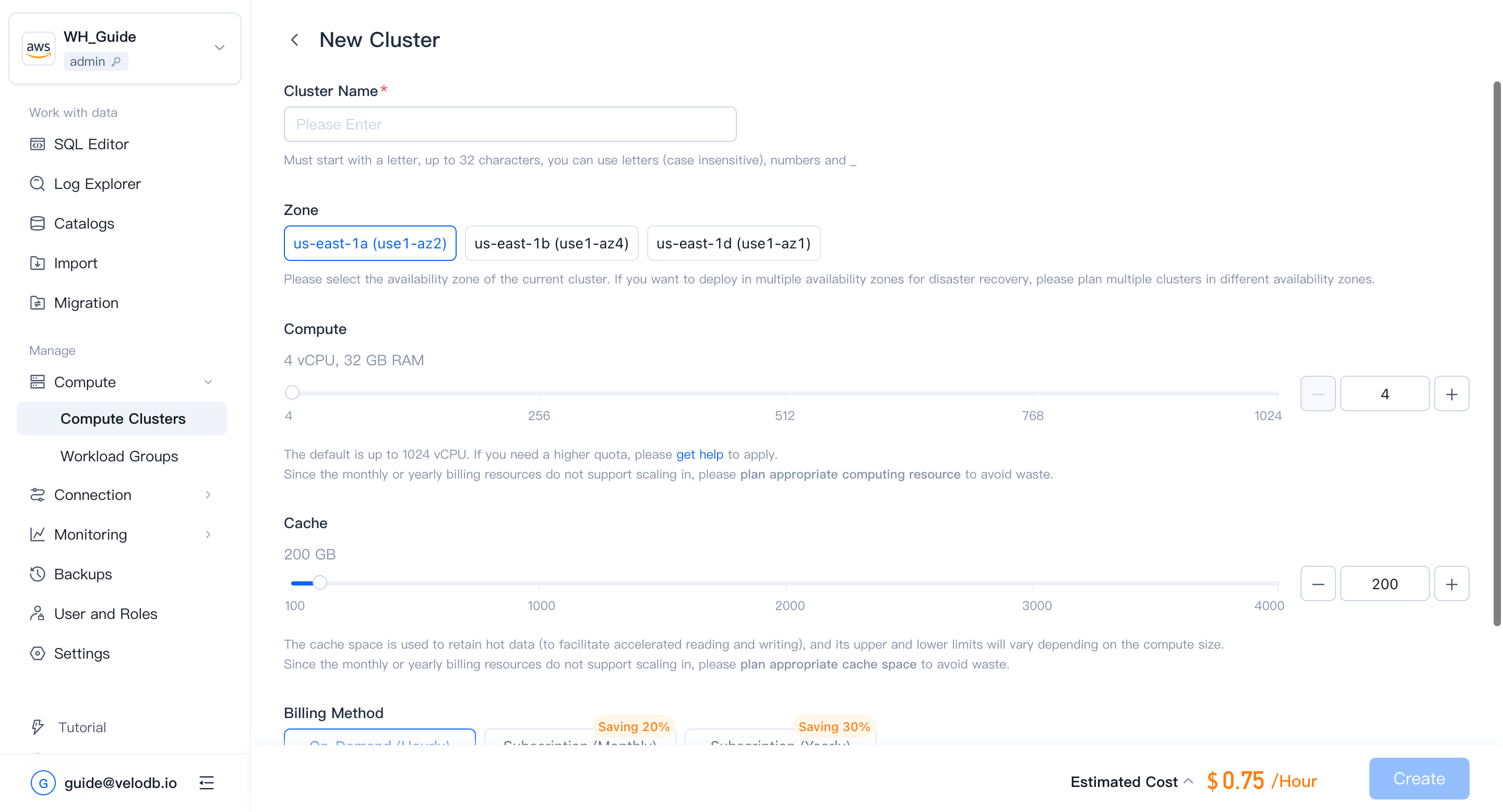
| Parameter | Description |
|---|---|
| Cluster Name | Required. Must start with a letter; up to 32 characters; letters (case-insensitive), digits, and underscores. |
| Compute | Default range is 4 - 1024 vCPU per cluster. To raise this quota, contact support. vCPU-to-memory ratio is fixed at 1:8. |
| Cache | Cache-space limits scale with compute size. |
| Storage | Pay-as-you-go; no storage pre-allocation. All clusters in the warehouse share the stored data. |
| Billing Method | Default is On-Demand (Hourly), suitable for workloads that need to be changed or deleted at any time. |
| Auto Pause/Resume | When enabled, the cluster pauses automatically after a period of inactivity and resumes on the next query. |
Creating a cluster incurs charges. Before confirming, make sure the organization has sufficient cash balance or has opened a cloud-marketplace deduction channel. Otherwise you will see the following error.

Note
- After you confirm, the new cluster appears on the Cluster Overview page. Creation takes about 3 minutes; status transitions from Creating to Running.
- SaaS free-trial warehouses do not support creating additional clusters.