Time-Based Scaling
Time-based scaling is suitable for predictable, recurring workloads. For example, if business traffic regularly peaks during the day and drops at night, you can configure a scaling policy that adjusts cluster compute resources at fixed times.
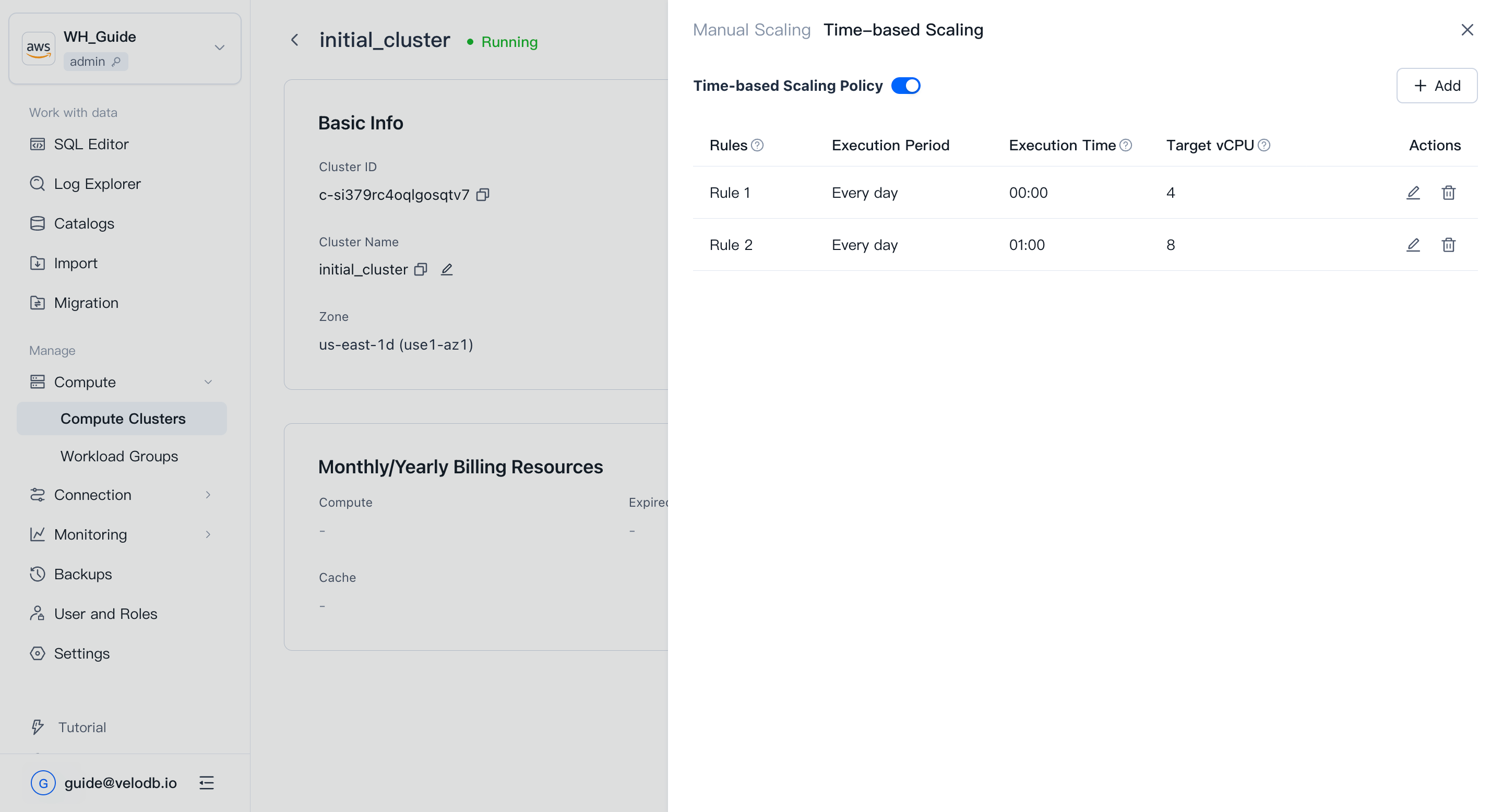
A scaling policy requires at least two rules with different target vCPU values. This lets VeloDB Cloud perform periodic scale-out and scale-in actions to handle business peaks and lows.
Configure a time-based scaling policy
- Open Compute from the Manage group in the left navigation.
- On the Cluster Overview page, click the target cluster card to open the cluster Details page.
- In On-Demand Resources, click Scale Out/In -> Time-based scaling.
- Add at least two rules with different target vCPU values.
- Confirm that the rule execution times do not overlap.
- Enable the policy.
Rules and limitations
Note
- SaaS free-trial clusters do not support scaling.
- On-demand clusters cannot have a rule with a target vCPU of 0.
- Rules execute only while the cluster is running normally. When the cluster is paused, rebooting, or upgrading, the rule waits for a retry; if it cannot execute within 30 minutes, it is skipped.
- If the organization does not have enough cash balance or a cloud-marketplace deduction channel, the rule is invalidated.
- The schedule is fixed to daily; editing the period is not supported.
- Rules must be at least one hour apart, so at most 23 rules per cluster.
- Rule execution times cannot overlap with existing rules.
- Scaling may cause some requests to crash or be delayed.
- When scaling in, cache space shrinks proportionally with compute (vCPU), and data in excess is evicted. Some requests may be noticeably slower during this period.