Warehouse Encryption
Warehouse Encryption (TDE and CMEK) requires the Premium plan. To upgrade, see Plans.
Enable Transparent Data Encryption (TDE) to add an extra layer of protection for service data, or supply your own key to implement Customer Managed Encryption Keys (CMEK). Enhanced encryption is available for AWS warehouses.
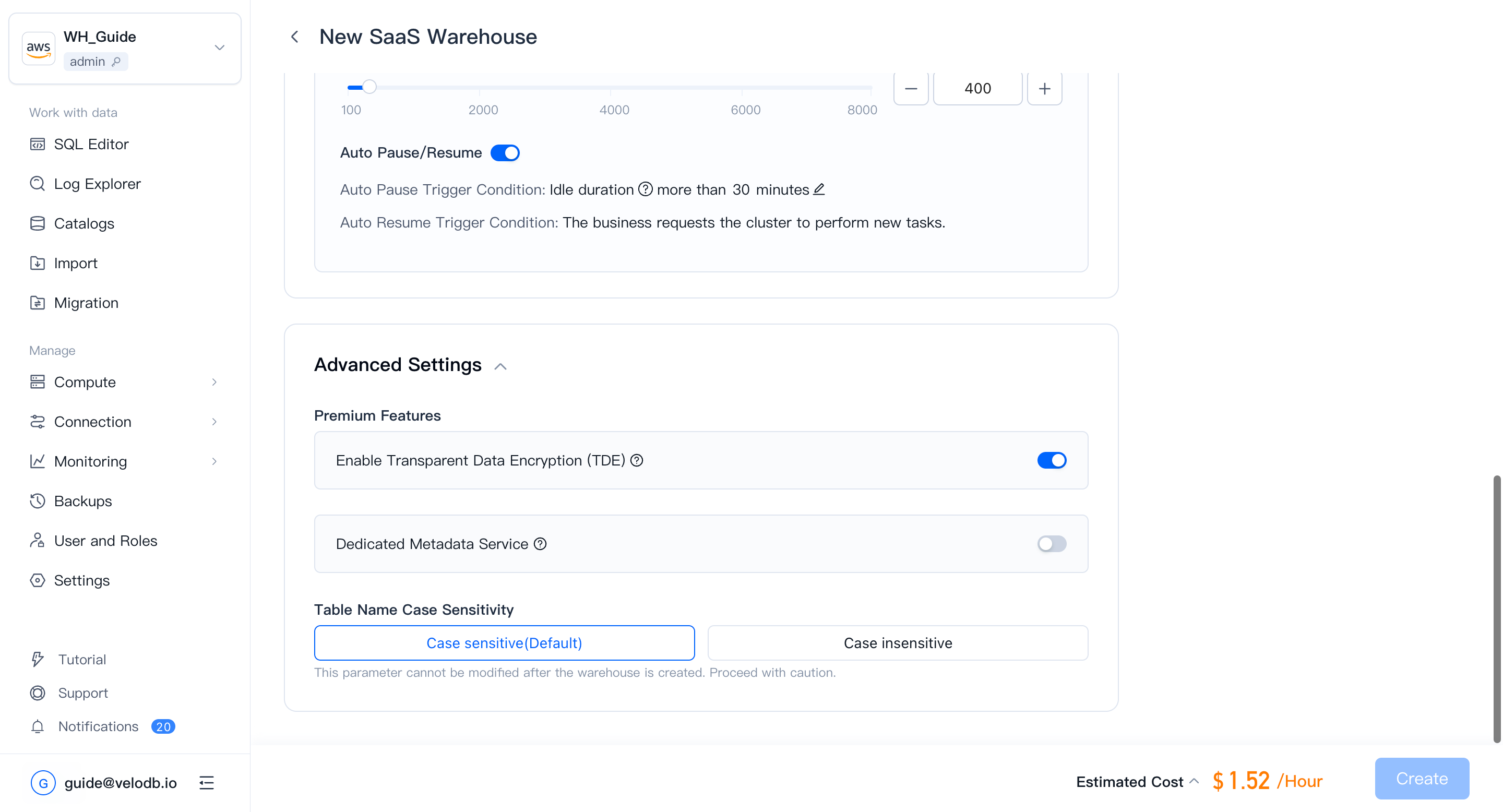
Key management options
VeloDB Cloud supports two key management modes:
| Mode | How it works | When to use |
|---|---|---|
| VeloDB-managed key | After enabling TDE, VeloDB Cloud uses the cloud provider's key by default. No additional configuration required. | Default. Suitable for most workloads. |
| Customer-managed key | You provide an AWS KMS key. VeloDB Cloud uses it to encrypt and decrypt data but never stores or exports it. | Required for compliance programs (SOC 2, HIPAA, PCI DSS) that mandate customer key ownership, or when you need the ability to revoke VeloDB's access to your data by disabling or deleting the key. |
Both modes provide full encryption at rest. The difference is who controls the key lifecycle.
Use a customer-managed KMS key
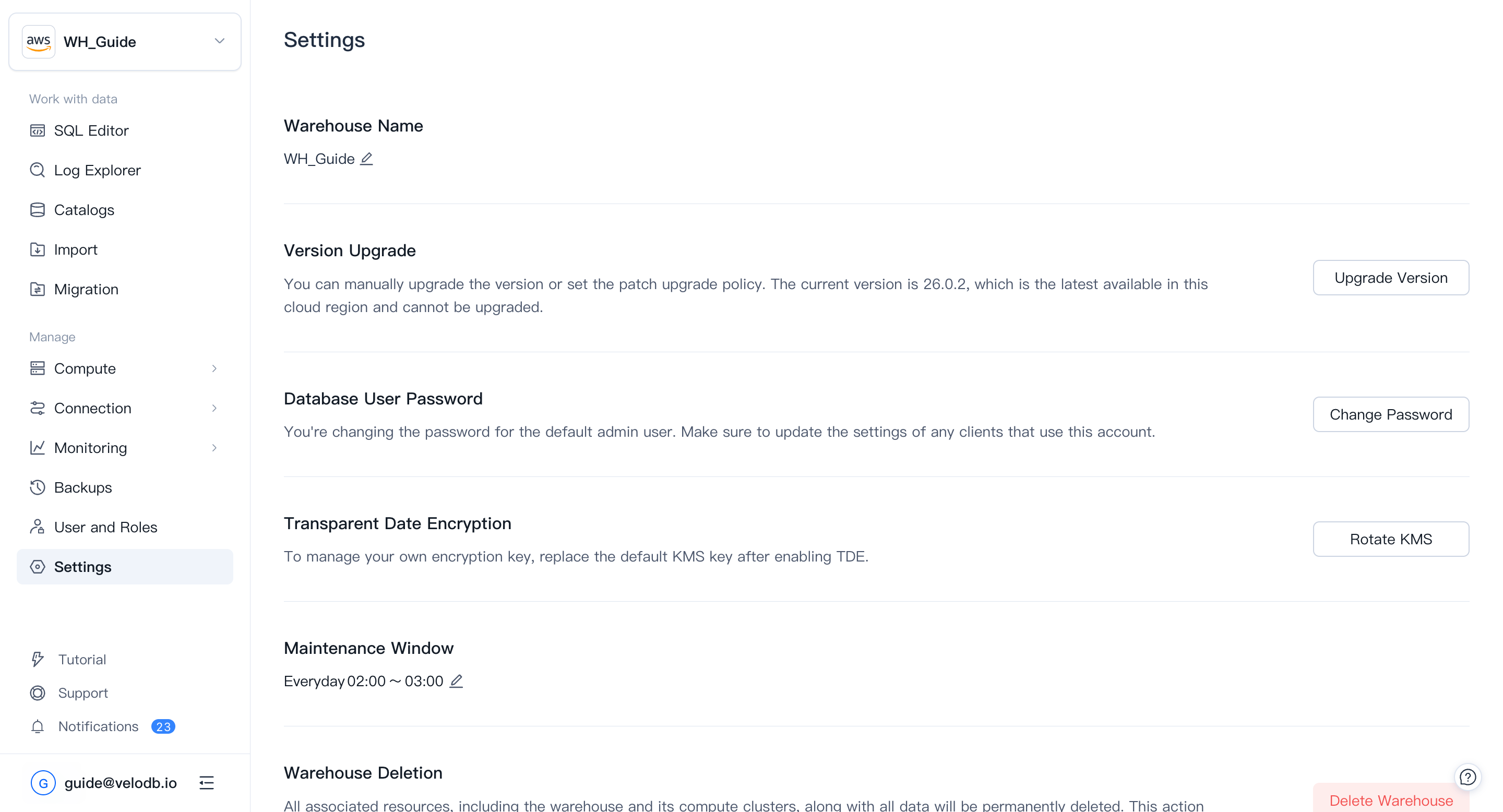
After enabling TDE, you can rotate from a VeloDB-managed key to your own AWS KMS key at any time.
-
Create a KMS key. In the AWS KMS console, create a new symmetric encryption key. Note the Key ARN — you will need it in step 4.
-
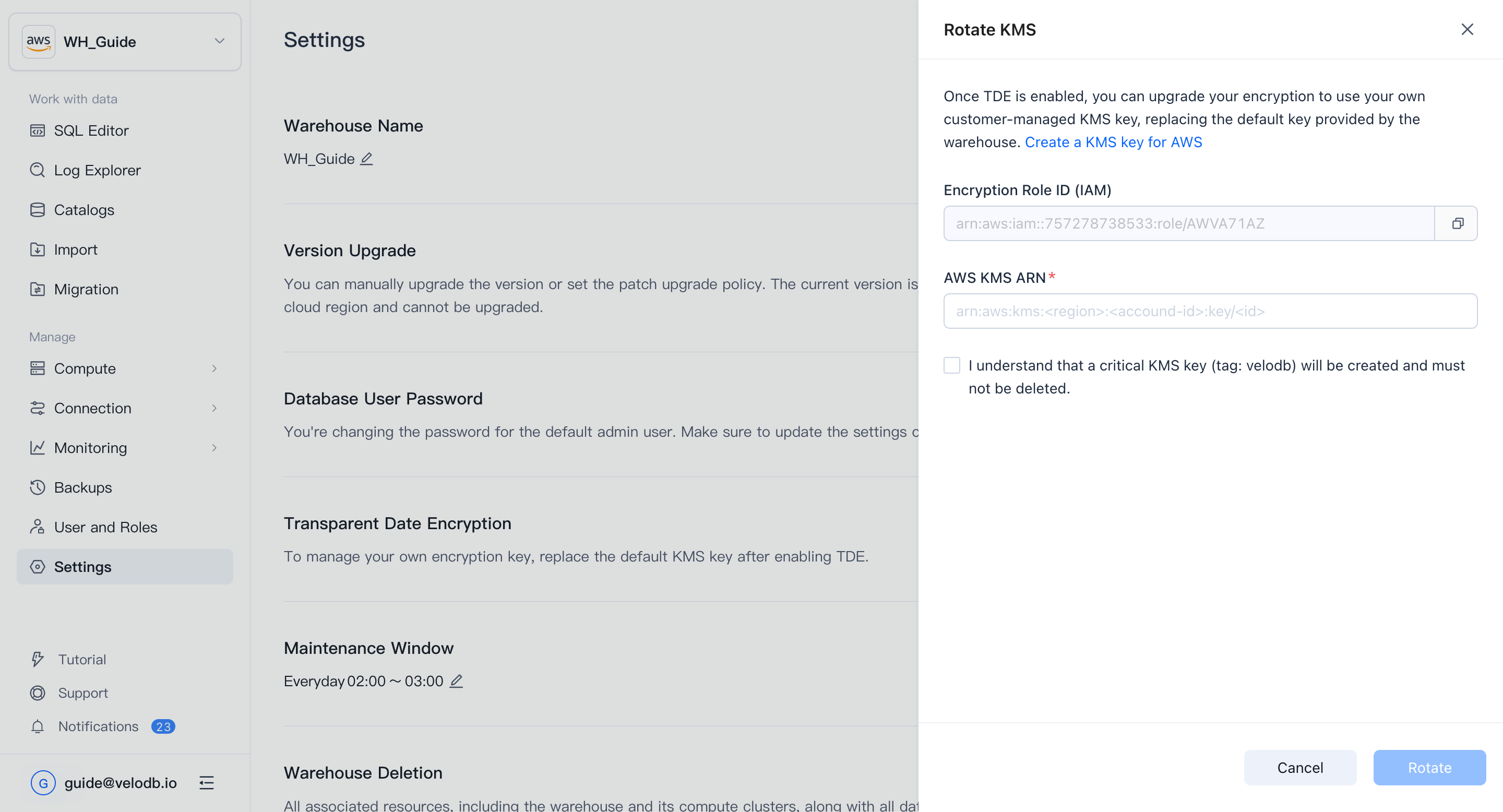
Copy the Encryption Role ID. In the VeloDB Cloud console, open Settings, click Rotate KMS, and copy the Encryption Role ID.
-
Update the key policy. Add the following statement to the KMS key policy. Replace
<Encryption Role ID>with the value copied in the previous step.{
"Sid": "Allow VeloDB Access",
"Effect": "Allow",
"Principal": {
"AWS": [ "<Encryption Role ID>" ]
},
"Action": [
"kms:Encrypt",
"kms:Decrypt",
"kms:ReEncrypt*",
"kms:DescribeKey"
],
"Resource": "*"
} -
Apply the key. Return to VeloDB Cloud, paste the Key ARN into the Transparent Data Encryption section of Settings, and click Rotate.
Warning Do not disable or delete the KMS key after applying it. VeloDB Cloud requires continuous access to the key to operate the warehouse — losing access makes the warehouse unavailable and its data unreadable.
Key rotation and audit
AWS KMS logs every use of your key in AWS CloudTrail, giving you a full audit trail of encryption and decryption operations. To rotate the key material, create a new KMS key and repeat the steps above — VeloDB Cloud re-encrypts the data encryption key automatically without downtime.
Related documentation
- Encryption at Rest — How VeloDB Cloud protects data at rest across storage and warehouse layers.
- Encryption in Transit — TLS encryption for data in motion between clients and the warehouse.
- Network Security — VPC isolation, PrivateLink, and network access controls.