Glue + AWS S3 Tablesとの統合
AWS S3 Tablesは、Amazon S3上に構築されたApache Icebergテーブル形式標準と互換性のある読み書きインターフェースを提供するS3 Bucketの特殊なタイプで、S3自体と同じ耐久性、可用性、スケーラビリティ、パフォーマンス特性を提供します。さらに、S3 Tablesは以下の機能を提供します:
- 通常のS3 Bucketに格納されたIcebergテーブルと比較して、S3 Tablesは最大3倍高いクエリパフォーマンスと最大10倍高い毎秒トランザクション数を実現できます。
- 自動化されたテーブル管理。S3 Tablesは、小ファイルのコンパクション、スナップショット管理、ガベージファイルのクリーンアップを含むIcebergテーブルデータを自動的に最適化します。
S3 Tablesのリリースにより、Lakehouseアーキテクチャがさらに簡素化され、クラウドネイティブなlake-warehouseシステムにより多くの可能性がもたらされます。これには、コールドホット分離、データアーカイブ、データバックアップ、計算ストレージ分離アーキテクチャが含まれ、これらすべてがS3 Tablesに基づく全く新しいアーキテクチャに進化する可能性があります。
Amazon S3 TablesのIceberg APIとの高い互換性のおかげで、Apache DorisはS3 Tablesと迅速に統合できます。この記事では、Apache DorisをS3 Tablesに接続し、データ分析と処理を実行する方法を紹介します。
この機能はDoris 3.1以降でサポートされています
使用ガイド
01 S3 Table Bucketの作成
S3 Table Bucketは、従来のGeneral purpose bucketとDirectory bucketと並ぶ、S3が開始した3番目のBucketタイプです。
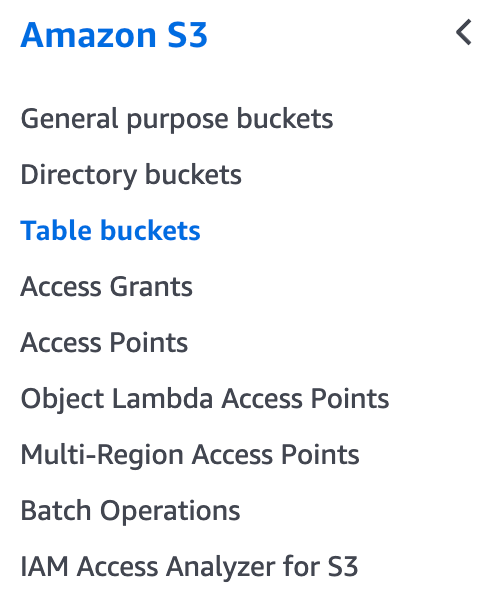
ここではdoris-s3-table-bucketという名前のTable Bucketを作成します。作成後、ARNで表されるTable Bucketを取得します。

02 Iceberg Catalogの作成
-
AWS S3 Table Rest Catalogを使用して
s3 tablesに接続CREATE CATALOG aws_s3_tables PROPERTIES (
'type' = 'iceberg',
'iceberg.catalog.type' = 'rest',
'warehouse' = 'arn:aws:s3tables:us-east-1:<account_id>:bucket/<s3_table_bucket_name>',
'iceberg.rest.uri' = 'https://s3tables.us-east-1.amazonaws.com/iceberg',
'iceberg.rest.sigv4-enabled' = 'true',
'iceberg.rest.signing-name' = 's3tables',
'iceberg.rest.signing-region' = 'us-east-1',
'iceberg.rest.access-key-id' = '<ak>',
'iceberg.rest.secret-access-key' = '<sk>'
); -
Glue Rest Catalogを使用して
s3 tablesに接続するCREATE CATALOG glue_s3 PROPERTIES (
'type' = 'iceberg',
'iceberg.catalog.type' = 'rest',
'iceberg.rest.uri' = 'https://glue.<region>.amazonaws.com/iceberg',
'warehouse' = '<acount_id>:s3tablescatalog/<s3_table_bucket_name>',
'iceberg.rest.sigv4-enabled' = 'true',
'iceberg.rest.signing-name' = 'glue',
'iceberg.rest.access-key-id' = '<ak>',
'iceberg.rest.secret-access-key' = '<sk>',
'iceberg.rest.signing-region' = '<region>'
);
03 S3Tablesにアクセスする
Doris > SWITCH iceberg_s3;

Doris > SHOW DATABASES;
+--------------------+
| Database           |
+--------------------+
| information_schema |
| my_namespace       |
| mysql              |
+--------------------+

Doris > USE my_namespace;

Doris > SHOW TABLES;
+------------------------+
| Tables_in_my_namespace |
+------------------------+
| my_table               |
+------------------------+

Doris > SELECT * FROM my_table;
+------+------+-------+
| id   | name | value |
+------+------+-------+
|    1 | ABC  |   100 |
|    2 | XYZ  |   200 |
+------+------+-------+
04 S3Tablesテーブルの作成とデータの書き込み
Doris > CREATE TABLE partition_table (
    ->   `ts` DATETIME COMMENT 'ts',
    ->   `id` INT COMMENT 'col1',
    ->   `pt1` STRING COMMENT 'pt1',
    ->   `pt2` STRING COMMENT 'pt2'
    -> )
    -> PARTITION BY LIST (day(ts), pt1, pt2) ();

Doris > INSERT INTO partition_table VALUES
    -> ("2024-01-01 08:00:00", 1000, "us-east", "PART1"),
    -> ("2024-01-02 10:00:00", 1002, "us-sout", "PART2");
Query OK, 2 rows affected
{'status':'COMMITTED', 'txnId':'1736935786473'}

Doris > SELECT * FROM partition_table;
+----------------------------+------+---------+-------+
| ts                         | id   | pt1     | pt2   |
+----------------------------+------+---------+-------+
| 2024-01-02 10:00:00.000000 | 1002 | us-sout | PART2 |
| 2024-01-01 08:00:00.000000 | 1000 | us-east | PART1 |
+----------------------------+------+---------+-------+
05 Time Travel
別のバッチのデータを挿入し、$snapshotsシステムテーブルを使用してIceberg Snapshotを確認できます:
Doris > INSERT INTO partition_table VALUES
    -> ("2024-01-03 08:00:00", 1000, "us-east", "PART1"),
    -> ("2024-01-04 10:00:00", 1002, "us-sout", "PART2");
Query OK, 2 rows affected (9.76 sec)
{'status':'COMMITTED', 'txnId':'1736935786474'}
Doris > SELECT * FROM partition_table$snapshots\G
*************************** 1. row ***************************
 committed_at: 2025-01-15 23:27:01
  snapshot_id: 6834769222601914216
    parent_id: -1
    operation: append
manifest_list: s3://80afcb3f-6edf-46f2-7fhehwj6cengfwc7n6iz7ipzakd7quse1b--table-s3/metadata/snap-6834769222601914216-1-a6b2230d-fc0d-4c1d-8f20-94bb798f27b1.avro
      summary: {"added-data-files":"2","added-records":"2","added-files-size":"5152","changed-partition-count":"2","total-records":"2","total-files-size":"5152","total-data-files":"2","total-delete-files":"0","total-position-deletes":"0","total-equality-deletes":"0","iceberg-version":"Apache Iceberg 1.6.1 (commit 8e9d59d299be42b0bca9461457cd1e95dbaad086)"}
*************************** 2. row ***************************
 committed_at: 2025-01-15 23:30:00
  snapshot_id: 5670090782912867298
    parent_id: 6834769222601914216
    operation: append
manifest_list: s3://80afcb3f-6edf-46f2-7fhehwj6cengfwc7n6iz7ipzakd7quse1b--table-s3/metadata/snap-5670090782912867298-1-beeed339-be96-4710-858b-f39bb01cc3ff.avro
      summary: {"added-data-files":"2","added-records":"2","added-files-size":"5152","changed-partition-count":"2","total-records":"4","total-files-size":"10304","total-data-files":"4","total-delete-files":"0","total-position-deletes":"0","total-equality-deletes":"0","iceberg-version":"Apache Iceberg 1.6.1 (commit 8e9d59d299be42b0bca9461457cd1e95dbaad086)"}
VERSION AS OF構文を使用して、異なるスナップショットをクエリします:
Doris > SELECT * FROM partition_table FOR VERSION AS OF 5670090782912867298;
+----------------------------+------+---------+-------+
| ts                         | id   | pt1     | pt2   |
+----------------------------+------+---------+-------+
| 2024-01-04 10:00:00.000000 | 1002 | us-sout | PART2 |
| 2024-01-03 08:00:00.000000 | 1000 | us-east | PART1 |
| 2024-01-01 08:00:00.000000 | 1000 | us-east | PART1 |
| 2024-01-02 10:00:00.000000 | 1002 | us-sout | PART2 |
+----------------------------+------+---------+-------+

Doris > SELECT * FROM partition_table FOR VERSION AS OF 6834769222601914216;
+----------------------------+------+---------+-------+
| ts                         | id   | pt1     | pt2   |
+----------------------------+------+---------+-------+
| 2024-01-02 10:00:00.000000 | 1002 | us-sout | PART2 |
| 2024-01-01 08:00:00.000000 | 1000 | us-east | PART1 |
+----------------------------+------+---------+-------+
06 EMR Sparkを使用したS3テーブルへのアクセス
Dorisを使用して書き込まれたデータは、Sparkを使用してアクセスすることも可能です:
spark-shell --jars /usr/share/aws/iceberg/lib//iceberg-spark-runtime-3.5_2.12-1.6.1-amzn-1.jar \
--packages software.amazon.s3tables:s3-tables-catalog-for-iceberg-runtime:0.1.3 \
--conf spark.sql.catalog.s3tablesbucket=org.apache.iceberg.spark.SparkCatalog \
--conf spark.sql.catalog.s3tablesbucket.catalog-impl=software.amazon.s3tables.iceberg.S3TablesCatalog \
--conf spark.sql.catalog.s3tablesbucket.warehouse=arn:aws:s3tables:us-east-1:169698000000:bucket/doris-s3-table-bucket \
--conf spark.sql.defaultCatalog=s3tablesbucket \
--conf spark.sql.extensions=org.apache.iceberg.spark.extensions.IcebergSparkSessionExtensions
scala> spark.sql("SELECT * FROM s3tablesbucket.my_namespace.`partition_table` ").show()
+-------------------+----+-------+-----+
|                 ts|  id|    pt1|  pt2|
+-------------------+----+-------+-----+
|2024-01-02 10:00:00|1002|us-sout|PART2|
|2024-01-01 08:00:00|1000|us-east|PART1|
|2024-01-04 10:00:00|1002|us-sout|PART2|
|2024-01-03 08:00:00|1000|us-east|PART1|
+-------------------+----+-------+-----+