バックアップ
VeloDB Cloudでは、定期スケジュールまたは一回限りのタスクとしてデータベースをオブジェクトストレージにバックアップし、保持されているバックアップセットからデータを復元して、ウェアハウスの高可用性を維持できます。
左ナビゲーションのManageグループからBackupsを開きます。
バックアッププランの作成
BackupsページでCreate Backup Planをクリックします。ウェアハウスは定期プランまたは一回限りプランのいずれかを実行できます。プランの作成または更新は、以前のプランを上書きします。
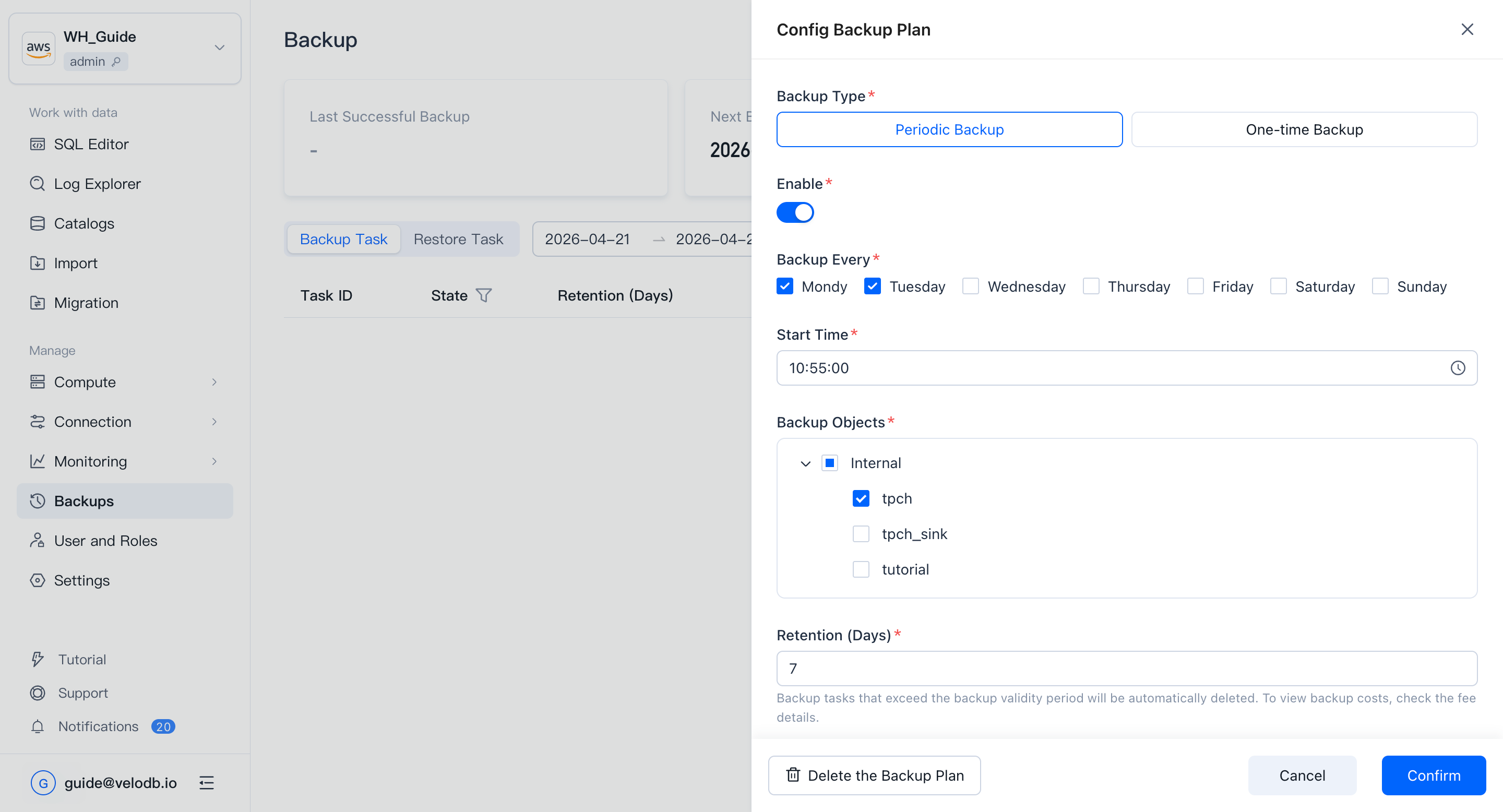
定期バックアップ
定期プランの場合、有効化するかどうか、バックアップサイクル、開始時刻、バックアップオブジェクト、保持日数、およびバックアップの実行に使用するクラスターを選択します。保存して適用します。
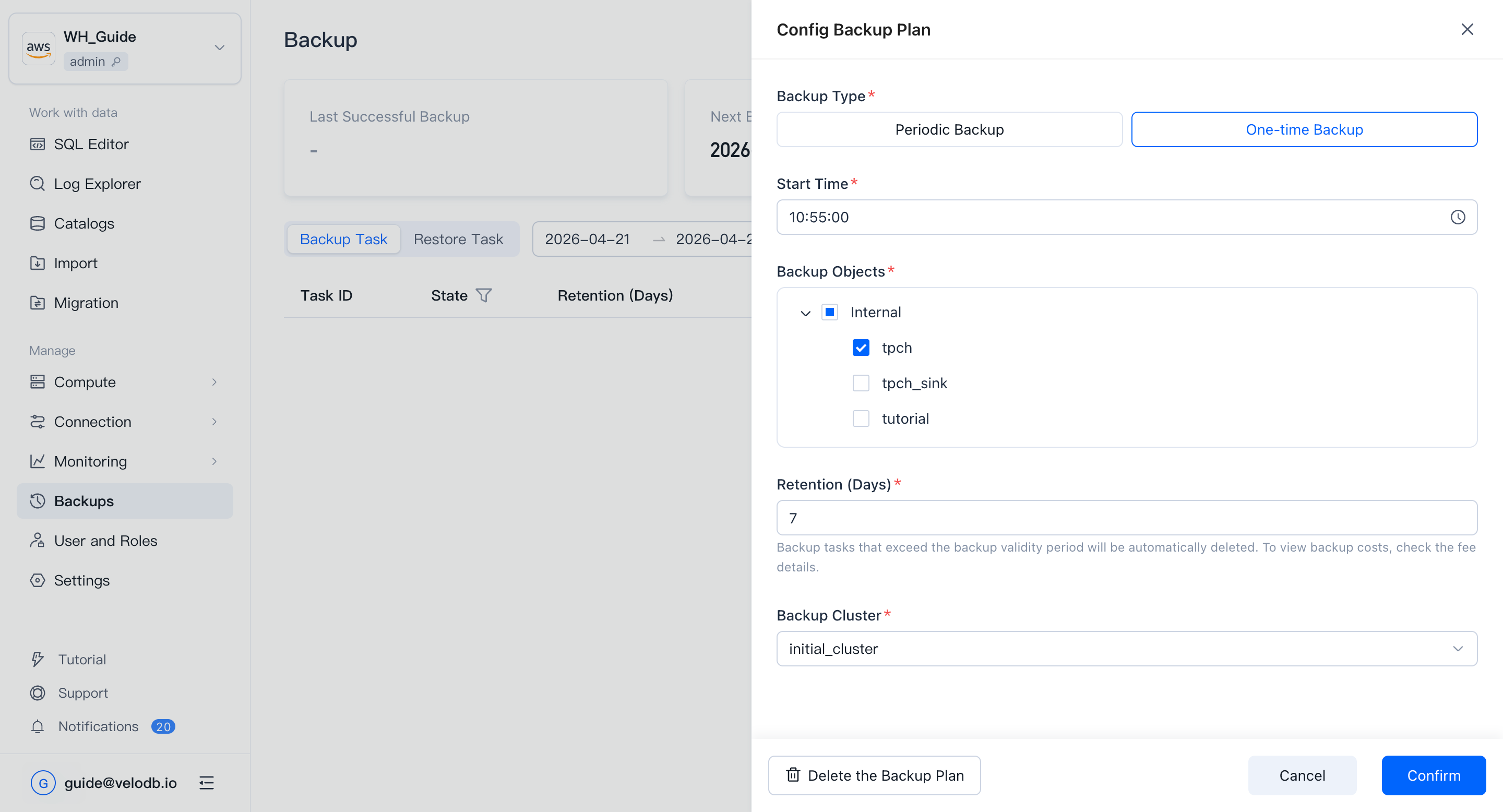
一回限りバックアップ
一回限りプランの場合、開始時刻、バックアップオブジェクト、保持日数、およびバックアップの実行に使用するクラスターを選択します。保存して適用します。
パラメータリファレンス
| Parameter | Description |
|---|---|
| Backup Every | 月曜日から日曜日の任意の組み合わせを選択します(最低1日、最大7日)。 |
| Start Time | 各バックアップ実行が開始される時刻。 |
| Backup Objects | Internal Catalog: データベース全体。External Catalog: DDLのみ、データは含まない。 |
| Backup Retention Days | この日数より古いバックアップセットは自動的にクリーンアップされます。 |
| Backup Cluster | バックアップはコンピュートを消費します。ウェアハウスに複数のクラスターがある場合、使用するクラスターを選択します。 |
バックアップタスクの表示
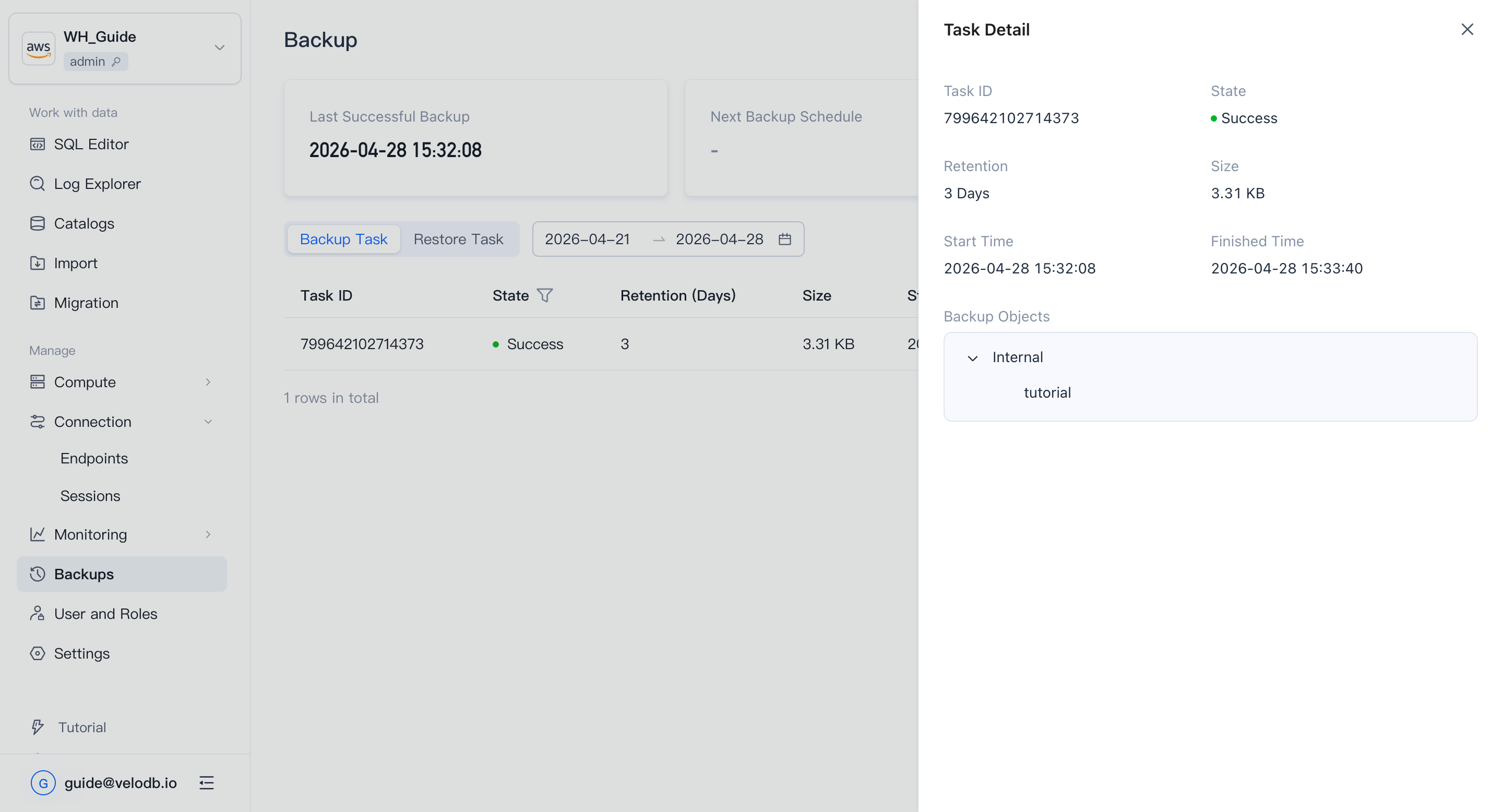
VeloDB Cloudはプランに従って自動的にバックアップタスクを実行します。Backup Tasksリストには、各実行のステータス、保持日数、データサイズ、開始/完了時刻が表示されます。
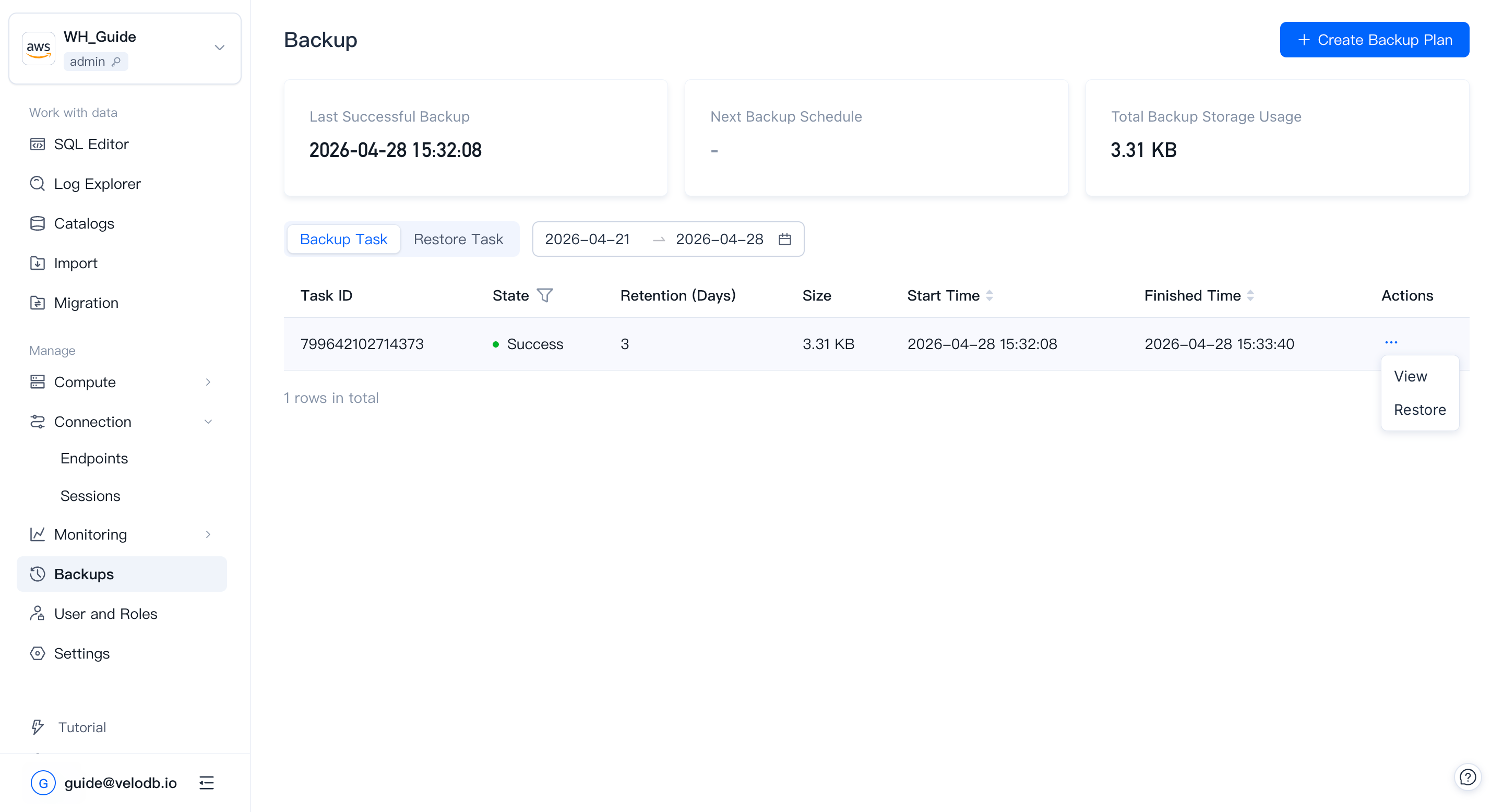
アクション列のView Detailsをクリックして、タスクごとの実行詳細を確認します。
復元
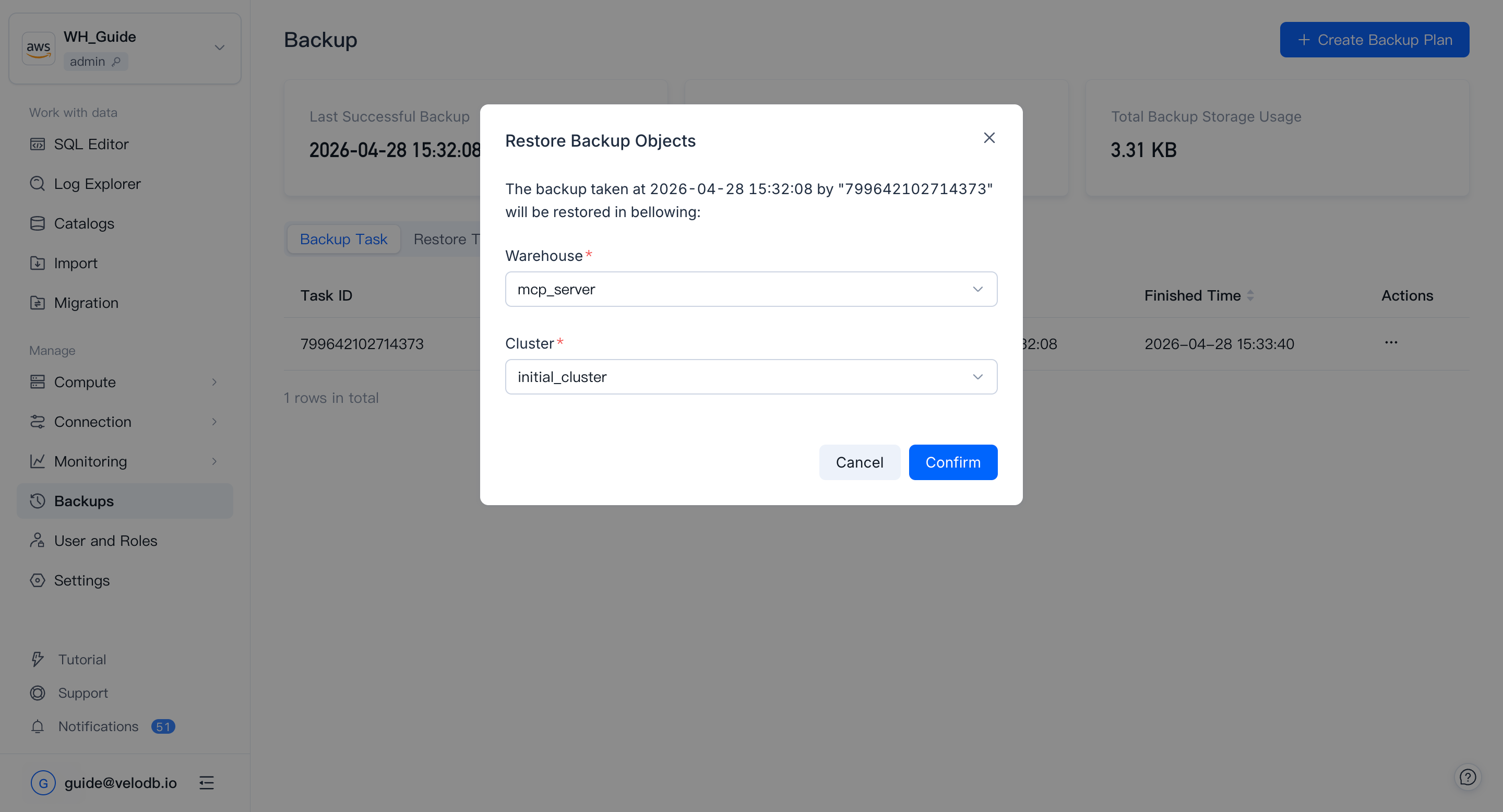
Backup Tasksリストで、復元したいバックアップセットのアクション列のRestoreをクリックします。ターゲットウェアハウスとクラスターを選択し、復元を開始します。
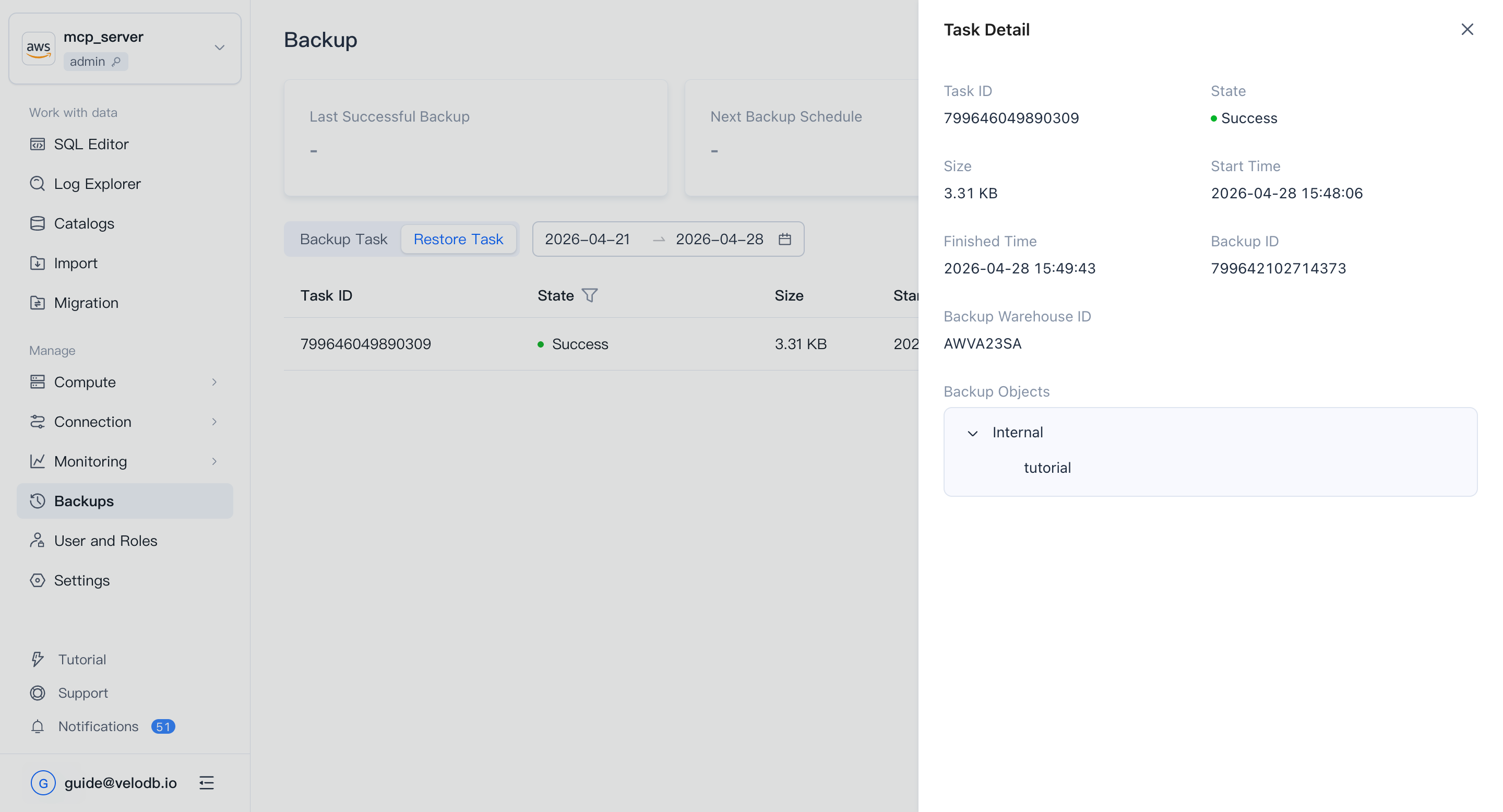
復元タスクはRestore Tasksリストに、タスクステータス、データサイズ、開始/完了時刻と共に表示されます。
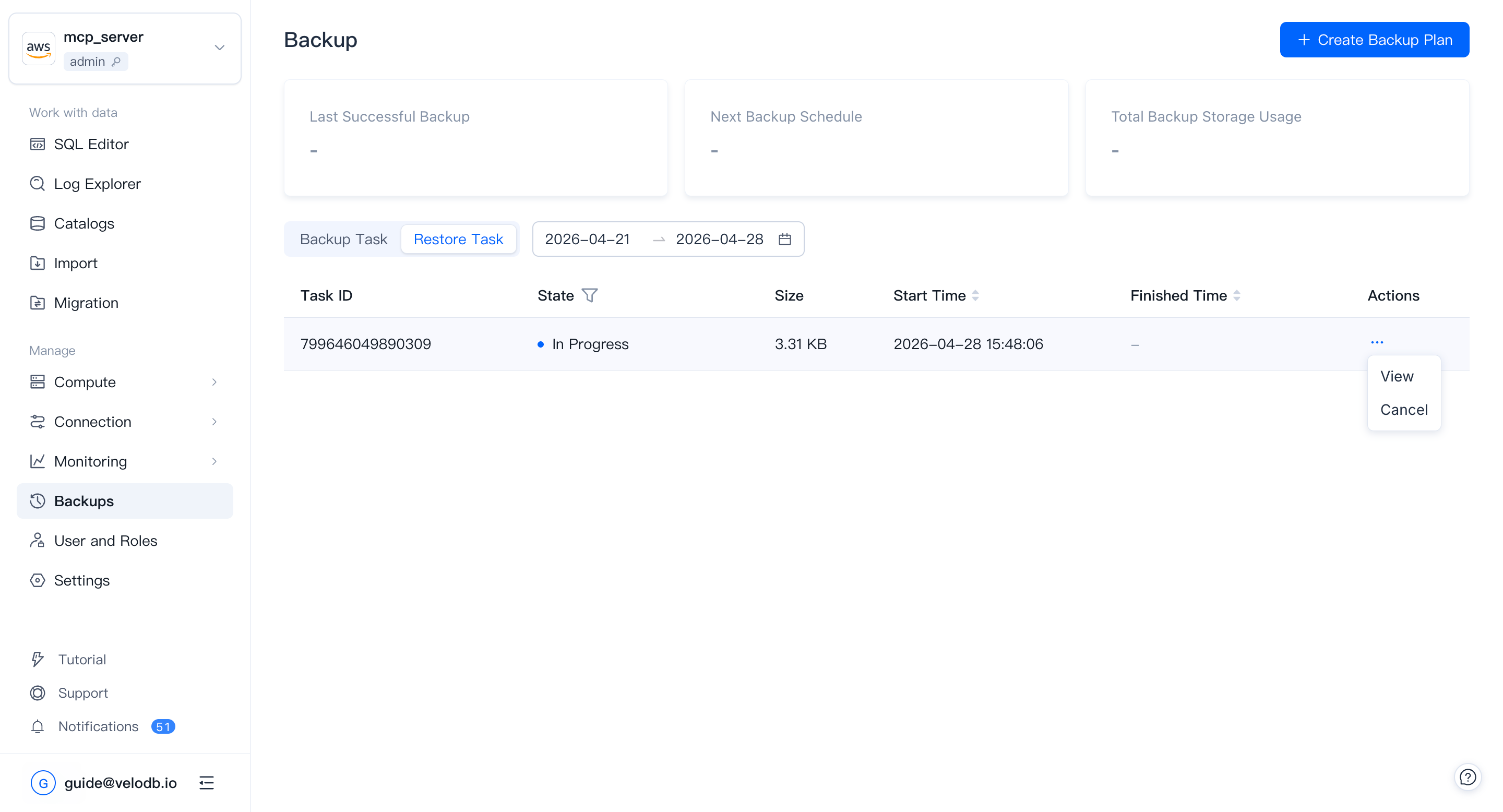
アクション列のView Detailsをクリックして、タスクごとの実行詳細を確認します。