SQL Editor
SQL Editorは、ウェアハウスに対してSQLを実行するためのコンソール内ツールです。クエリ実行、自動セッション保存、クエリプロファイル、履歴クエリレコードをサポートし、実行中のセッションを管理する場所でもあります。
左側ナビゲーションのWork with dataグループからSQL Editorを開きます。
クエリを実行する
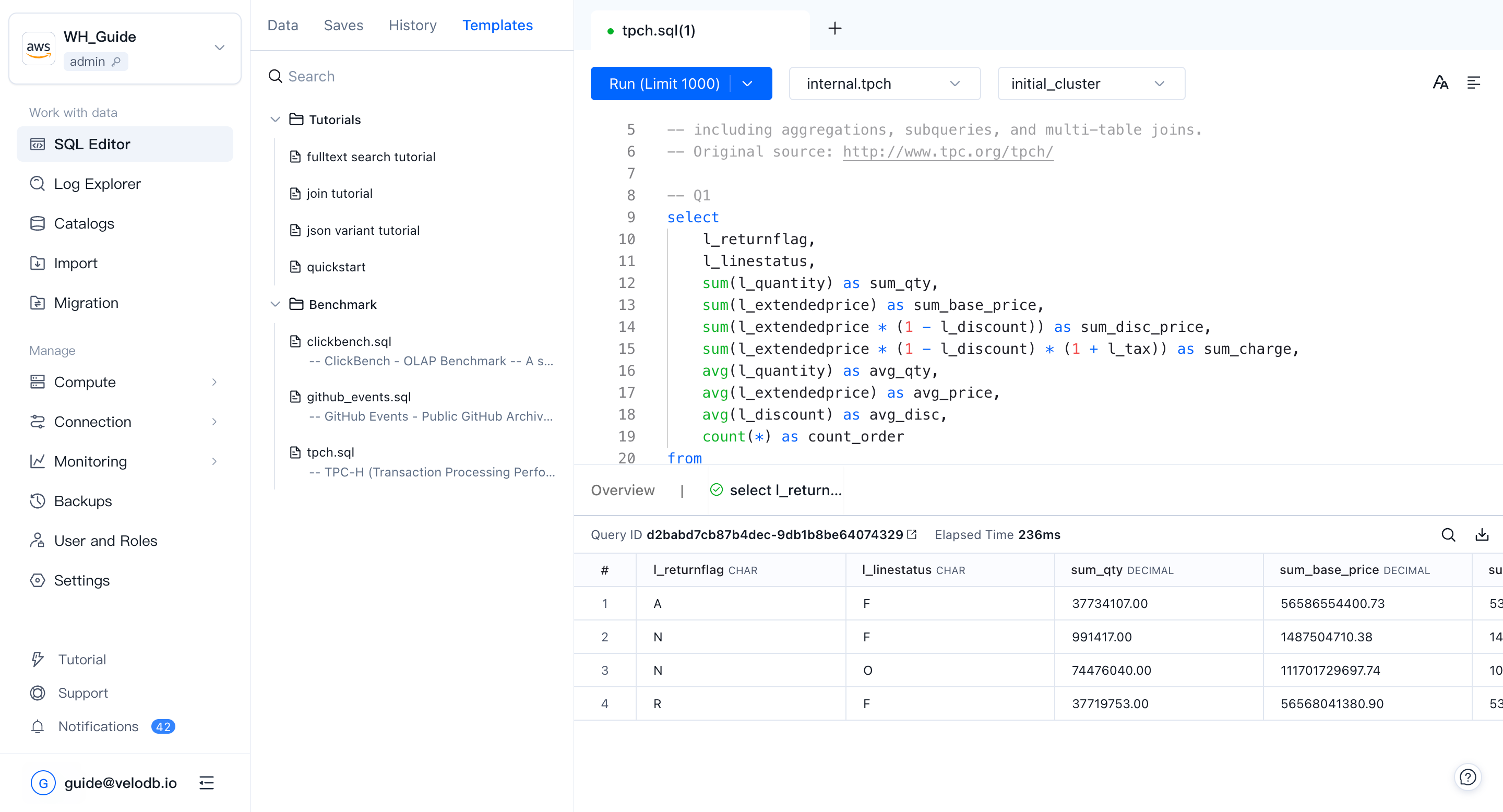
エディタにSQLを入力またはペーストし、**Run (LIMIT 1000)**をクリックして実行します。結果は成功またはエラーステータスと共にエディタの下に表示されます。
**Run (LIMIT 1000)**の右側のドロップダウンをクリックし、Run and Downloadに切り替えると、クエリ結果を直接ダウンロードできます。
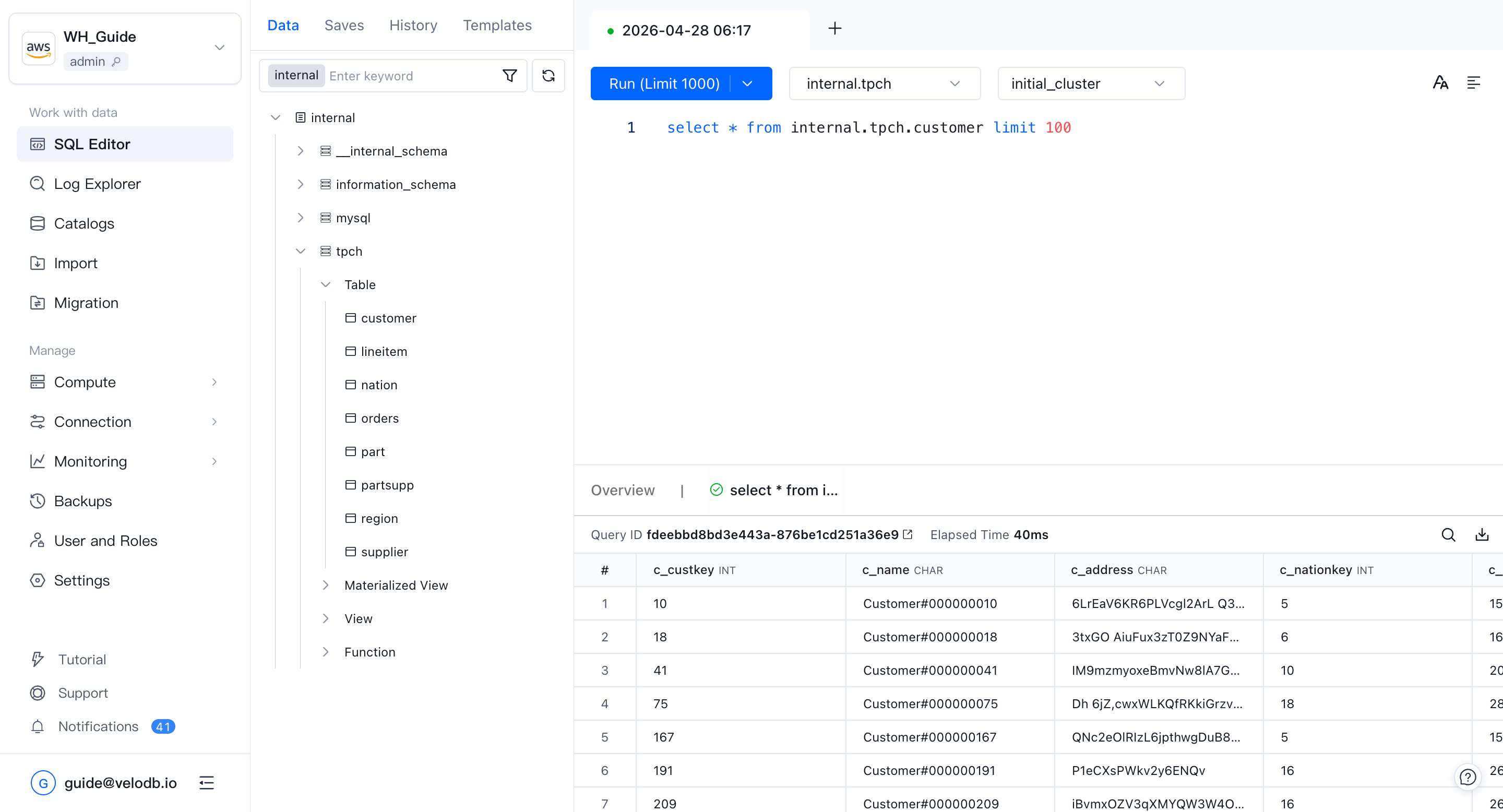
結果パネルでは、検索ボックスで結果を検索したり、列ヘッダーをクリックしてソートしたりできます。
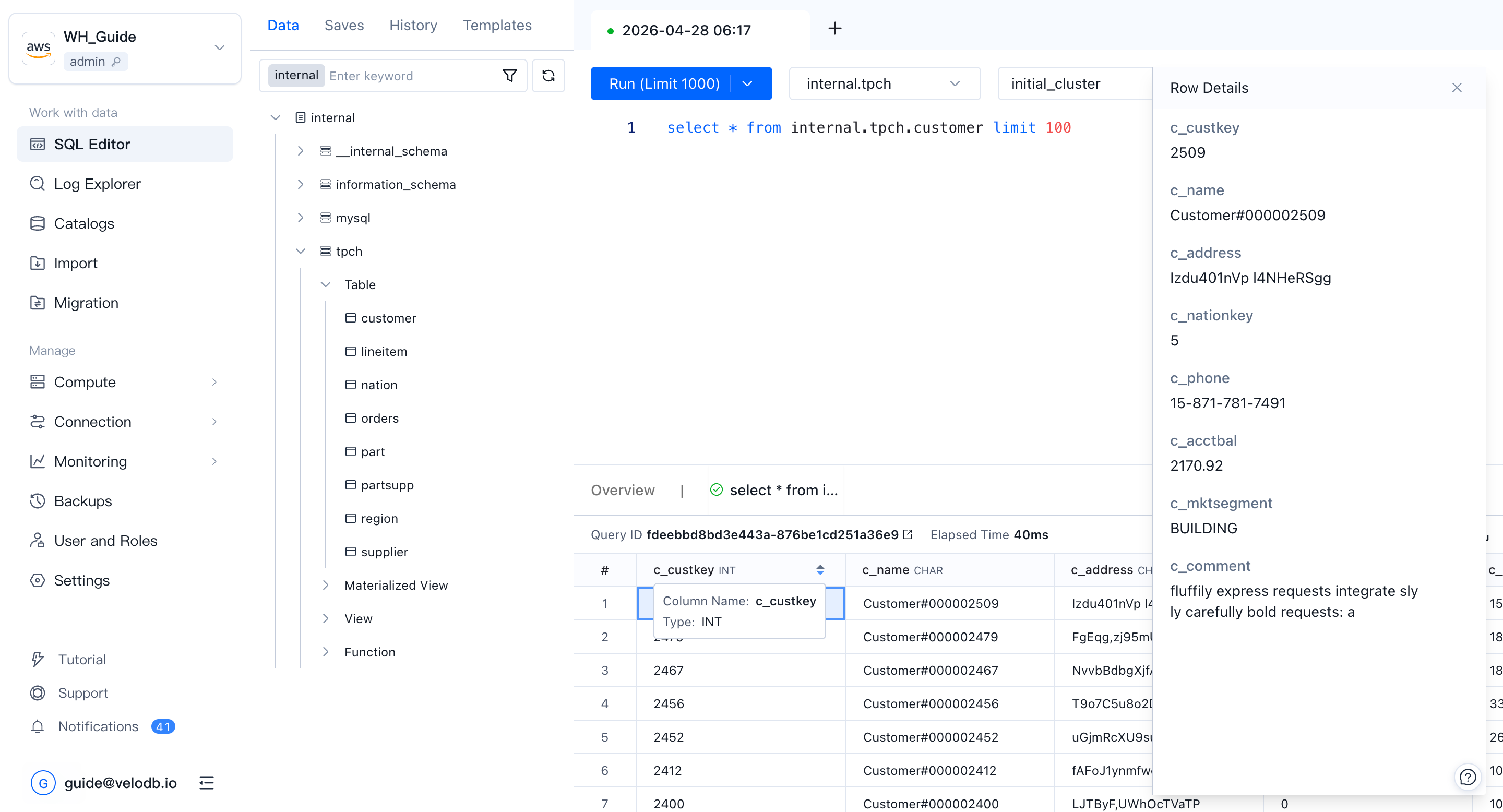
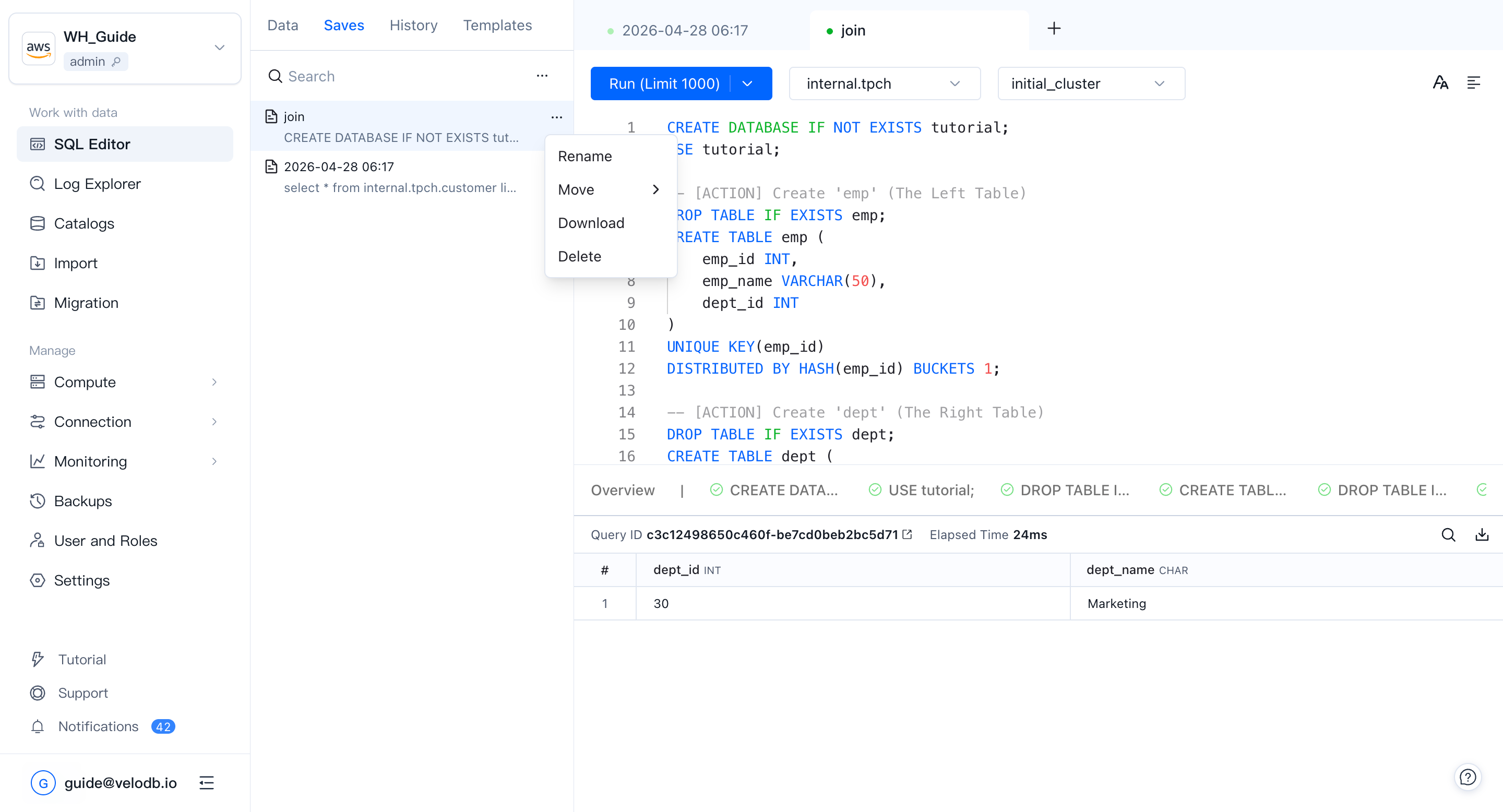
セッションとクエリ履歴
Session recordsはSQL Editorで開いたタブの一覧を表示します。レコード内のSQL文をクリックすると、エディタにコピーして再実行できます。
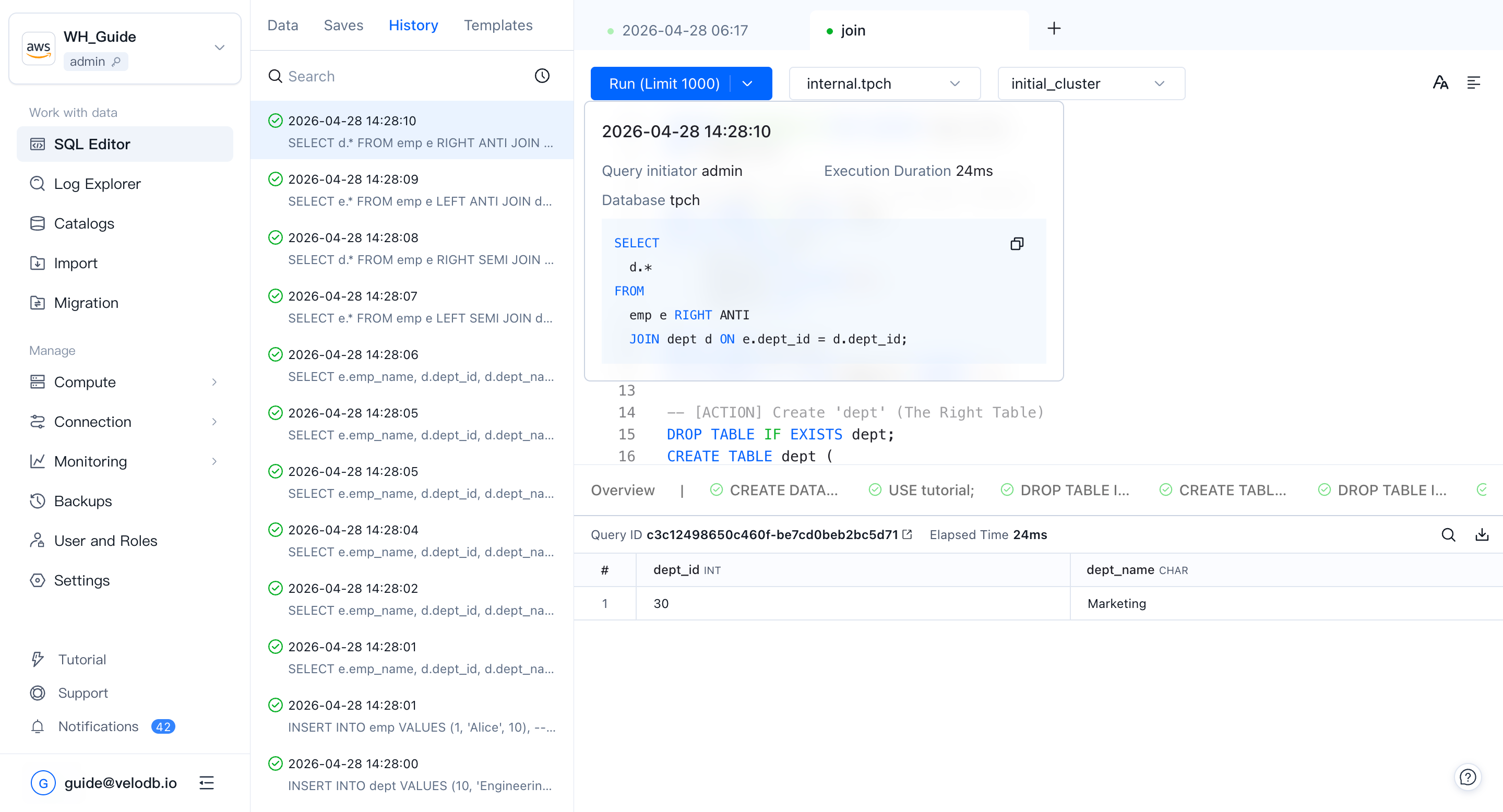
Query historyは実行したSQL文の一覧を表示します。文をクリックするとそのプロファイルを表示できます。
Note 非クエリ文または失敗した文にはQuery IDがありません。
クエリプロファイル
SQL Editorから実行されるクエリに対してクエリプランはデフォルトで有効になっており、単一クエリのパフォーマンスには影響しません。クエリ文をクリックすると実行プランページが開きます。
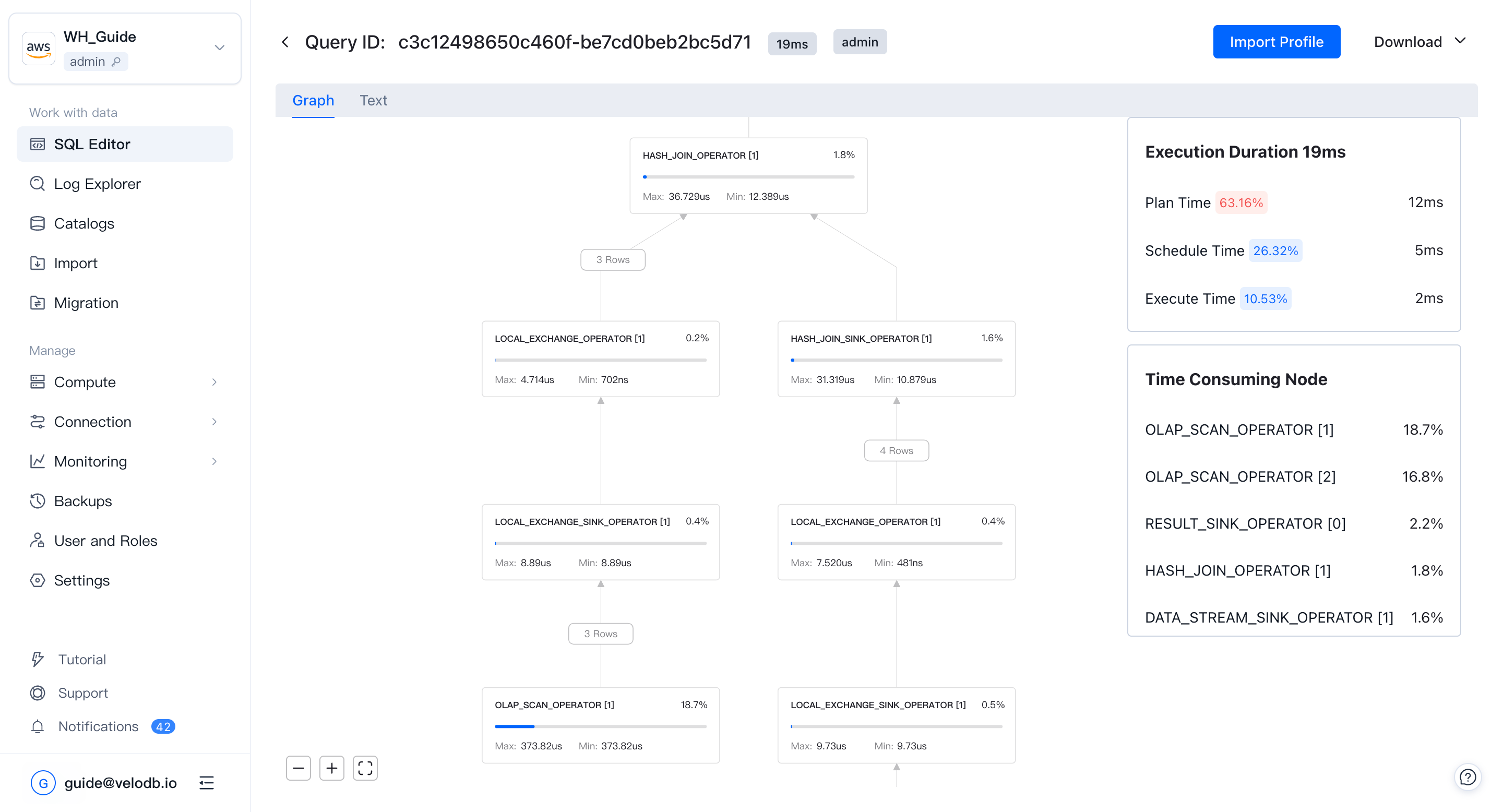
- Download — プロファイルをTEXTまたは視覚的なプロファイル画像としてエクスポートします。
- Import Profile — TEXT形式のプロファイルを読み込んで視覚的に検査します。これは他のクライアントから開始されたクエリを分析する際に便利です。
サンプルクエリ
SQL Editorには一般的なテストデータセット用のサンプルクエリが付属しており、自分で何も書くことなく素早くパフォーマンスチェックを実行できます。
実行中のSQLクエリを表示・管理するには、Connection → Sessionsを参照してください。