Frontend Groups
Frontend Groupsページでは、warehouseのFE(Frontend)リソースグループを表示およびスケールできます。FEノードはクエリの解析、プランニング、メタデータ管理を処理します。VeloDB Cloudは全てのwarehouseに無料のFEベースラインを提供しており、ワークロードの要求に応じてより大きな仕様に拡張できます。
FEリソース仕様
各warehouseには、デフォルトのSmall FEグループが無料で提供されます。必要に応じてより大きな仕様にスケールアップできます。スケールアップはCluster ComputeレートでvCPUあたりで課金されます。
| 仕様 | Compute | 価格 |
|---|---|---|
| Small | 4 vCPU, 16 GB RAM | 無料 |
| Medium | 8 vCPU, 32 GB RAM | vCPU-Hour課金 |
| Large | 16 vCPU, 64 GB RAM | vCPU-Hour課金 |
| XLarge | 32 vCPU, 128 GB RAM | vCPU-Hour課金 |
無料のSmall仕様は大部分のユースケースをカバーします。拡張が通常必要となるのは、warehouseが極めて多数のデータシャードまたは極めて高い同時クエリボリュームを持つ場合のみです。
前提条件
Frontend Groups機能は、FEグループ拡張が有効化されたwarehouseで利用可能です。この機能をwarehouseで有効化するには、VeloDBサポートに連絡してください。
有効化されると、Frontend Groupsがwarehouseナビゲーションメニューに表示されます。
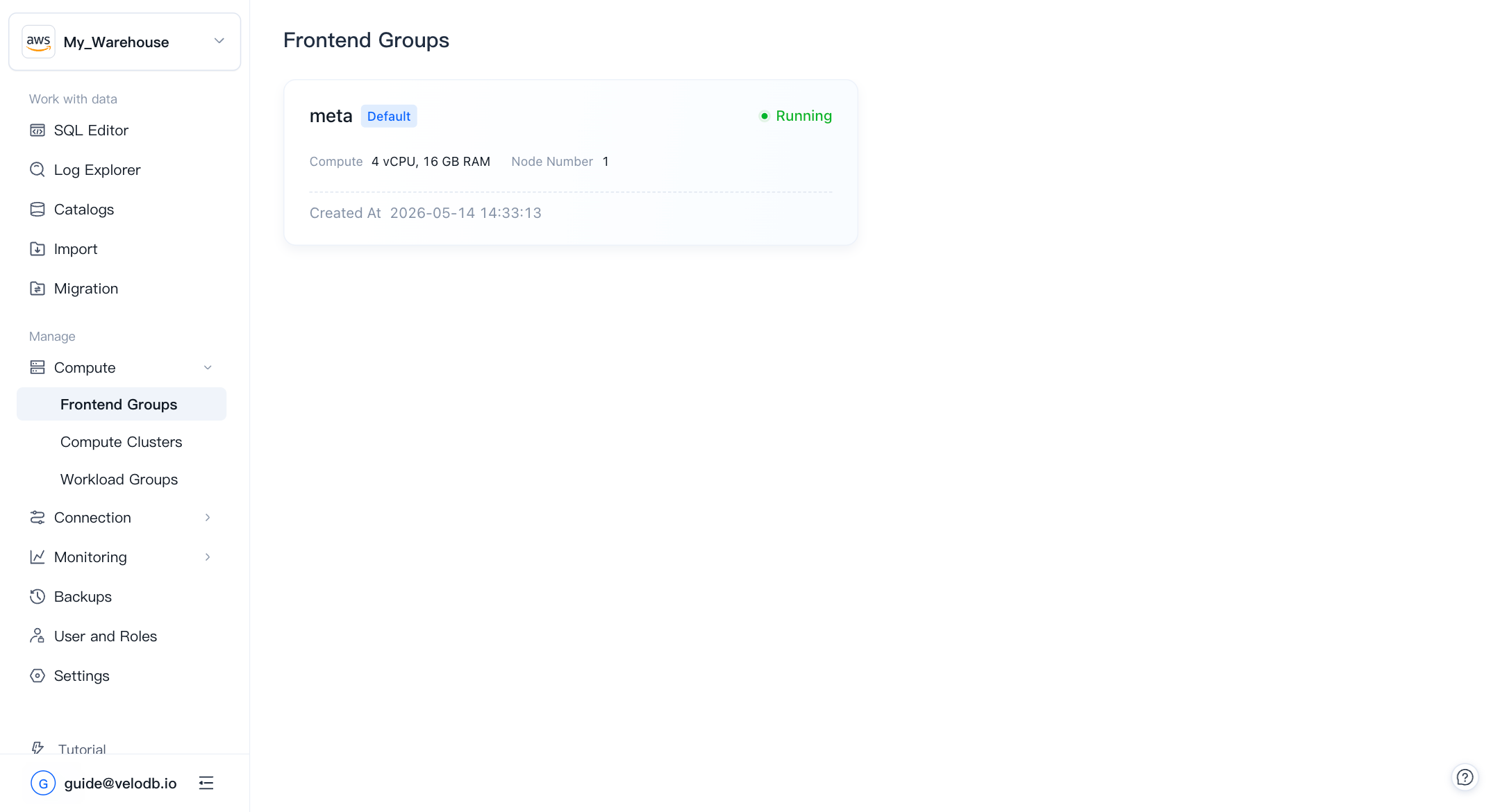
デフォルトFrontend Groupの表示
左側のナビゲーションでFrontend Groupsをクリックしてリストページを開きます。各warehouseにはmetaという名前のデフォルトFEグループが1つあります。カードには現在のcompute仕様、ノード数、作成時刻が表示されます。
metaカードをクリックしてFrontend Group詳細ページを開きます。
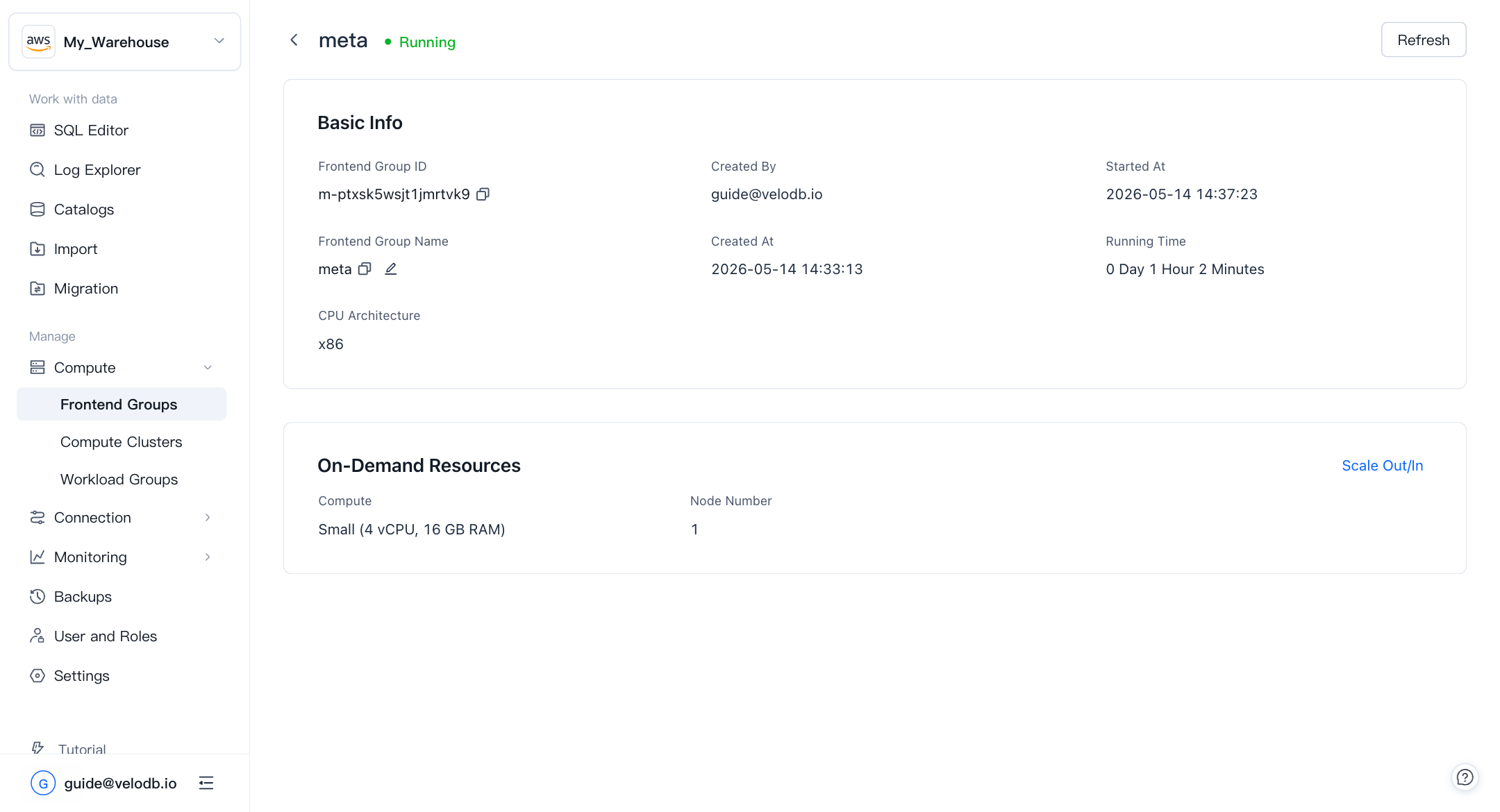
詳細ページには以下が表示されます:
- Frontend Group ID — FEグループの一意識別子。
- Frontend Group Name — 編集可能な表示名。
- CPU Architecture — 基盤となるノードのアーキテクチャ。
- Created At / Started At / Running Time — ライフサイクルのタイムスタンプ。
- On-Demand Resources — 現在のcompute仕様とノード数。
Frontend Groupのスケール
warehouseでFEボトルネック(遅いクエリプランニング、高い同時実行レイテンシ、メタデータの遅延)が発生した場合、FEグループをより大きな仕様にスケールできます。
-
Frontend Group詳細ページで、Scale Out/Inをクリックします。
-
Scaling Configurationパネルで、Current Configurationを確認し、Computeの下でTarget Configurationを選択します。
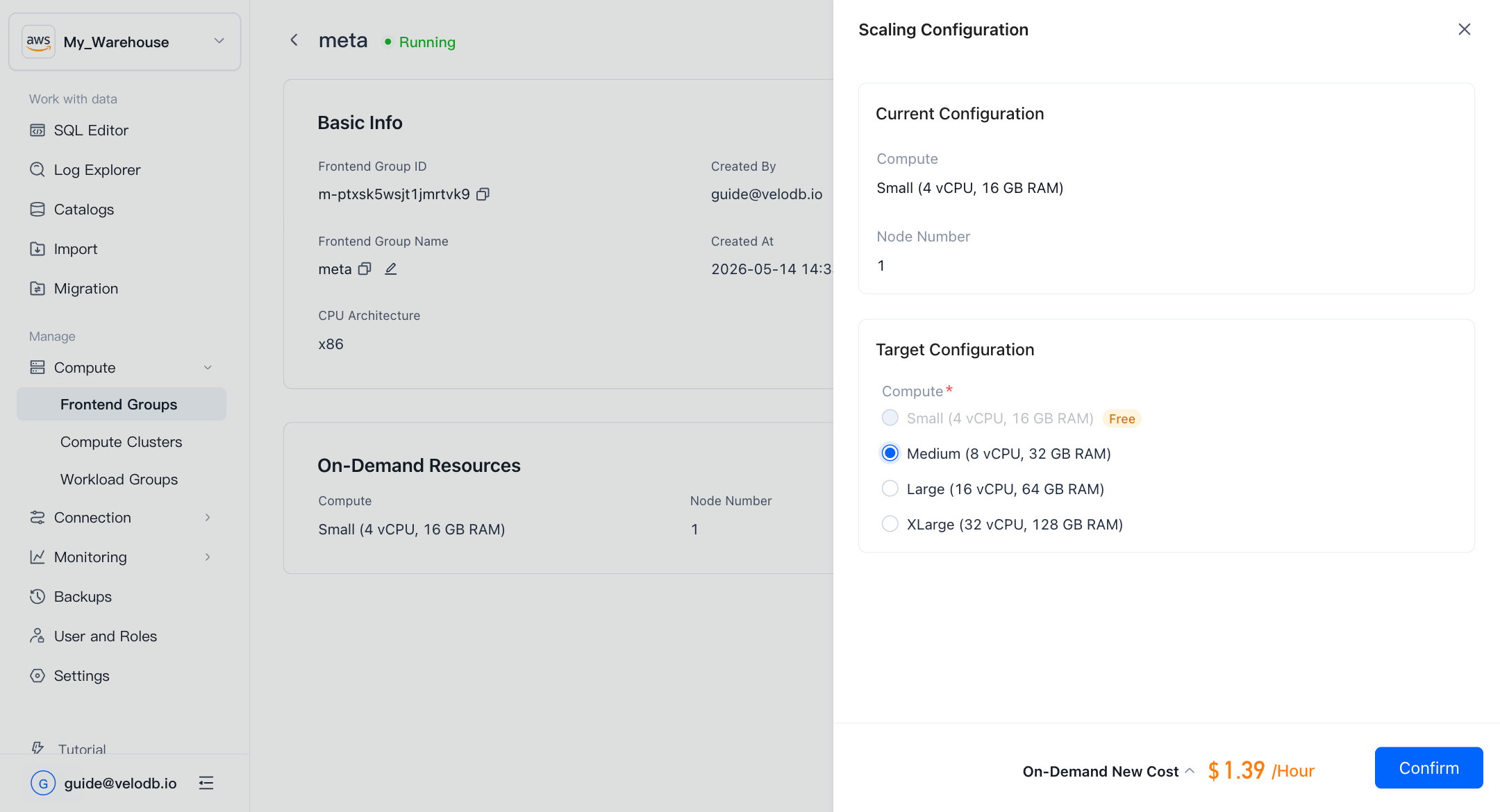
利用可能なターゲット仕様はMedium、Large、XLargeです。Small仕様は無料で、他の全ては推定コストプレビューに表示されるvCPU-Hourレートで課金されます。
-
パネル下部に表示されるOn-Demand New Costを確認し、Confirmをクリックします。
スケーリング完了後、すぐに新しい仕様での課金に切り替わります。
課金
無料のSmall仕様を超えてスケールした後、Billing → Billing Statementsに新しいFe Compute課金項目が表示されます。この項目の時間あたり使用量(vCPU-Hour)と関連コストを、他の課金コンポーネントと並んで確認できます。
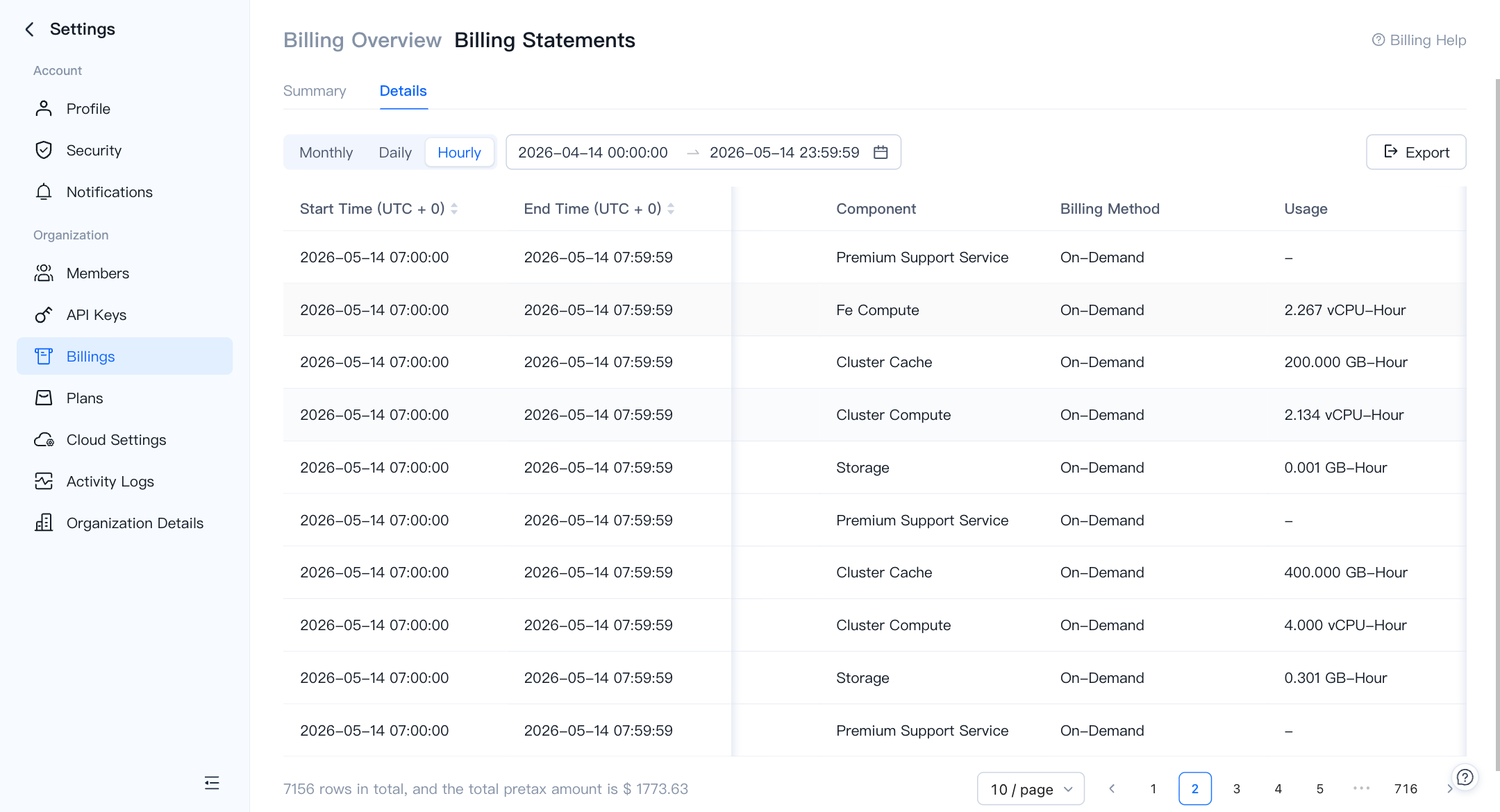
Smallにスケールバックした場合、Fe Compute課金項目は削除され、FEグループは無料ティアに戻ります。