AWS上のMarketplace
AWS MarketplaceのVeloDB Cloudは2つのサブスクリプションタイプをサポートしています:
| サブスクリプション | 使用する場合 |
|---|---|
| PAYG (Pay-As-You-Go) | オンデマンド課金による公開リスティング。誰でも標準レートでセルフサービスによりサブスクライブできます。 |
| Private Offer | VeloDB営業チームと交渉されたカスタム商用条件。メールでprivate offerリンクを受け取り、AWS Marketplaceで承諾します。private offerは2つの形式があります: • Consumption-based: PAYGと同じ時間単位の使用量ベースメータリングで、交渉されたレートで課金されます。 • Committed Contract: より深い割引を確保するため、事前またはインストールメントでクレジットを前払いします。使用量は最初にコントラクト残高から差し引かれます。 |
注記 両方のサブスクリプションタイプは、VeloDB Cloud側で同じ認証フローを使用します。唯一の違いは、AWS Marketplaceサブスクライブページにたどり着く方法です。サブスクライブ後、サブスクリプションタイプに関係なく、料金は同じAWSアカウントに請求されます。料金の計測と請求方法については、課金の仕組みを参照してください。AWS Marketplaceは課金と支払いのチャンネルのみです。SaaSとBYOCの両方のウェアハウスで動作し、ウェアハウスのデプロイ方法は変わりません。
PAYGサブスクリプション
-
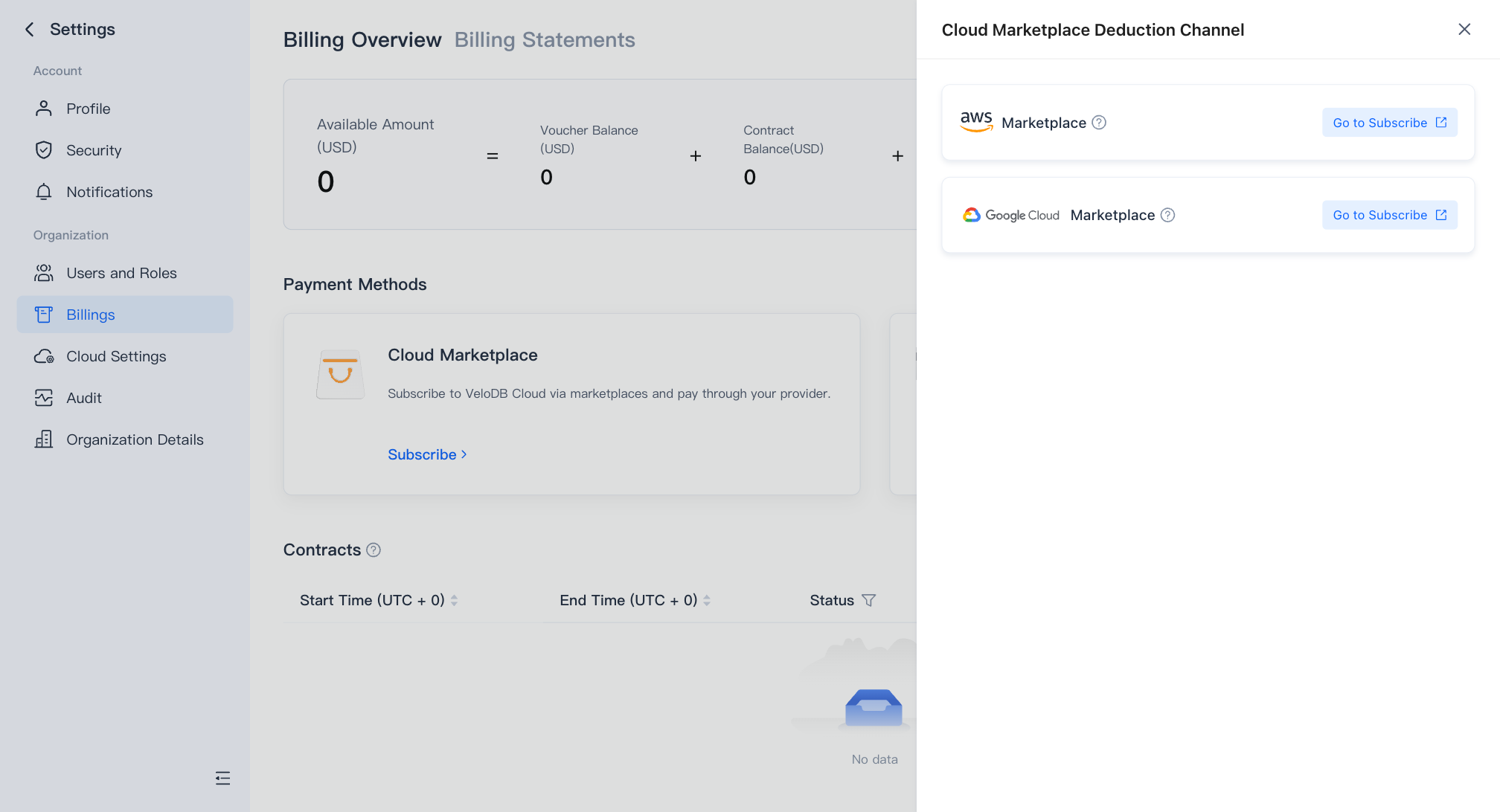
Billing Overviewページで、Cloud MarketplaceカードのSubscribeをクリックし、ドロワーでAWS Marketplaceを見つけてGo to Subscribeをクリックし、AWS MarketplaceのVeloDB Cloud製品ページを開きます。
ヒント AWSから直接同じ製品ページにアクセスすることもできます:AWS Marketplaceに移動し、
velodbを検索して、**VeloDB Cloud (Pay As You Go)**を開きます。その後、次のステップから続行します。 -
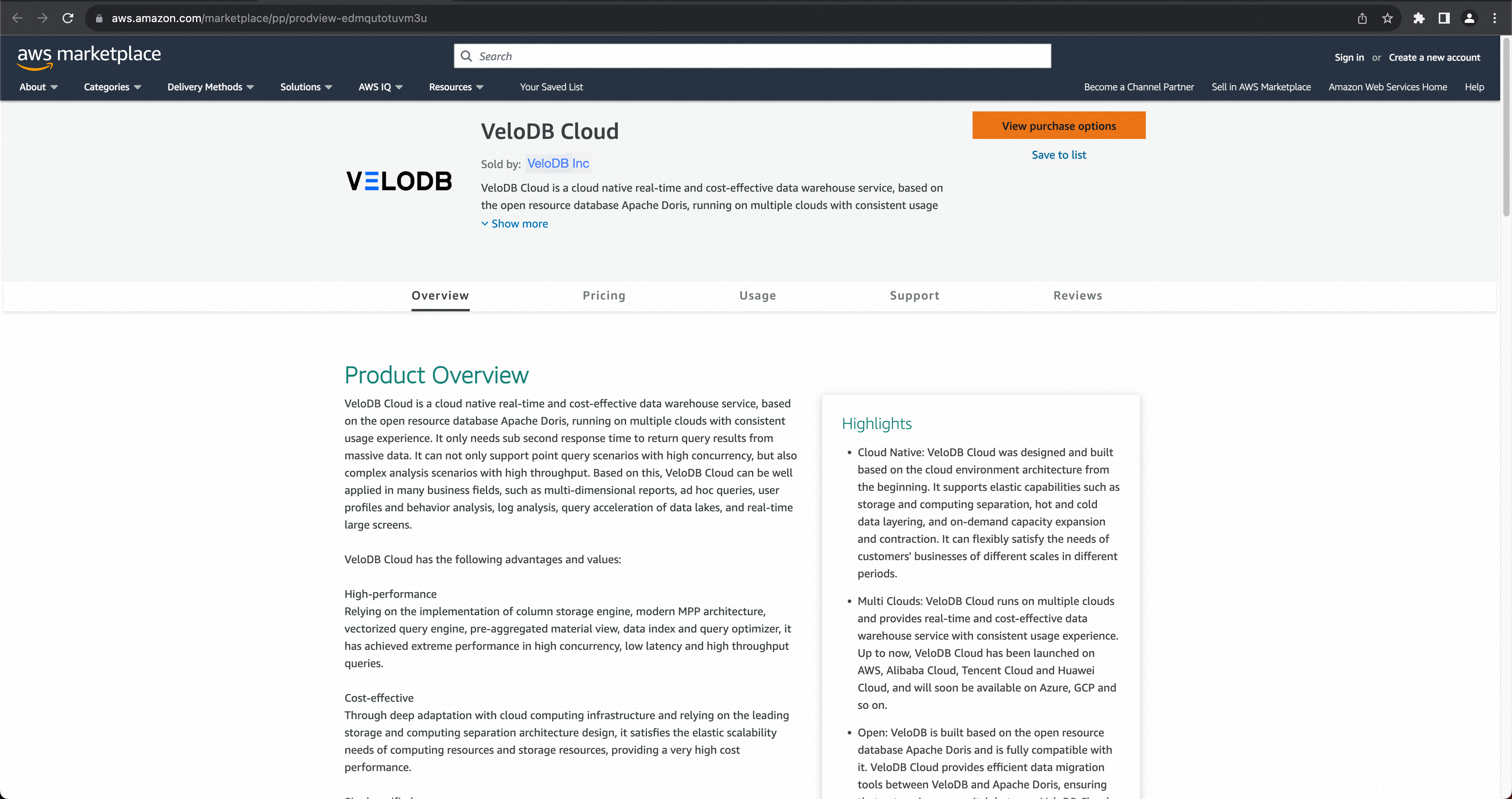
AWS Marketplace製品ページで、View purchase optionsをクリックします。
-
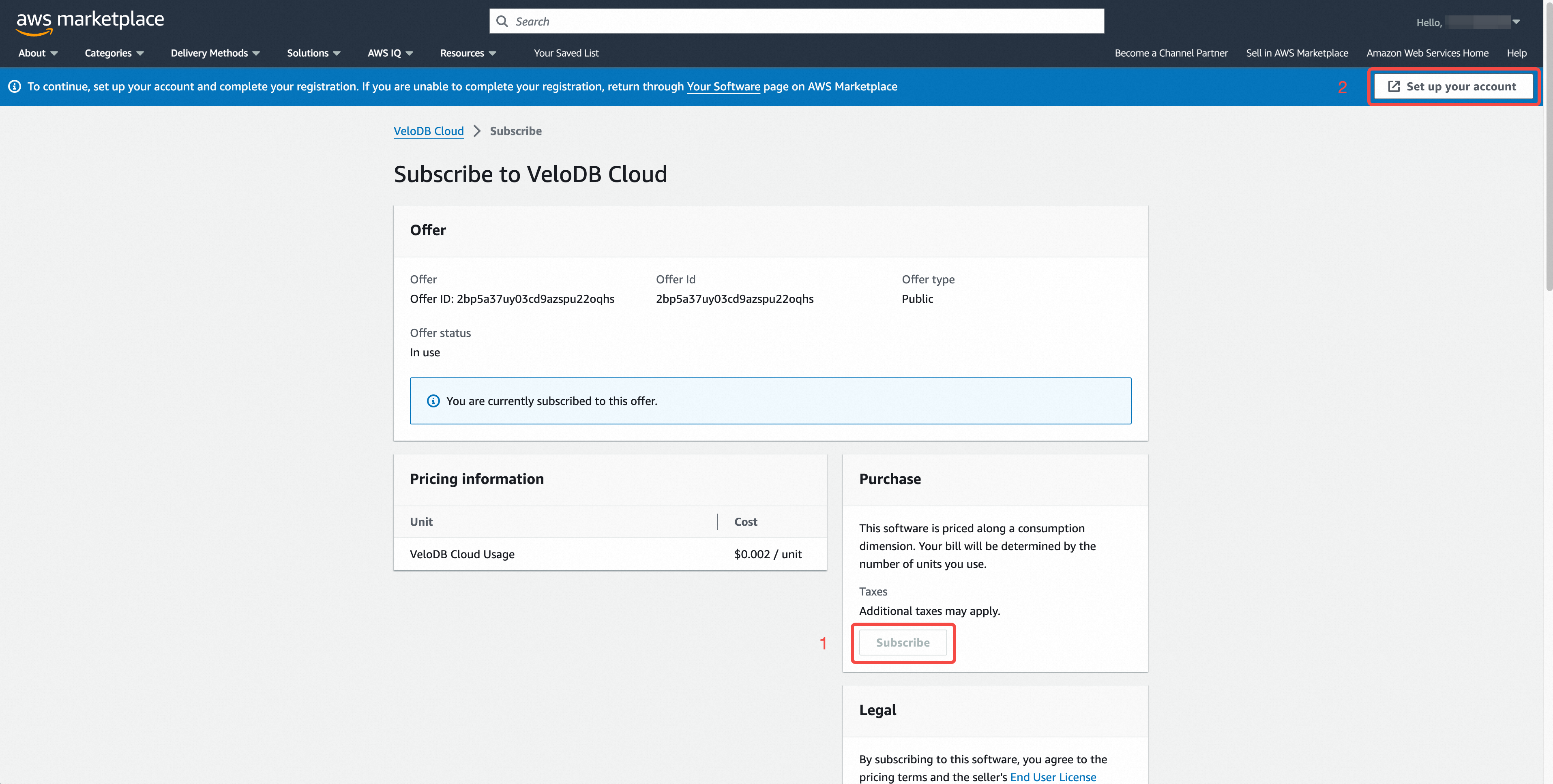
Subscribeをクリックします。ページに「You are currently subscribed to this offer」と表示されたら、Set up your accountをクリックしてVeloDB Cloud認証ページを開きます。
-
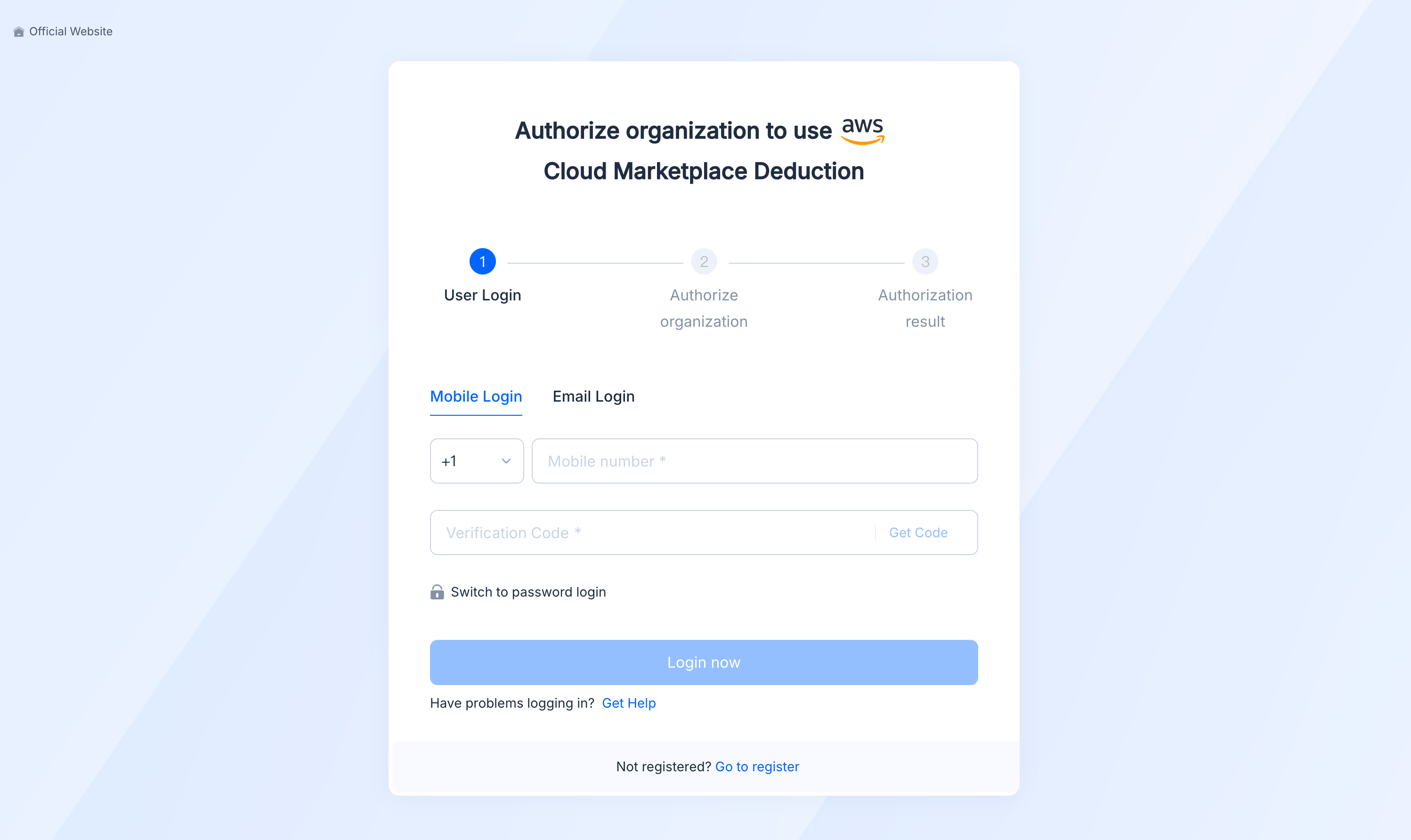
認証ページでVeloDB Cloudにサインインします。
-
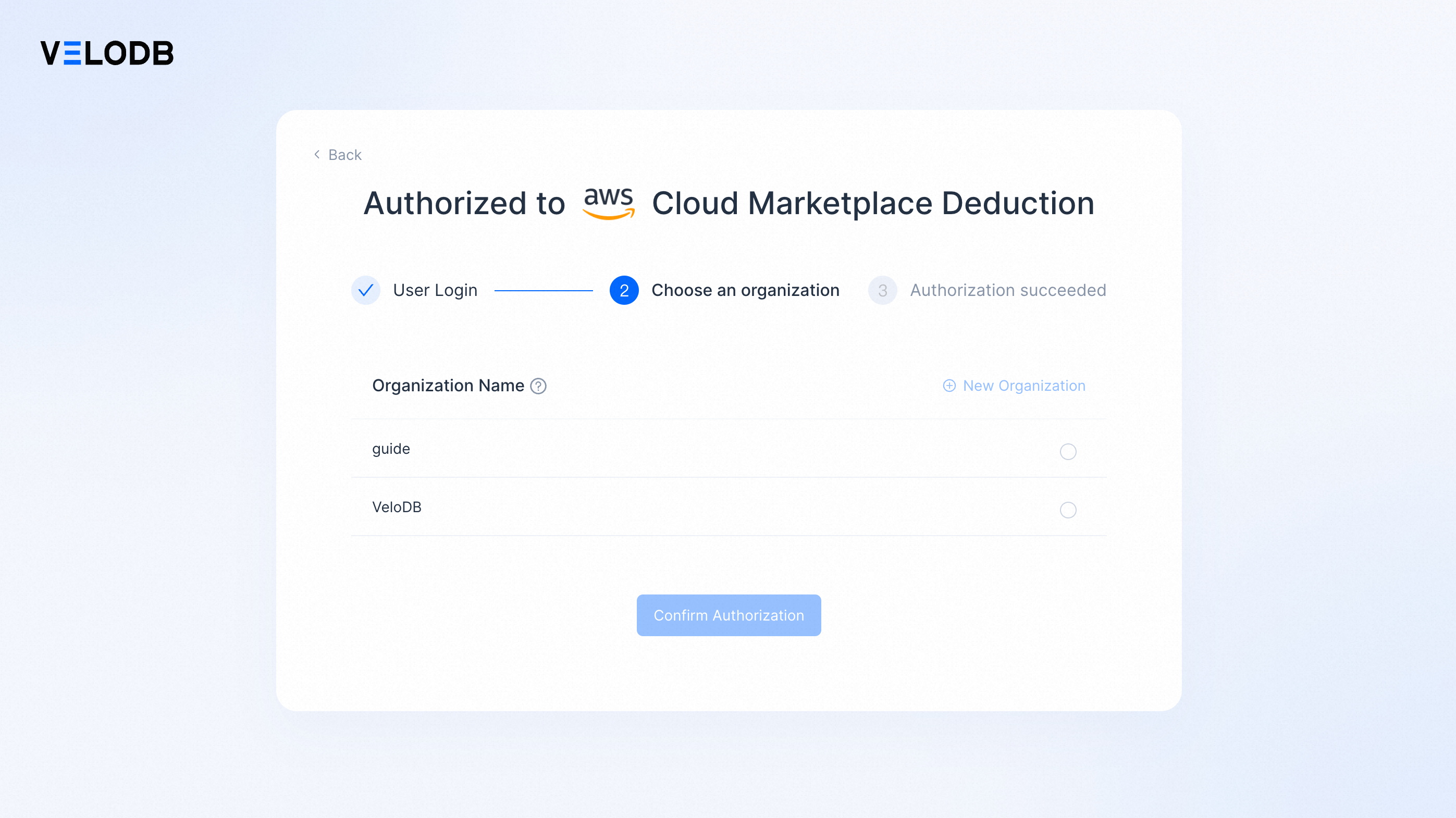
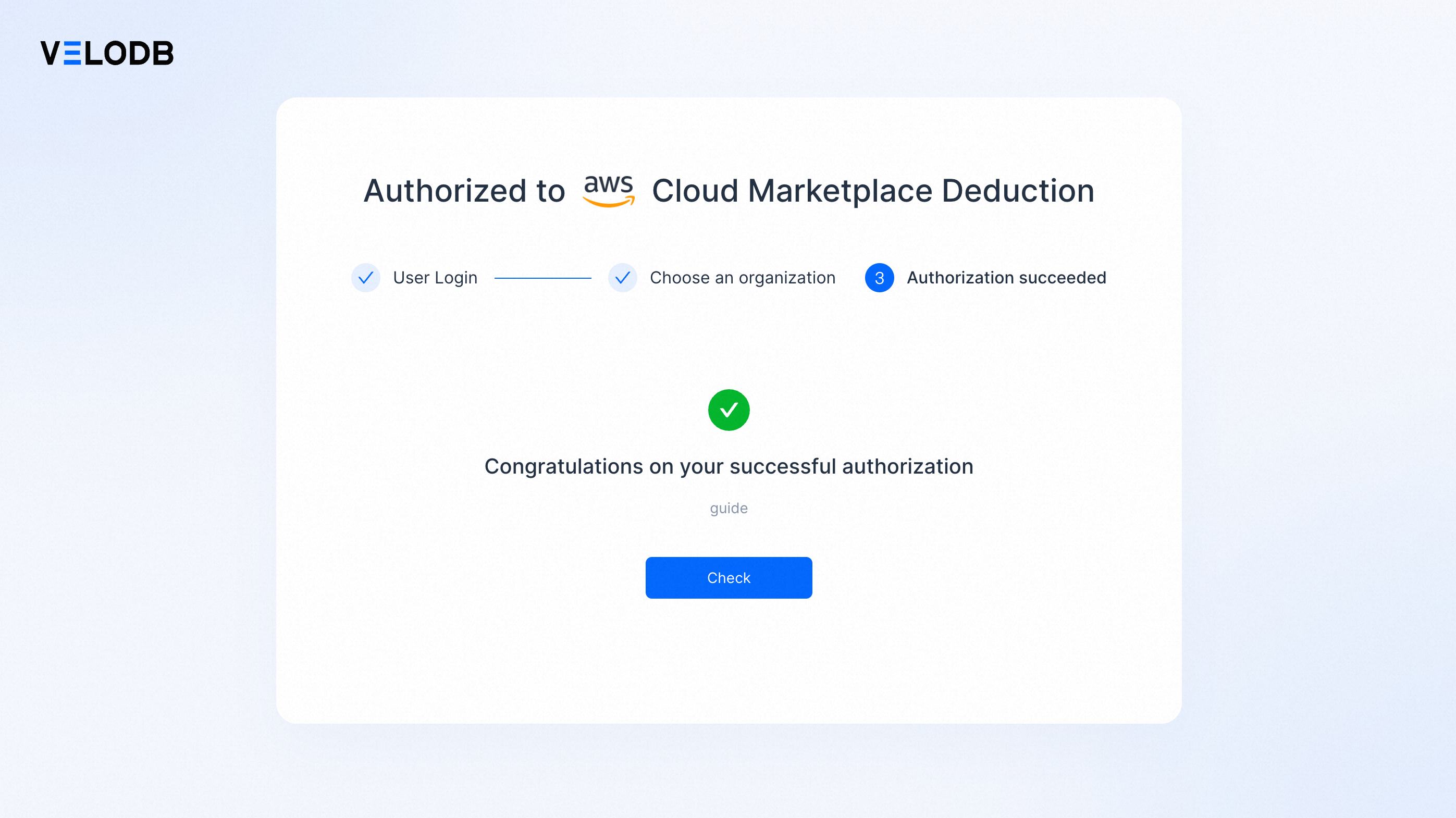
リストからターゲット組織を選択し、Confirm Authorizationをクリックします。認証が成功すると、AWSアカウントがVeloDB Cloudの使用量に対して課金されるようになります。
-
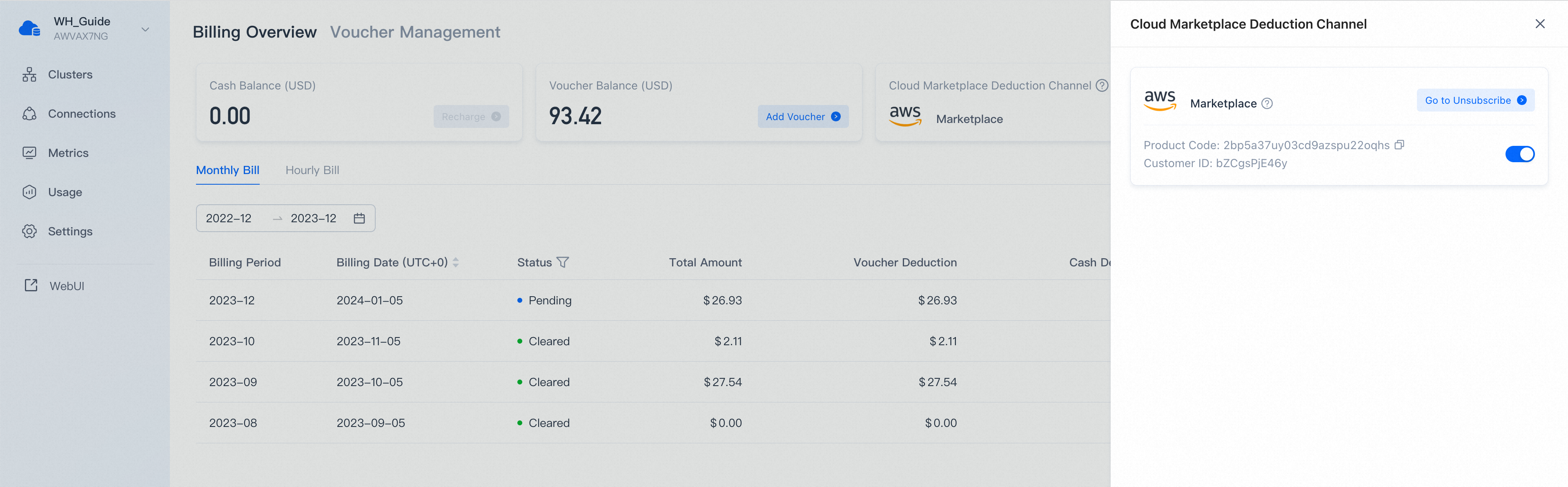
CheckをクリックしてBilling Overviewに戻ります。cloud-marketplace控除チャンネルの下にAWS Marketplaceが表示されると、セットアップが完了です。
Private Offerサブスクリプション
Private OfferはVeloDB Cloud営業チームによって作成され、お客様に送信されます。これには、公開PAYGリスティングでは利用できないカスタム商用条件(コミット支出、割引レート、複数年契約など)が含まれます。
開始する前に
- オファー条件を交渉するため、support@velodb.ioでVeloDB営業にお問い合わせください。
- VeloDB Cloudの使用量をサブスクライブし、支払うAWSアカウントIDを提供してください。Private Offerはこのアカウントに紐付けられ、このアカウントのみがオファーを承諾できます。
- 条件が合意されると、営業チームがPrivate OfferをAWSアカウントに公開し、Private Offerリンク(AWS Marketplace URL)をメールで送信します。
Private Offerを承諾する
-
オファーを受け取ったAWSアカウントにサインインします。その後、メールからPrivate Offerリンクを開きます。
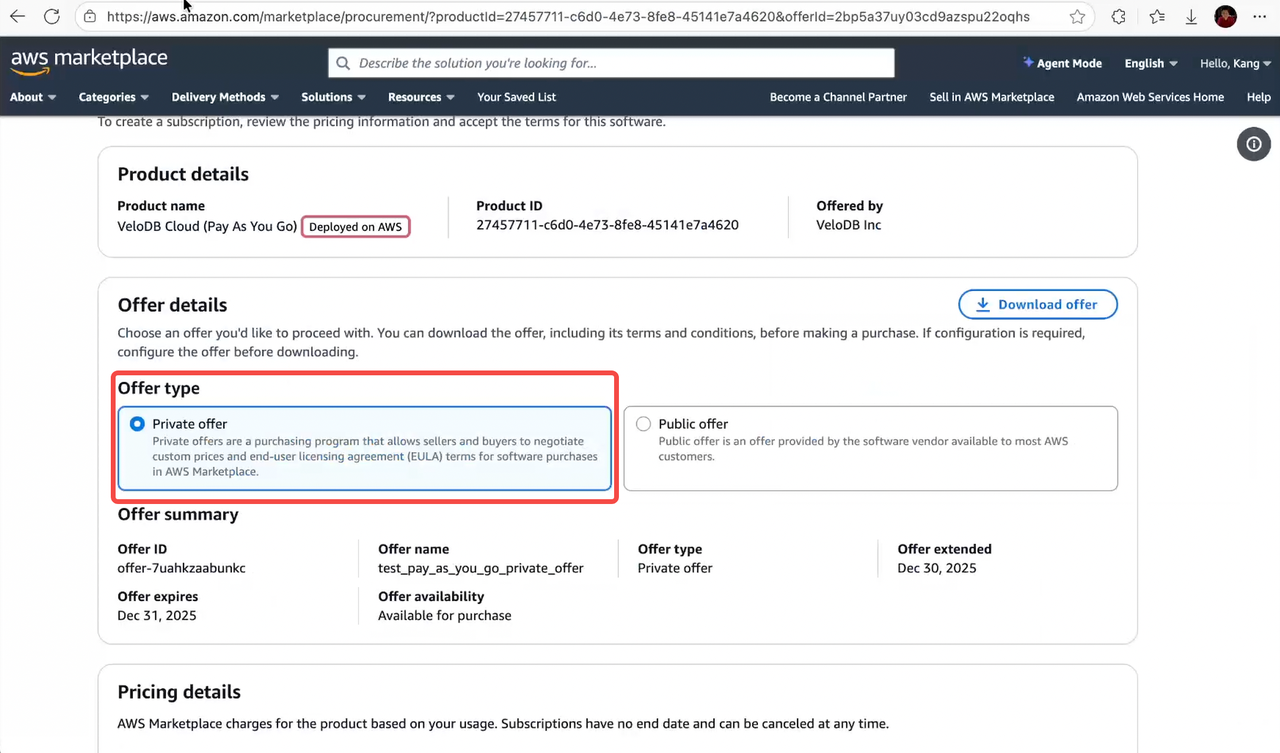
リンクにより、AWS MarketplaceのVeloDB Cloud製品ページに移動し、Private Offerが事前選択されています。
-
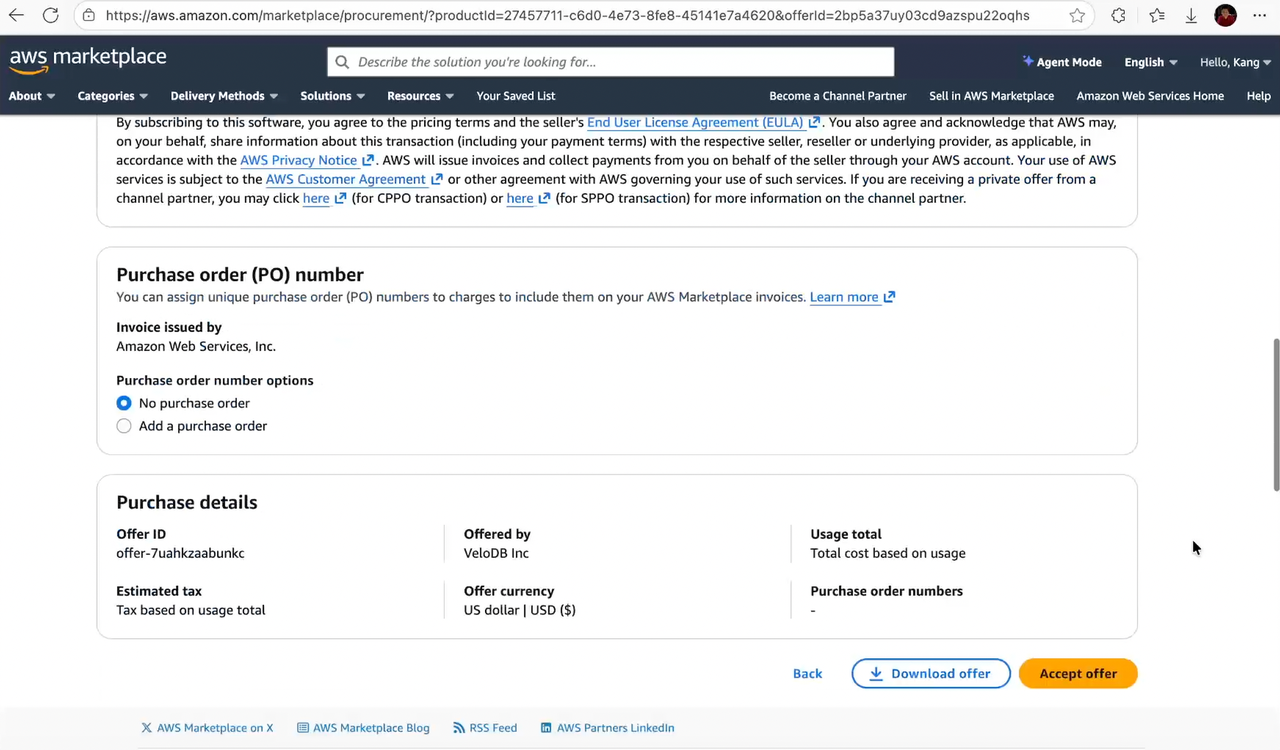
オファーの詳細、価格、契約期間、支払いスケジュール、およびカスタムディメンションを確認します。VeloDB営業と交渉した内容と一致していることを確認してください。
-
Accept Offerをクリックします。EULAを確認し、要求された場合は支払い設定を完了します。
-
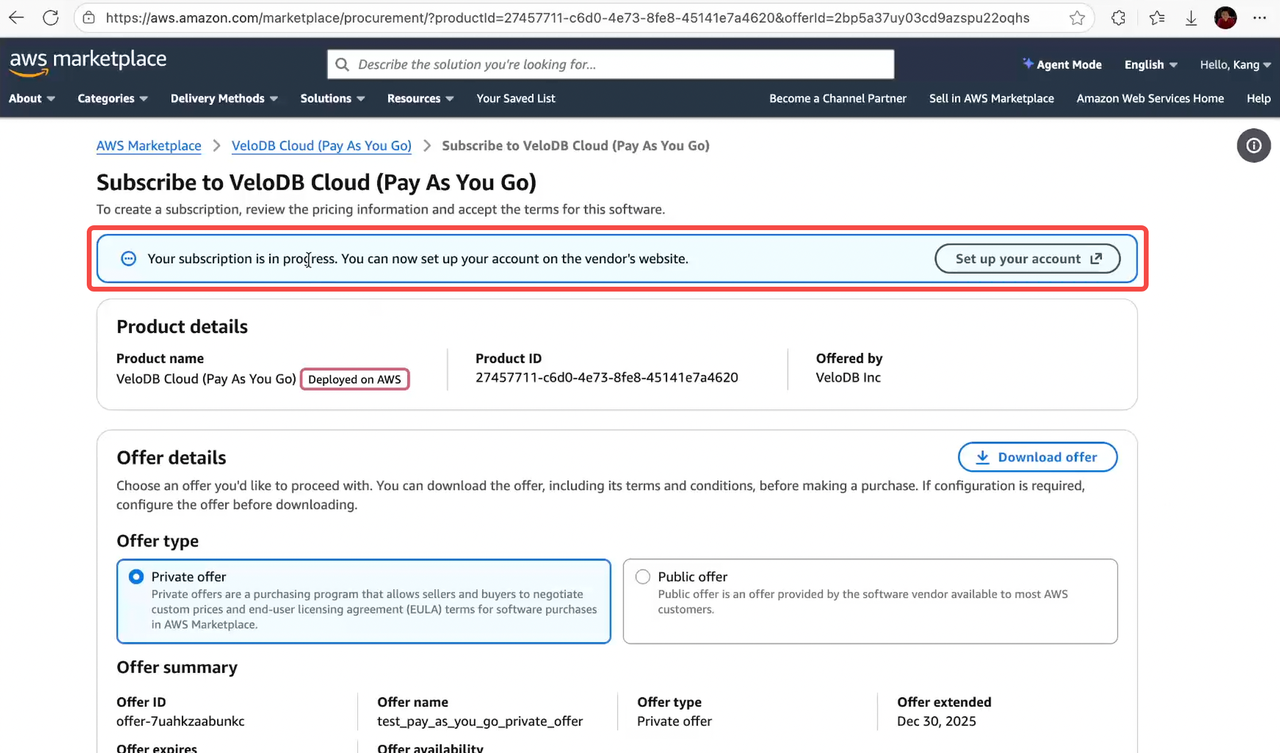
AWSがサブスクリプションを確認した後、Set up your accountをクリックしてVeloDB Cloud認証ページを開きます。
-
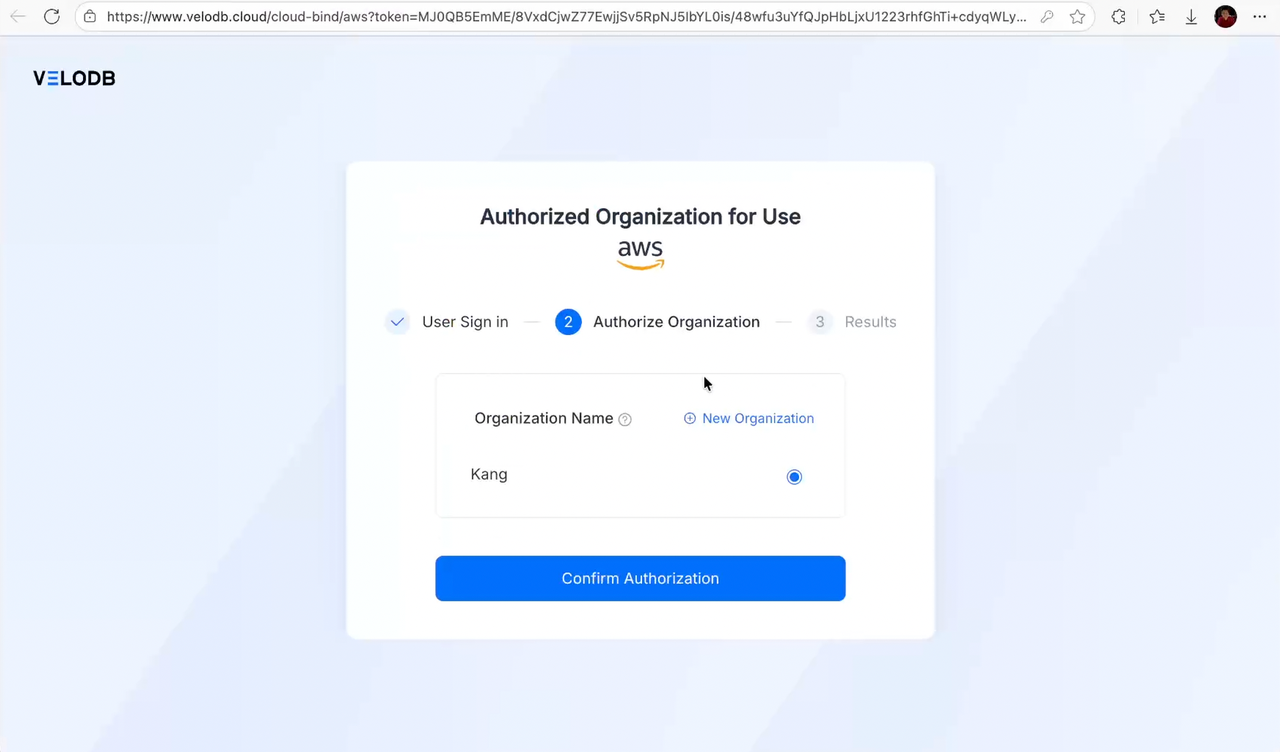
VeloDB Cloudにサインインし、ターゲット組織を選択してConfirm Authorizationをクリックします:PAYGフローと同じです。
-
Billing Overviewに戻り、cloud-marketplace控除チャンネルの下にAWS Marketplaceが表示されることを確認します。その後のVeloDB Cloudの使用量は、Private Offerを承諾したAWSアカウントに対して課金されます。
Committed Contractオファーを承諾する
Committed Contractオファーでは、より深い割引を確保するためクレジットを前払い(事前またはインストールメント)できます。承諾フローは上記のPrivate Offerを承諾すると同じですが、2つの違いがあります:
- 承諾前に金額を選択する:オファーページでPricing detailsまでスクロールし、VeloDB Contract Usageを選択して、前払いするnumber of unitsを入力します。1ユニットは**$1.00 USDに相当します(例:
100を入力すると$100.00のコントラクトクレジットを購入)。その後Accept Offer**をクリックします。 - セットアップ後にコントラクトが表示される:認証が成功すると、Billing OverviewページのContractsセクションに新しいエントリが表示され、コントラクトの開始/終了時間、ステータス、総額、使用量、残高が表示されます。
VeloDB Cloudは最初にコントラクト残高から使用量を差し引きます;残高が枯渇した場合の処理については、課金の仕組みを参照してください。
課金の仕組み
これは、どのようにサブスクライブしたかに関係なく、すべてのAWS Marketplaceサブスクリプションに適用されます。
- メータリングと請求:VeloDB Cloudは使用量を毎時間AWSに報告します。AWSは毎月課金し、請求書を発行します;VeloDB Cloudはこのチャンネルを通じて直接課金しません。
- 料金を確認する場所:VeloDB CloudのBillingページのBilling Statementsタブを開き、詳細な使用量と請求明細書を確認してください。公式請求書はAWSが発行します。
- Committed Contract差引:Committed Contractオファーを承諾した場合、VeloDB Cloudは最初にコントラクト残高から使用量を差し引きます。コントラクト残高が枯渇(ゼロに到達)すると、VeloDB Cloudは自動的に標準PAYGメータリング(毎月の課金のための毎時間使用量報告をAWSに)にフォールバックするため、サービスは中断されません。
サブスクリプションを管理する
認証が成功すると、Billing OverviewページのCloud MarketplaceカードにAWSロゴが表示され、リンクがSubscribeからUnsubscribeに変更されます。これにより、AWS Marketplaceがアクティブな控除チャンネルであることが確認されます。
AWS Marketplaceを控除チャンネルとして使用することを停止するには、Cloud MarketplaceカードのUnsubscribeをクリックします。